
🌐 The Ultimate Guide to Networking & Web Fundamentals
1. The Big Picture: Internet vs. The Web
Most people use these terms interchangeably, but in the world of Cyber Security, precision is key.
How the Internet Works
The Internet is the physical infrastructure—the “Network of Networks.” It consists of hardware like routers, switches, and fiber-optic cables. It uses IP Addresses to route small chunks of data called Packets from one point to another.
How the Web Works (WWW)
The World Wide Web is a service that runs on top of the internet. It uses the HTTP protocol to transmit documents (HTML, CSS, images). If the Internet is the highway, the Web is one specific type of truck driving on it.
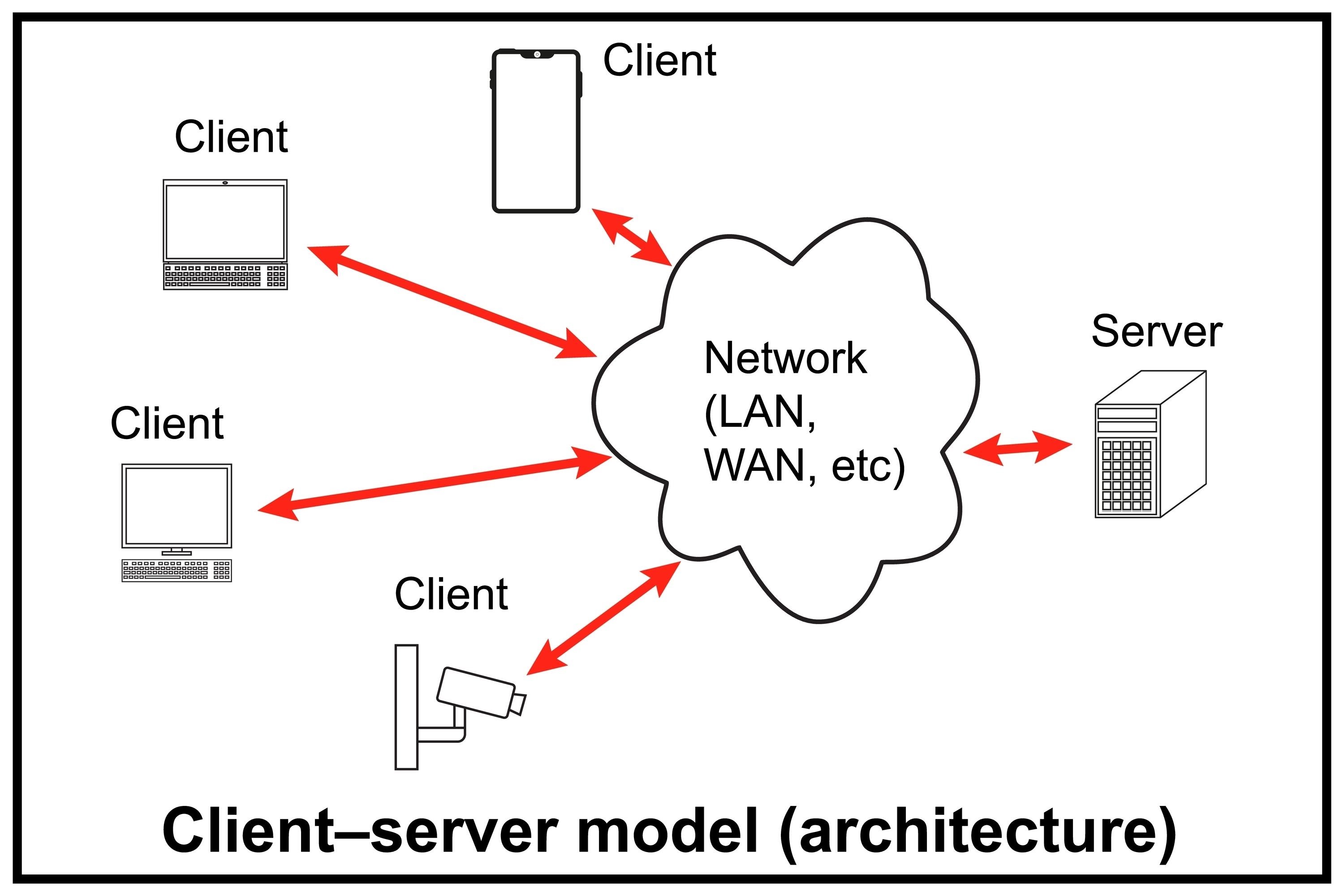
The Client-Server Model
This is the basic interaction of the web:
- The Client: The requester (your browser, a mobile app, or a CLI tool like
curl). - The Server: A powerful computer that “serves” the requested data.
2. HTTP Crash Course
HyperText Transfer Protocol (HTTP) is the language of the web. It operates on the Application Layer.
Key HTTP Methods
- GET: Retrieve data from a server (viewing a page).
- POST: Send data to a server (logging in, uploading a file).
- PUT/PATCH: Update existing data on the server.
- DELETE: Remove data from the server.
Important Status Codes
- 200 OK: Success.
- 301/302: Redirects.
- 401/403: Unauthorized or Forbidden.
- 404: Not Found.
- 500: Internal Server Error.
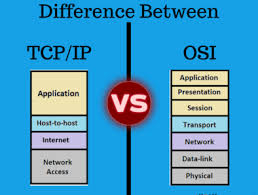
3. Networking Models: OSI vs. TCP/IP
To standardize communication, we use layered models.
| Layer | OSI Model (Conceptual) | TCP/IP Model (Practical) |
|---|---|---|
| 7 | Application | Application |
| 6 | Presentation | Application |
| 5 | Session | Application |
| 4 | Transport | Transport |
| 3 | Network | Internet |
| 2 | Data Link | Network Access |
| 1 | Physical | Network Access |
4. The Transport Layer: TCP, UDP, & ICMP
TCP (Transmission Control Protocol)
TCP is “connection-oriented” and reliable. It ensures data arrives intact and in order via the Three-Way Handshake:
- SYN: “Let’s synchronize.”
- SYN-ACK: “Acknowledged, let’s sync.”
- ACK: “Acknowledged, starting data transfer.”
UDP (User Datagram Protocol)
UDP is “connectionless.” It sends data without checking if it arrived. It’s much faster but unreliable.
- Use Cases: Gaming, Streaming, DNS.
ICMP (Internet Control Message Protocol)
ICMP is used for diagnostic and error messages. It doesn’t carry user data. The ping command is the most common use of ICMP.
5. Protocols: SSH, Telnet, & FTP
| Protocol | Port | Security | Description |
|---|---|---|---|
| SSH | 22 | ✅ High | Secure Shell. Encrypted remote terminal access. |
| Telnet | 23 | ❌ Zero | Unencrypted remote access. Highly insecure. |
| FTP | 21 | ❌ Low | File Transfer Protocol. Sends credentials in plaintext. |
6. Essential Network Tools
Ping
Checks if a host is reachable and measures latency (round-trip time).
ping <IP_or_Domain>
Traceroute
Maps the path packets take to reach a destination, showing every router (hop) along the way.
traceroute <IP_or_Domain>
Nmap (Network Mapper)
The gold standard for reconnaissance. It discovers hosts, open ports, and services.
- Service Scan:
nmap -sV <target> - Default Scripts:
nmap -sC <target>
0xaskar’s Summary
Understanding these fundamentals is the difference between a “Script Kiddie” and a professional security analyst. Always start with the basics:
- Is the host alive? (Ping)
- What ports are open? (Nmap)
- What protocol is it using? (HTTP/SSH/FTP)